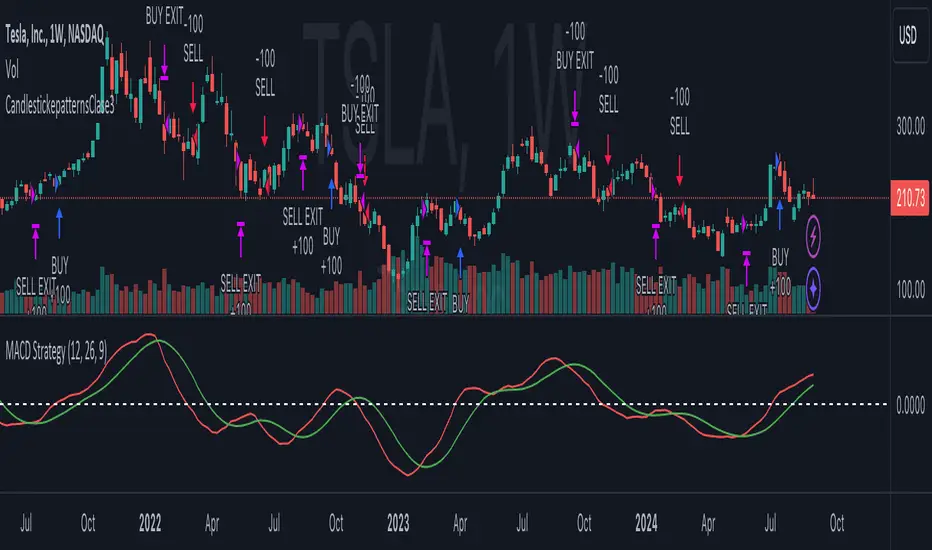
Candlestick_patternsLibrary "CandlestickepatternsClase3"
TODO: add library description here
bullish_engulfing()
bearish_engulfing()
Search in scripts for "Candlestick"
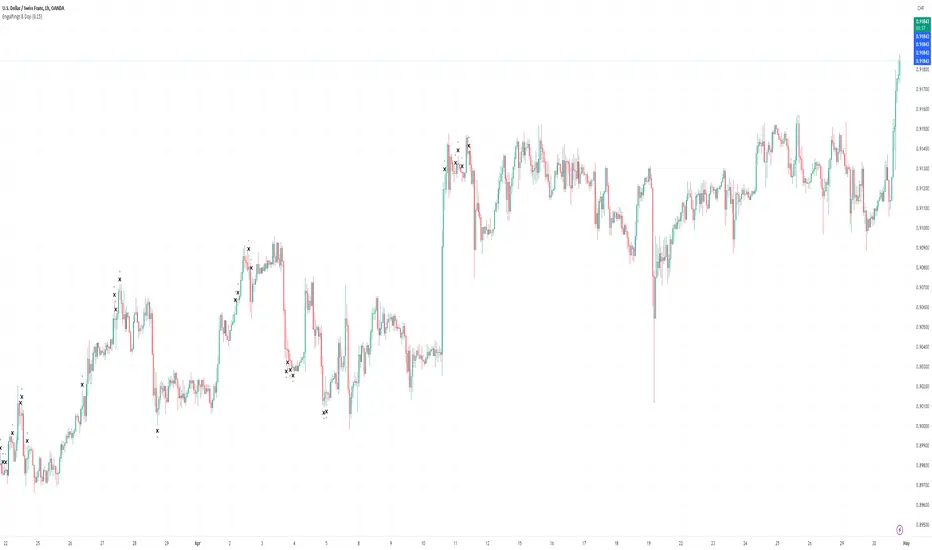
Engulfings/DojiDescription of the Indicator:
The "Engulfings/Doji" indicator, is designed to assist traders in identifying significant candlestick patterns on price charts. This indicator focuses on two primary candlestick patterns: Bullish Engulfing and Bearish Engulfing, as well as the Doji pattern. It provides valuable insights into potential price reversals or continuations. Here's how it works and how to use it:
Concepts Underlying the Calculations:
Bullish Engulfing and Bearish Engulfing Patterns: Bullish Engulfing patterns occur when a candle's open and close prices are lower than the previous candle's open and close, and the current candle completely engulfs the previous one. Bearish Engulfing patterns are the opposite, with the current candle's open and close prices higher than the previous candle's open and close, completely engulfing it.
Doji Pattern: The indicator also detects Doji candles. A Doji is characterized by a small or nearly non-existent body, indicating uncertainty or market indecision.
Time Filtering (Sig_Time): The indicator applies time-based filters to consider these patterns only during specific trading sessions or hours. This helps traders focus on more relevant signals during active market times.
Higher Timeframe (HTF) Engulfing Patterns: Additionally, the indicator can display HTF (Higher Timeframe) Engulfing patterns on the current chart, allowing traders to identify stronger signals occurring on higher timeframes.
How to Use the Indicator:
The indicator identifies and visually represents Bullish Engulfing, Bearish Engulfing, and Doji patterns on the price chart.
The colors of these patterns can be customized based on their significance and the time of occurrence.
Traders can set a maximum allowable body size for Doji patterns using the "Doji's Max Body size" input.
The "Show HTF Engulfings" input allows traders to display HTF Engulfing patterns on the chart.
Traders can choose not to display Doji patterns on the 1-minute (M1) timeframe by enabling the "Don't display Doji on M1" option.
Candlestick patterns and Doji signals are displayed with appropriate symbols and colors to help traders identify potential trading opportunities.
The time-based filtering enhances the relevance of the signals presented by the indicator.
HeikinAshiSub【サブチャート表示型:平均足オシレーター】
本ツールは、通常メインチャートに表示される「平均足」を、オシレーターのようにチャート下部のサブウィンドウへ表示させるインジケーターです。
■ 主な特徴とメリット
視認性の向上: メインチャートを通常の「ローソク足」に設定したまま、サブチャートで「平均足」のトレンド継続性を確認できます。
分析の使い分け: ローソク足で細かなプライスアクション(ヒゲや型)を読み取り、サブウィンドウの平均足で大まかなトレンドの方向性や勢いを判断するという使い分けが可能です。
本インジケーターは、山中先生に制作・共有していただいたものを皆さんにも公開いたしました。
「ディスクレーマー(免責事項)」
※本インジケーターは投資助言者【馬】が独自に開発したものです。 ※開発者の好意により提供されるものであり、将来の利益を保証するものではありません。 ※投資およびトレードはすべて自己責任で行ってください。 ※外国為替証拠金取引(FX)や有価証券投資には価格変動リスクがあり、投資元本を割り込む、あるいは全額を失う可能性があります。また、証拠金以上の損失が発生するリスクも含まれます。これらをご理解・承諾いただいた上でご利用ください。
This indicator displays "Heikin Ashi" candles in the sub-window at the bottom of the chart, functioning like an oscillator.
■ Key Features & Benefits
Enhanced Visual Clarity: You can keep your main chart set to standard "Candlesticks" while simultaneously monitoring trend continuity via "Heikin Ashi" in the sub-pane.
Dual Analysis: This allows you to read detailed price action (wicks and patterns) on the main chart, while using the sub-window’s Heikin Ashi to judge the overall trend direction and momentum.
This indicator was created and shared by Mr. Yamanaka.
Disclaimer
This indicator was originally developed by the investment advisor .
It is provided as a courtesy and does not guarantee future profits.
All investments and trades are conducted at your own risk.
Trading Forex (FX) and securities involves significant risk of loss. Prices can fluctuate, and you may lose your entire investment. In leveraged trading, losses can exceed your initial deposit. Please use this tool only after fully understanding and accepting these risks.

FPT - Dark Cloud & Piercing FPT – Dark Cloud & Piercing (GAP) is a minimalist candlestick pattern indicator designed to highlight classical two-candle reversal formations with strict gap requirements.
This tool focuses purely on price action and avoids unnecessary filters or conditions.
🔹 Patterns Detected
Bullish Piercing Line
First candle: Bearish
Second candle: Bullish
Second candle opens with a gap down
Close penetrates above the midpoint of the first candle’s real body
Does not fully engulf the first candle
Bearish Dark Cloud Cover
First candle: Bullish
Second candle: Bearish
Second candle opens with a gap up
Close penetrates below the midpoint of the first candle’s real body
Does not fully engulf the first candle
Only the pattern-forming candle (second candle) is highlighted to keep the chart clean and readable.
🎨 Customization
Enable Bullish, Bearish, or Both patterns
Fully customizable colors for each pattern via Inputs → Colors
Style tab colors are intentionally not used to avoid confusion
🎯 Design Philosophy
No indicators
No volatility or size filters
No trend assumptions
Just pure candlestick structure, exactly as defined in classical technical analysis.
This indicator is ideal for traders who combine:
Key levels
Supply & demand zones
Market structure
Session-based or discretionary analysis
⚠️ This indicator is a visual tool only and does not provide trade signals by itself.
Always use proper risk management.

Night Session Background V1.0This script can achieve the following functions:
Select a specified time period, such as the U.S. trading session, and mark this period on the background of the candlestick chart.
The purpose of doing this:
It allows you to more intuitively observe the candlestick patterns during specific time periods, such as the U.S. trading session.

Wp's Vector CandlesVector Candles are special, color-coded candlesticks that highlight significant market activity, showing intense buying/selling (climax), institutional entry, momentum shifts, or potential reversals by analyzing high volume and large price ranges (spreads). They transform normal charts to instantly spot areas of extreme participation (bullish green/blue, bearish red/violet) versus standard conditions (gray), helping traders see market dynamics beyond just price.

布林带触碰报警-ZHbolling:Alert condition: When a candlestick touches either the upper or lower Bollinger Band, and the amplitude of that candlestick reaches 0.5%. The amplitude is calculated as: (highest point - lowest point) / highest point

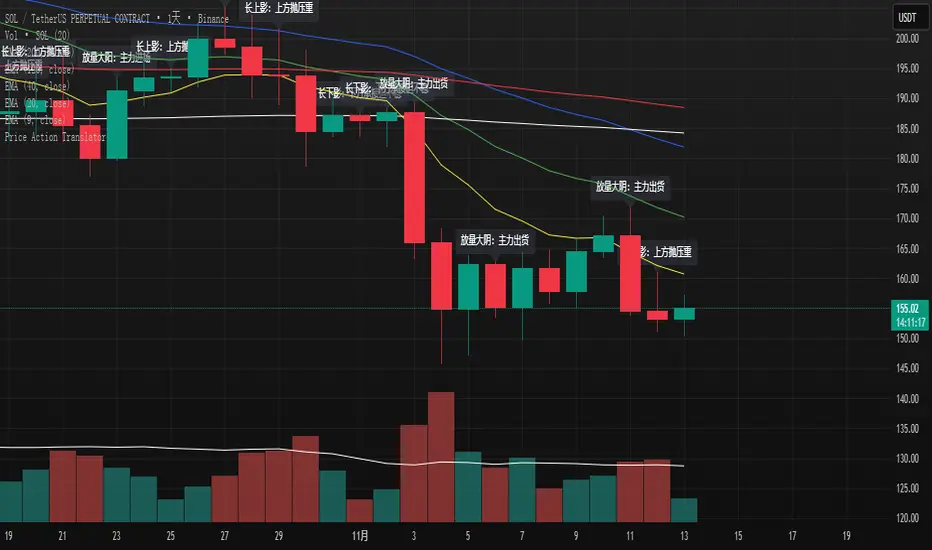
K线语言·国师版 — Price Action TranslatorUnderstand what the market is really saying.
This script automatically translates candlestick and volume behavior into clear, human-readable messages directly on your chart.
Instead of guessing what each bar means, you can hear the market speak.
📈 Green bar with volume → Buyers are in control
📉 Red bar with volume → Sellers are dumping positions
⚖️ Doji → Indecision between buyers and sellers
💡 Long upper wick → Selling pressure from above / Long lower wick → Buyers absorbing below
🧠 Core Concept
Most indicators tell you what happened.
Price Action tells you why it happened.
This script bridges that gap by letting the candles explain the psychology behind every move.
It helps traders:
Visualize market sentiment through candlestick language.
Identify institutional accumulation or distribution.
Build confidence by understanding the story behind price.
⚙️ Main Features
✅ Automatically detects strong volume bars, Doji, long wicks, and reversal patterns.
✅ Displays short contextual messages above or below each bar.
✅ Works on all time frames (Daily / 4H / 1H).
✅ Clean and non-intrusive visual design.
📈 Best For
Traders learning Price Action logic.
Multi-time-frame trend analysts.
Active traders who want to reduce emotional decisions.
🚀 Usage Tips
1️⃣ Use it with your EMA trend system for confirmation.
2️⃣ Watch for volume surges to confirm real momentum.
3️⃣ Do not chase small Doji bars — wait for confirmation candles.
💬 Author’s Note
“Price Action is the language of the market.
Once you understand its voice, you don’t need to guess anymore.”
— Master Edition · Price Action Translator
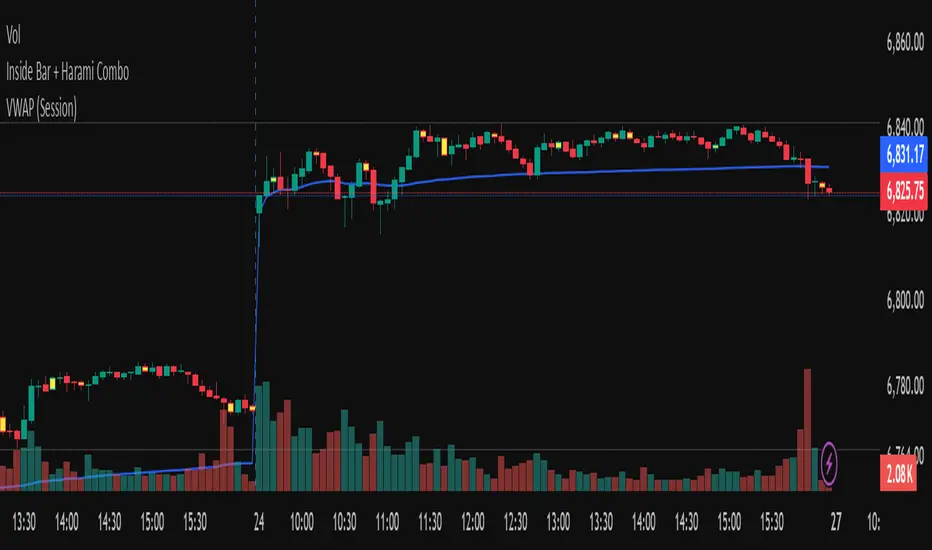
Inside Bar + Harami ComboThis indicator visually highlights Inside Bars, Outside Bars, and Harami candlestick patterns directly on your chart using clean color-coded candles — no labels, no shapes, just visual clarity.
It helps traders quickly identify potential reversal and continuation setups by coloring candles according to the detected pattern type.
🔍 Patterns Detected
🟨 Inside Bar — Current candle’s range is completely inside the previous candle’s range.
Often signals price contraction before a breakout.
💗 Outside Bar — Current candle’s high and low exceed the previous candle’s range.
Indicates volatility expansion and possible trend continuation.
🟩 Bullish Harami — A small bullish candle within the body of a prior bearish candle.
Suggests potential reversal to the upside.
🟥 Bearish Harami — A small bearish candle within the body of a prior bullish candle.
Suggests potential reversal to the downside.
⚙️ Features
Customizable colors for each pattern type.
Simple overlay visualization — no shapes, no labels, just colored candles.
Harami colors automatically override Inside/Outside colors when both occur on the same bar.
Lightweight logic for smooth performance on any timeframe or symbol.
💡 How to Use
Apply the indicator to your chart.
Configure colors in the settings panel if desired.
Watch for highlighted candles:
Inside Bars often precede breakouts.
Harami patterns can mark reversal zones.
Combine with trend tools (like moving averages) to confirm setups.
⚠️ Note
This indicator is for visual pattern detection and educational use only.
Always combine candlestick signals with broader technical or market context before trading decisions.
Exciting Candles by BitcoinBailyExciting Candles by BitcoinBaily — is a custom indicator that visually highlights "momentum" or "exciting" candlesticks on the chart.
It helps traders quickly identify candles with strong body-to-range ratios, i.e., candles showing strong price momentum (big move between open and close relative to the high-low range).
If the candle’s body is greater than or equal to the threshold percentage (say 85%), the bar is colored yellow. Otherwise, no color is applied.
Yellow Candle = Exciting Candle
The candle’s body occupies ≥ the set % (e.g., 85%) of the total high-low range.
Indicates strong momentum (buyers or sellers dominated most of that period).
No Color = Neutral / Normal Candle
Price moved both ways (upper & lower wicks), but neither buyers nor sellers fully dominated.
1. Range Breakout: When price breaks a sideways range and a yellow (exciting) candle appears,
it confirms that real momentum has entered — a good time to catch the move early.
2. Trend Pullback: If price dips to a moving average (like 20 or 50 SMA) and then forms a yellow
candle, it signals that buyers are regaining control — often a high-probability trend
continuation entry.
3. Exhaustion Top: A yellow bearish candle near a resistance area shows strong selling pressure
— a warning that the uptrend may be ending.
4. Sideways Market: When no yellow candles appear, the market lacks momentum — best to
stay out and avoid choppy trades.

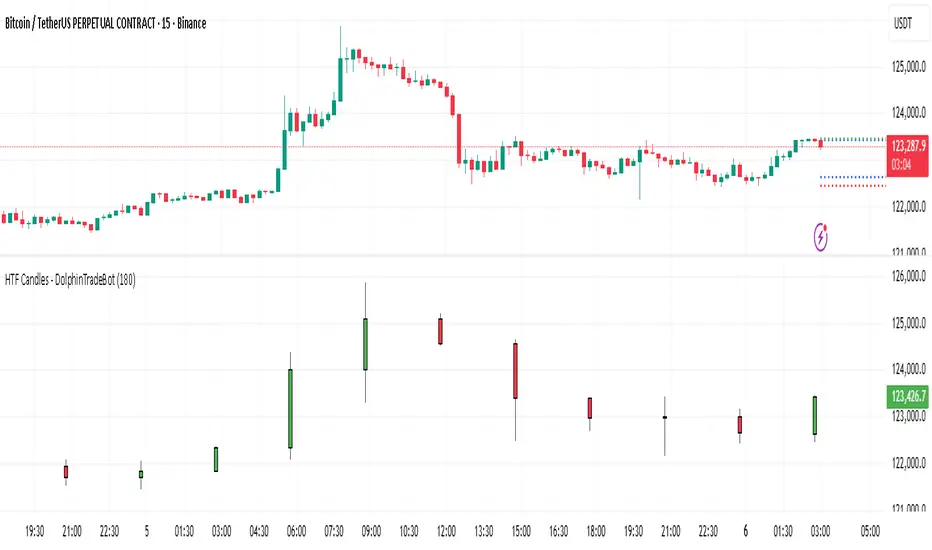
HTF Candles - DolphinTradeBot1️⃣ Overview
The "HTF Candles - DolphinTradeBot" indicator displays higher timeframe (HTF) candlesticks and their OHLC (Open, High, Low, Close) levels on any lower timeframe chart.
While staying on lower timeframes this helps confirm entries or reversals and visualize major market structure, trend bias, and key price zone
2️⃣ How to Use It ?
Use these levels to identify major support/resistance or trend structure.
Observe higher timeframe candle formations (e.g., engulfing, pin bar, doji)
3️⃣ ⚙️Settings
TimeFrame → Select the higher timeframe to display.
Show OHLC Levels → Toggle lines for Open, High, Low, Close.
Line Colors → Customize the color for each level.
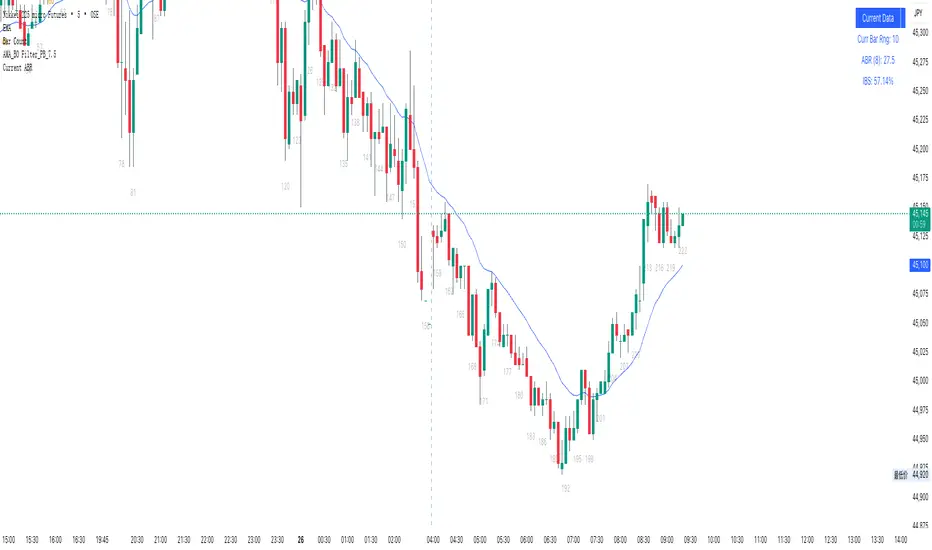
55 ABR Currentcurrent bar range
abr
previous_bar ibs
当前K线范围 (Curr Bar Rng):显示当前正在形成的K线的价格幅度(最高价-最低价)
平均K线范围 (ABR):计算指定周期内(默认8根K线)的平均K线范围,这个数值可以帮助交易者了解市场的平均波动性
内部K线强度 (IBS):显示前一根已完成K线的内部强度百分比
This Pine Script indicator creates a real-time information panel in the top-right corner of TradingView charts, displaying three key trading metrics:Core Features:
Current Bar Range: Shows the price range (high - low) of the currently forming candlestick, providing immediate awareness of intraday volatility.
Average Bar Range (ABR): Calculates the mean candlestick range over a specified lookback period (default: 8 bars). This metric helps traders assess whether current market volatility is above or below recent norms.
Internal Bar Strength (IBS): Displays the previous completed bar's internal strength as a percentage,
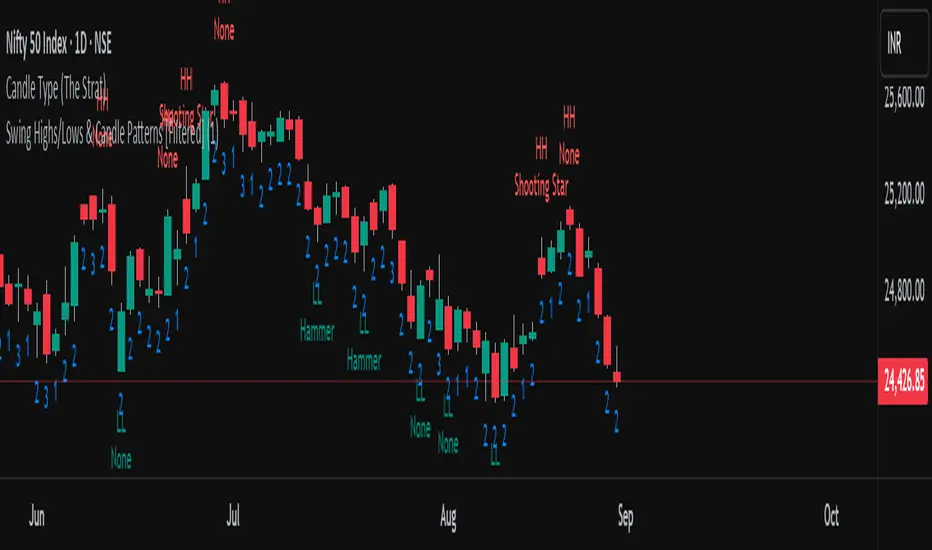
Swing Highs/Lows & Candle Patterns[LuxAlgo] [Filtered]Swing Highs/Lows & Candle Patterns - Tweaked Version
This indicator is a customized and enhanced version of LuxAlgo’s original Swing Highs/Lows & Candle Patterns indicator. It identifies and labels critical swing high and swing low points to help visualize market structure, alongside detecting key reversal candlestick patterns such as Hammer, Inverted Hammer, Bullish Engulfing, Hanging Man, Shooting Star, and Bearish Engulfing.
With added options to selectively display only Lower Highs (LH) and Higher Lows (HL), this tweaked version offers greater flexibility for traders focusing on specific market dynamics. Users can also customize the lookback length and label styling to fit their preferences.
Credit to LuxAlgo for the original concept and foundation of this powerful tool, which this script builds upon to support more tailored technical analysis. Ideal for swing traders and technical analysts seeking improved entry and exit signals through a combination of price swings and candlestick pattern recognition.
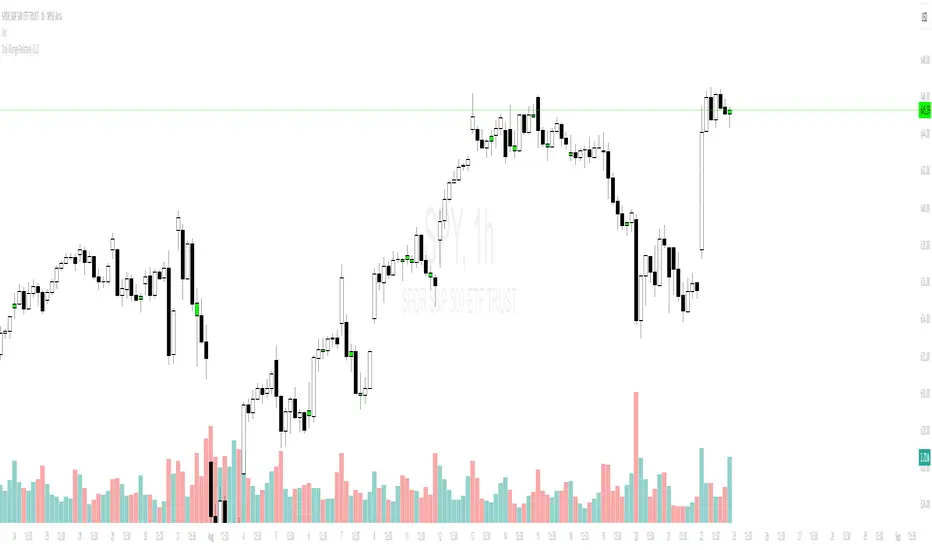
Objective Doji Highlight (Range-Relative)This indicator highlights Doji candles using an objective, mathematics-based rule: a bar is Doji when the absolute difference between its open and close is less than or equal to a user-defined fraction (x) of that bar’s high–low range.
How it works:
Compute body size as the absolute difference between open and close.
Compute the bar’s range as high minus low.
Classify as Doji when body size ≤ x × range.
Only Doji candles are colored; non-Doji bars remain unchanged.
Inputs
Doji threshold (x of range): tolerance (0–1) controlling how small the body must be relative to the range.
Doji Candle Color: visual color for detected Doji candles.
Example:
If x = 0.10 and a candle has high = 100 and low = 90 (range = 10), the maximum allowed body is 1.
If the difference between open and close is ≤ 1, the candle is marked as Doji.
Why it can be useful
Doji candles are often studied as signs of market indecision. This tool provides a clear, parameter-based way to identify them consistently across any timeframe, without discretionary interpretation.
Notes & limitations
Works with standard candlesticks (not Heikin Ashi, Renko, or other synthetic bar types).
Visualization and research only: it does not produce buy/sell signals and makes no performance claims.
No repainting from future data; the logic uses only the current bar’s prices.
Doji Signals with Wick ColorThis indicator identifies Doji candlestick patterns on the chart and highlights both the candle body and wicks in yellow for better visibility.
A Doji is defined as a candle where the body size is relatively small compared to the full range (high - low), indicating market indecision. You can adjust the maximum allowed body size as a percentage of the total candle range using the "Doji's Max Body Size" input.
The indicator works by:
Calculating the body size (abs(open - close))
Comparing it to a threshold (precision * (high - low))
Highlighting candles that meet the condition as Doji, coloring both the body and wick in yellow
This visual aid helps traders quickly spot potential reversal or pause areas in price action based on candlestick psychology.

Candle Close Location MarkerThis script customizes the appearance of candlesticks by highlighting whether the candle closed in the upper, middle, or lower part of its range — using a small orange marker inside each candle.
It also includes a traditional volume histogram with two simple moving averages (SMA 20 and SMA 50), helping traders detect volume trends and potential reversals.
📌 Useful for identifying strength of momentum and visualizing market sentiment clearly.
Features:
• ✅ Colored candles: green for bullish, black for bearish
• ✅ Orange square shows the position of the close (top, middle, or bottom of the candle)
• ✅ Volume bars with SMA 20 (orange) and SMA 50 (blue)
• ✅ Works on all timeframes
Developed by:
Version: 1.0
Language: Pine Script v5
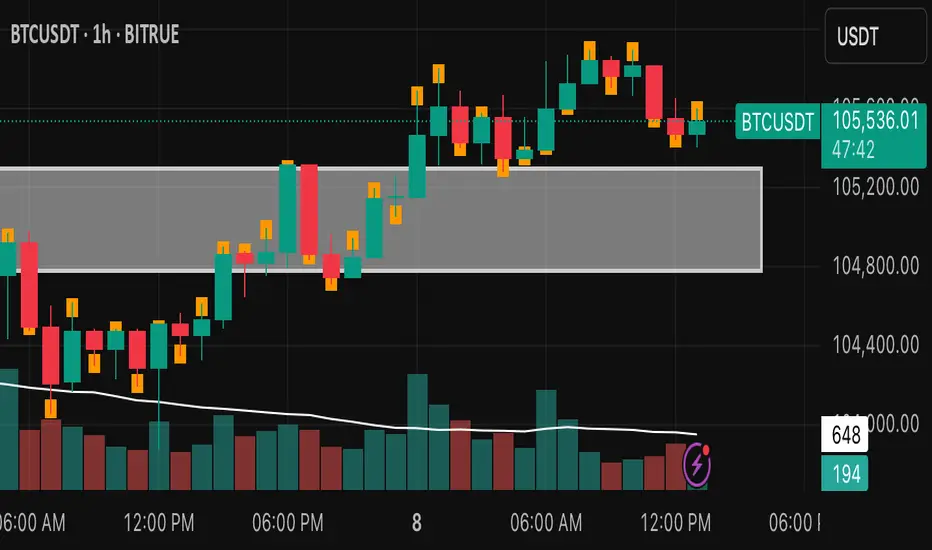
VWAP + Engulfing CandlesHere’s a clear breakdown of what your merged Pine Script does:
---
### 📌 **Indicator Name: VWAP + Engulfing Candles**
* This custom TradingView indicator **plots VWAP (Volume Weighted Average Price)** along with **up to 3 dynamic bands** around it.
* It also **detects Bullish and Bearish Engulfing Candlestick Patterns**, displaying visual markers and triggering alerts.
---
## 🔹 **1. VWAP Section**
### ➤ **Main Features:**
* Calculates VWAP anchored to a **customizable time period**:
* Options: Session, Week, Month, Quarter, Year, Decade, Century, Earnings, Dividends, Splits.
* Optional **hiding of VWAP on Daily/Weekly/Monthly charts** to reduce clutter.
### ➤ **Bands Around VWAP:**
* Up to **3 bands** can be plotted above and below the VWAP.
* Bands can be based on either:
* **Standard Deviation** of the price from VWAP (volatility-based), or
* **Percentage** deviation from VWAP (fixed range).
* You can control:
* Whether each band is shown
* Band width via multiplier (e.g., 1x, 2x, 3x)
### ➤ **Plot Colors:**
* VWAP: Blue
* Bands: Green (1x), Olive (2x), Teal (3x)
* Band fill areas are semi-transparent.
---
## 🔹 **2. Engulfing Candlestick Pattern Detector**
### ➤ **Bullish Engulfing Criteria:**
* Current candle opens **below** or **equal to** the close of the previous candle.
* Current candle opens **below** the previous candle's open.
* Current candle closes **above** the previous candle’s open.
### ➤ **Bearish Engulfing Criteria:**
* Current candle opens **above** or **equal to** the close of the previous candle.
* Current candle opens **above** the previous candle’s open.
* Current candle closes **below** the previous candle’s open.
### ➤ **Visual Signals:**
* 🔼 Green triangle **below bar** for **Bullish Engulfing**
* 🔽 Red triangle **above bar** for **Bearish Engulfing**
### ➤ **Alerts:**
* The script includes two alert conditions:
* One for Bullish Engulfing
* One for Bearish Engulfing
These alerts can be used to automate notifications for potential reversal points.
---
## 🛠️ **Use Cases**
* **Trend following or reversal spotting**: VWAP helps identify the average trading price; engulfing patterns often signal reversals.
* **Intraday and swing trading**: Works best on timeframes like 5m, 15m, 1h for intraday, or 4h, 1D for swing.
* **Mean reversion strategies**: Bands help spot overbought/oversold areas relative to VWAP.
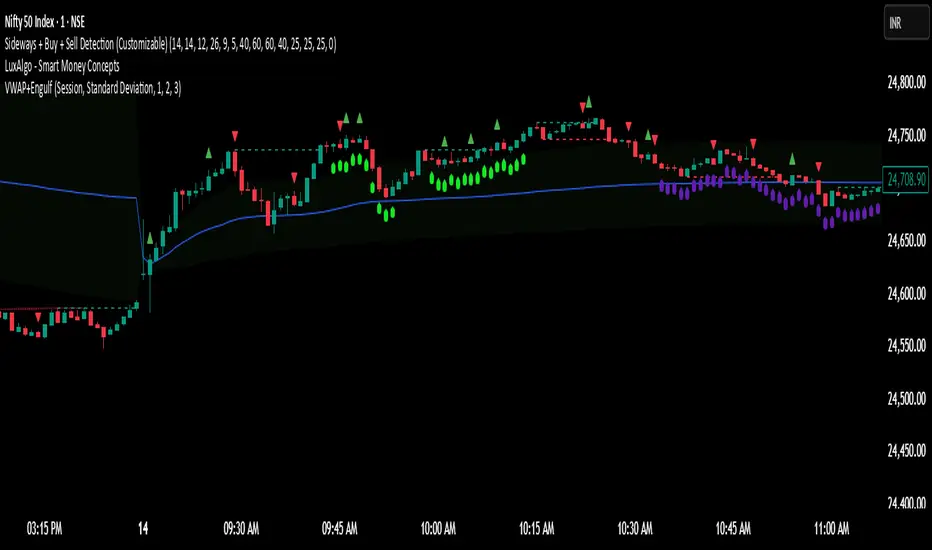
Wick Ratio IndicatorScript Description: Wick Ratio Indicator
This Pine Script indicator identifies candlesticks with dominant upper or lower wicks and visually marks them on the chart. It helps traders spot potential price rejection signals, often used to anticipate trend reversals or breakout opportunities. Key Features
Wick Length Calculation
Upper Wick: high - max(open, close)
(Measures distance from the highest price to the candle body's top)
Lower Wick: min(open, close) - low
(Measures distance from the candle body's bottom to the lowest price)
Comparison Logic
Green Triangle (▲): Plotted above the candle when the upper wick is longer (bearish rejection signal).
Red Triangle (▼): Plotted below the candle when the lower wick is longer (bullish rejection signal).
Visual Simplicity
Non-intrusive design that overlays directly on price action.
Customizable colors and sizes (modifiable in settings).

Heiken Ashi with RSI Colors📜 Description:
This indicator blends Heiken Ashi candlesticks with RSI-based color filters to help traders quickly assess both trend structure and momentum extremes in a single glance.
✅ Heiken Ashi Mode: Smooths out price action to highlight clearer trends and suppress noise
✅ RSI Coloring: Applies candle color changes based on whether RSI is overbought, oversold, or neutral
It allows traders to visually spot potential exhaustion zones, continuation trends, or early reversal areas with enhanced clarity.
🔧 Settings:
Use Heiken Ashi Candles: Toggle between standard candles and Heiken Ashi smoothed values
RSI Length: Controls the lookback for RSI calculation (default 14)
Overbought/Oversold Levels: Customize your thresholds for extreme conditions (default: 70/30)
🎨 Candle Color Logic:
Green (Lime): RSI is overbought → price may be overextended upward
Red: RSI is oversold → price may be overextended downward
Gray: RSI is between extremes → neutral momentum
💡 Use Cases:
Confirm trend momentum with Heiken Ashi structure
Spot potential reversal points using RSI extremes
Enhance entry/exit decisions by combining price action and momentum in a single visual
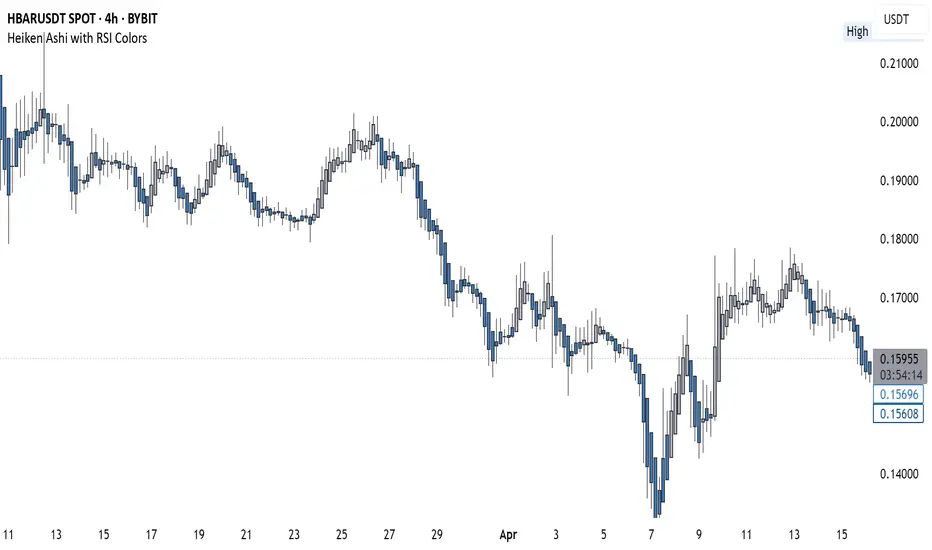
langshen K-Line CounterEnglish Description:**
This indicator, named “langshen K-Line Counter,” is designed to count the number of K-line bars (candlesticks) during the current trading day. The key functionalities include:
- **Daily Reset**: At the start of a new trading day (detected by the change in daily time), the counter automatically resets to 1.
- **Incremental Counting**: For each new bar within the same trading day, the counter increments by 1, thus recording the sequence number of each K-line.
- **Chart Display**: The current count is displayed as a numerical label above the high of each K-line on the chart. Users can customize the text size and color of these numbers.
This feature enables traders to visually track the number of K-lines and their sequence within the day, which can assist in analyzing market trends and the pace of price movements.
中文介绍:**
此指标名为“langshen K线计数器”,主要用于统计当前交易日内的K线(蜡烛图)数量。指标的核心功能包括:
- **每日计数重置**:在交易所日切换时(即新的一天开始时),计数器自动重置为1。
- **逐根累加**:在同一交易日内,每根新出现的K线都会使计数器加1,从而记录当天的K线序号。
- **图表展示**:计数器的当前值会以数字标签的形式显示在每根K线的最高价上方,用户可自定义数字的显示大小和颜色。
这种功能可以帮助交易者直观地了解当天市场中的K线数量以及K线的序号变化,辅助分析市场的走势和节奏。

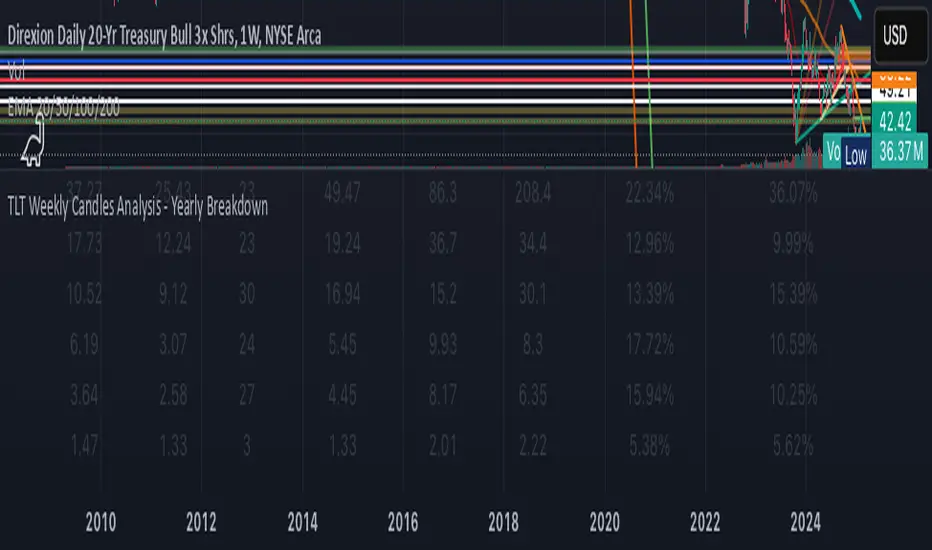
KAI QUANTUM Candles Analysis - Yearly BreakdownThe "KAI QUANTUM Analysis – Yearly Breakdown" indicator offers a comprehensive, year-by-year examination of candlestick behavior, enabling traders and analysts to gauge market dynamics over extended periods. Key features include:
Yearly Aggregation:
The indicator groups candlestick data by year, providing a clear snapshot of market behavior for each period.
Dual-Color Analysis:
It categorizes candles as bullish (green) or bearish (red) and computes statistics separately for each, allowing you to assess both upward and downward market trends.
Average Body Size & Candle Count:
For each year, the indicator calculates the average body size of green and red candles and tracks the total number of each, helping you understand overall market volatility and momentum.
Top 10 Candle Analysis:
It identifies the ten largest candles (by body size) in each year and computes their average size, offering insight into the most significant market moves during that period.
Largest Candle Metrics:
The indicator determines the absolute size of the largest green and red candles in each year.
Percentage Move Calculation:
In addition to absolute values, it computes the largest move as a percentage of the open price for both green and red candles. This allows you to see not only which year experienced the biggest moves but also how those moves compare relative to the opening price.
Clear Tabular Display:
All the computed statistics are organized in an on-chart table, making it easy to compare yearly trends at a glance.
Ideal for daily and higher timeframes, this indicator is a valuable tool for long-term market analysis, enabling you to identify trends, assess volatility, and make informed trading decisions based on historical market behavior.
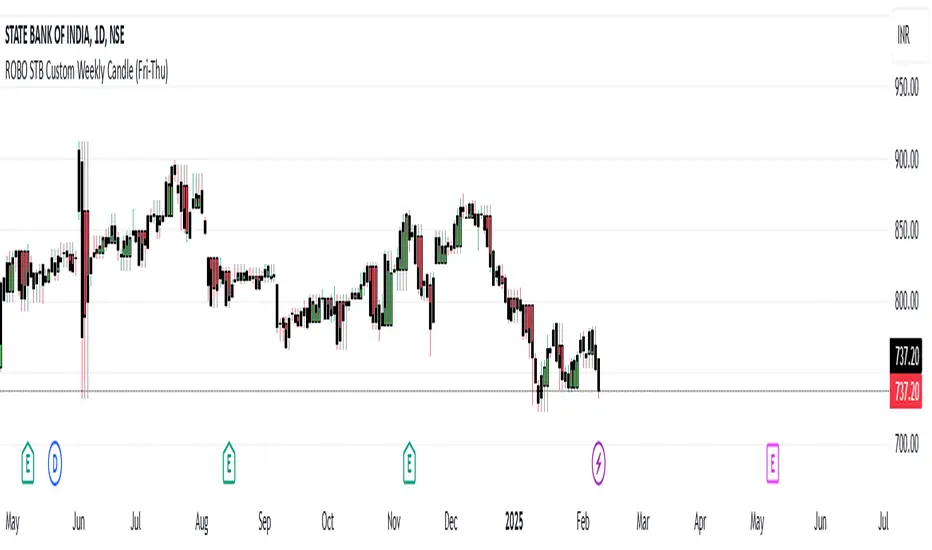
ROBO STB Custom Weekly Candle (Fri-Thu)Description:
This indicator creates custom weekly candles that start on Friday and end on Thursday, instead of the standard Monday–Friday weekly structure in TradingView. It aggregates the open, high, low, and close (OHLC) values from Friday to Thursday and displays them as candlesticks on the chart.
Features:
✅ Custom weekly candles from Friday to Thursday
✅ Dynamic calculation of open, high, low, and close
✅ Works on any timeframe
✅ Helps traders analyze market structure differently
How It Works:
Identifies the custom weekly session based on Friday's start and Thursday's end.
Aggregates OHLC values within this time range.
Resets the values when a new custom week begins.
Plots the calculated weekly candles on the chart.
Use Case:
This indicator is useful for traders who prefer to analyze weekly price movements based on a non-standard start and end day, especially those focusing on forex, crypto, or commodities where trading hours differ.
Notes:
This script does not modify existing candles but overlays new custom weekly candles on the chart.
It does not repaint and updates in real-time.
If you find this useful, like and share! 🚀
EMA with Bar Count
---
### **Key Features and Functionalities**
#### 1. **Multi-Timeframe Exponential Moving Averages (EMA)**
- The script calculates and plots EMAs for various timeframes (e.g., 1 minute, 5 minutes, 60 minutes, daily, and custom intervals).
- Users can customize the length and resolution of each EMA using inputs.
- Different colors are assigned to each EMA for easy identification on the chart.
#### 2. **Background Coloring**
- Optional background coloring (`bgcolor`) indicates whether the current price is above or below the 1-hour 20 EMA.
- Green indicates the price is above, and red indicates the price is below the EMA.
#### 3. **Bar Count Labeling**
- The script tracks bar counts and displays labels at specific intervals (e.g., every 3 bars).
- Label size and text color can be customized through user inputs.
#### 4. **Inside and Outside Bar Detection**
- Detects and highlights "Inside Bars" and "Outside Bars" on the chart.
- **Inside Bar**: The current bar's high and low are within the previous bar's range.
- **Outside Bar**: The current bar's range exceeds the previous bar's range.
- These patterns are marked with shapes for visual identification.
#### 5. **Bullish/Bearish Candle Streaks**
- Identifies and marks streaks of three consecutive bullish or bearish candles.
- **Bullish Streaks**: Marked with green shapes above the bar.
- **Bearish Streaks**: Marked with red shapes above the bar.
#### 6. **Time-Based Marking**
- The script includes an option to highlight specific time intervals (e.g., 7:30 AM) with a colored vertical line or background shading.
- Configurable time inputs allow flexibility.
#### 7. **Micro Gap Detection**
- Highlights gaps between the opening price of the current bar and the closing price of the previous bar.
- Blue shapes indicate bullish gaps.
- Purple shapes indicate bearish gaps.
#### 8. **TR (Trading Range) Detection**
- Identifies bars with significant overlap based on a user-defined threshold.
- Displays "TR" labels when overlap conditions are met.
#### 9. **Bar Coloring**
- Optionally colors bars based on specific conditions:
- Green: Bullish breakout (high and low higher than the previous bar, closing above the midpoint).
- Red: Bearish breakout (high and low lower than the previous bar, closing below the midpoint).
#### 10. **50% Midpoint Line**
- Displays a horizontal line at the 50% midpoint of the bar's range, customizable for the current or last bar only.
#### 11. **Pattern Detection**
- Recognizes specific candlestick patterns (e.g., IOI, OII, IOO).
- Provides alerts for detected patterns or predefined thresholds.
#### 12. **Alerts**
- Configurable alerts for:
- Specific patterns (e.g., IOI, OII, IOO).
- Bar range exceeding a user-defined threshold.
- Bullish or bearish streaks.
#### 13. **Gap Detector**
- Identifies gaps between bars and marks them with shaded boxes.
- Bullish gaps are shaded green, while bearish gaps are shaded red.
#### 14. **Advanced Customization**
- Extensive user inputs allow traders to tailor the indicator to their trading style.
- Includes support for various levels of detail (e.g., debug mode, label visibility, etc.).
#### 15. **ZigZag and Wedge Patterns**
- Optional zigzag lines to connect swing highs and lows.
- Detects wedge patterns using customizable settings for pivot points and angle differences.
---
### **Use Case Scenarios**
1. **Trend Identification**: Use multi-timeframe EMAs to confirm overall market direction.
2. **Range Trading**: Trade within ranges using detected inside and outside bars as key levels.
3. **Breakout Trading**: Use patterns like IOI and OII to anticipate breakouts.
4. **Scalping**: Exploit bullish and bearish streaks or micro gaps for quick trades.
5. **Pattern-Based Alerts**: Set up alerts for specific market conditions or candlestick patterns.
### **Why This Indicator Is Useful**
- Combines multiple trading tools into a single, customizable script.
- Saves time by automating complex calculations and pattern detections.
- Improves decision-making with clear visual cues and configurable alerts.
Let me know if you'd like any additional explanations or adjustments!
