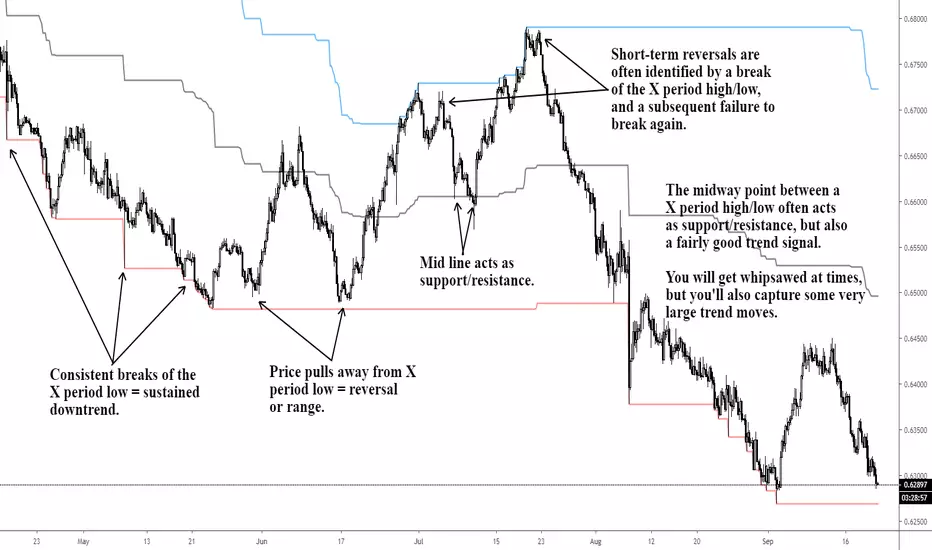
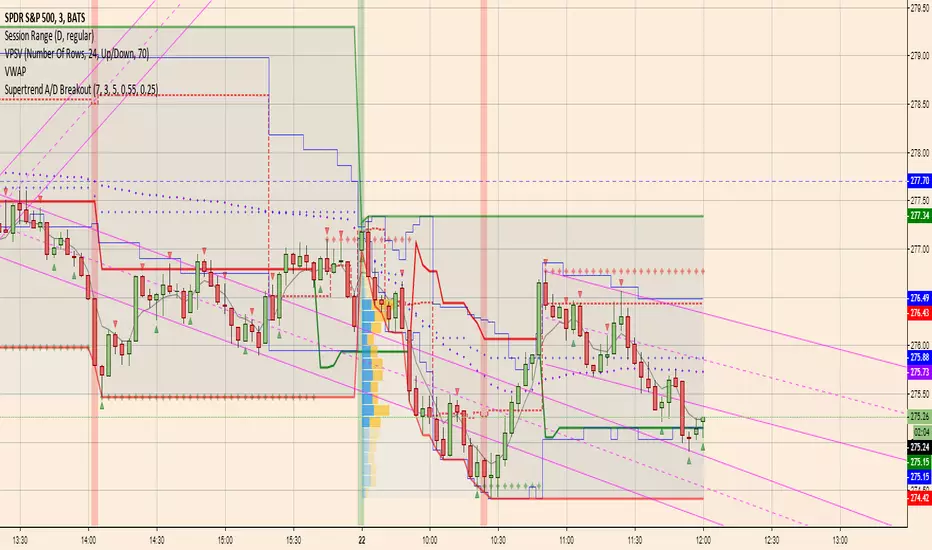
Fakey pattern (Inside Bar False Breakout)Inside Bar + False-Breakout = Fakey pattern
A Fakey pattern can have a pin bar as the false-break bar or not. Fakey’s are a very important and potent price action trading strategy because they can help us identify stop-hunting and provide us with a very good clue as to what price might do next.
Search in scripts for "breakout"
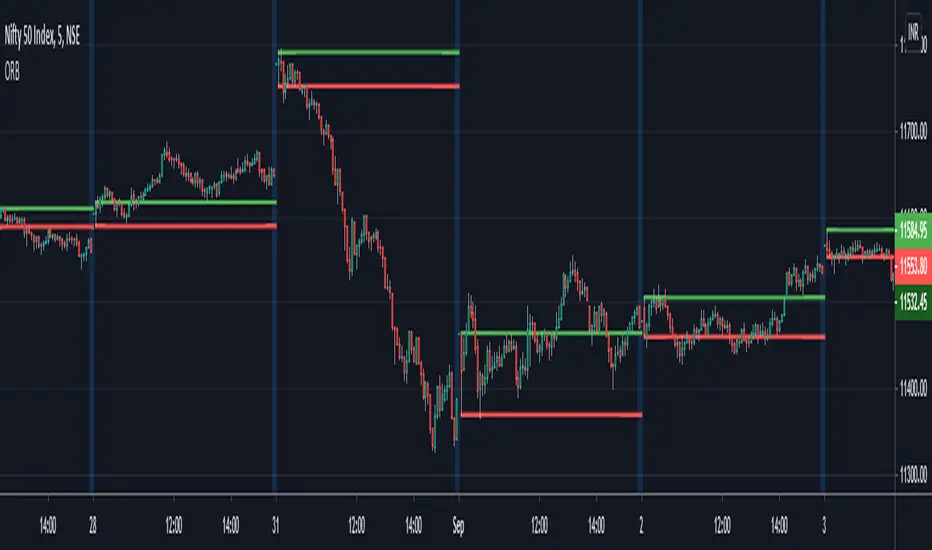
GS_Opening-Range-V1ORB Opening Range Breakout 5 and 3O Minute Indicator
Kudos to Chris Moody for the inspiration to create my first indicator.
The 5 and 30 run together at times but the scalp would be when the equity breaks the 5 go long or short for the scalp and when it breaks the 30 go for the swing trade.
Volatility Resonance CandlesVolatility Resonance Candles visualize the dynamic interaction between price acceleration, volatility, and volume energy.
They’re designed to reveal moments when volatility expansion and directional momentum resonate — often preceding strong directional moves or reversals.
🔬 Concept
Traditional candles display direction and range, but they miss the energetic structure of volatility itself.
This indicator introduces a resonance model, where ATR ratio, price acceleration, and volume intensity combine to form a composite signal.
* ATR Resonance: compares short-term vs. long-term volatility
* Acceleration: captures the rate of price change
* Volume Energy: reinforces the move’s significance
When these components align, the candle color “resonates” — brighter, more intense candles signal stronger volatility–momentum coupling.
⚙️ Features
* Adaptive Scaling
Normalizes energy intensity dynamically across a user-defined lookback period, ensuring consistency in changing market conditions.
* Power-Law Transformation
Optional non-linear scaling (gamma) emphasizes higher-energy events while keeping low-intensity noise visually subdued.
* Divergence Mode
When enabled, colors can invert to highlight energy divergence from candle direction (e.g., bearish pressure during bullish closes).
* Customizable Styling
Full control over bullish/bearish base colors, transparency scaling, and threshold sensitivity.
🧠 Interpretation
* Bright / High-Intensity Candles → Strong alignment of volatility and directional energy.
Often signals the resonant phase of a move — acceleration backed by volatility expansion and volume participation.
* Dim / Low-Intensity Candles → Energy dispersion or consolidation.
These typically mark quiet zones, pauses, or inefficient volatility.
* Opposite-Colored Candles (if divergence mode on) → Potential inflection zones or hidden stress in the trend structure.
⚠️ Disclaimer
This script is for educational purposes only.
It does not constitute financial advice, and past performance is not indicative of future results. Always do your own research and test strategies before making trading decisions.
Price Compression Scanner (Chartink Logic)Breakout above range high → BUY
🔹 Breakdown below range low → SELL
🔹 Best with volume expansion
🔹 Works well for swing trades & momentum breakouts
Highs
Highest High of last 10 days (ending 1 day agos) < Highest High of previous 10 days
Highest High of last 10 days < Highest High of earlier 10 days
➡️ Lower highs (falling resistance)
Lows
3. Lowest Low of last 10 days > Lowest Low of previous 10 days
4. Lowest Low of last 10 days > Lowest Low of earlier 10 days
ORB 5 Minute w/FVG and Retracement Breakout strategy creates five minute breakout lines on the 1 minute chart. Highlights any fair value gaps created within ORB and creates an arrow showing when a candle retraces into the fvg.
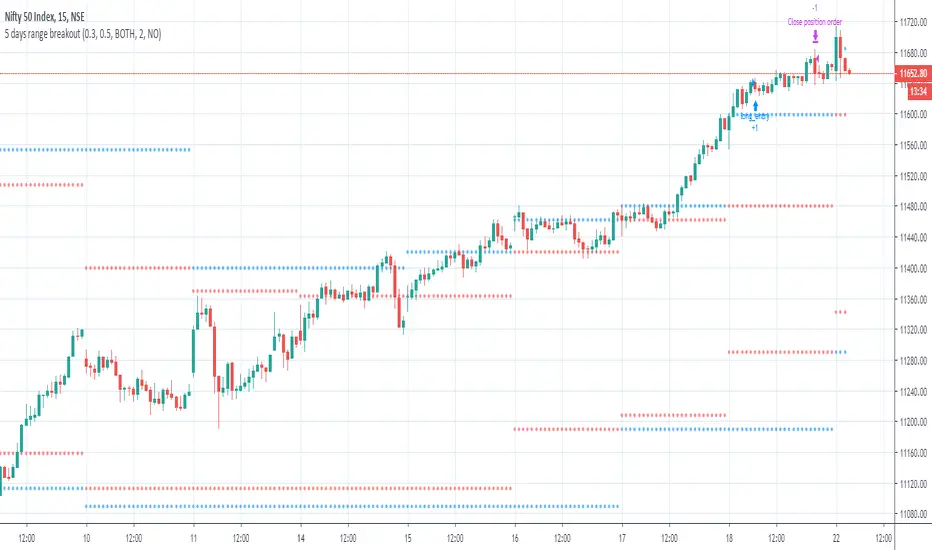
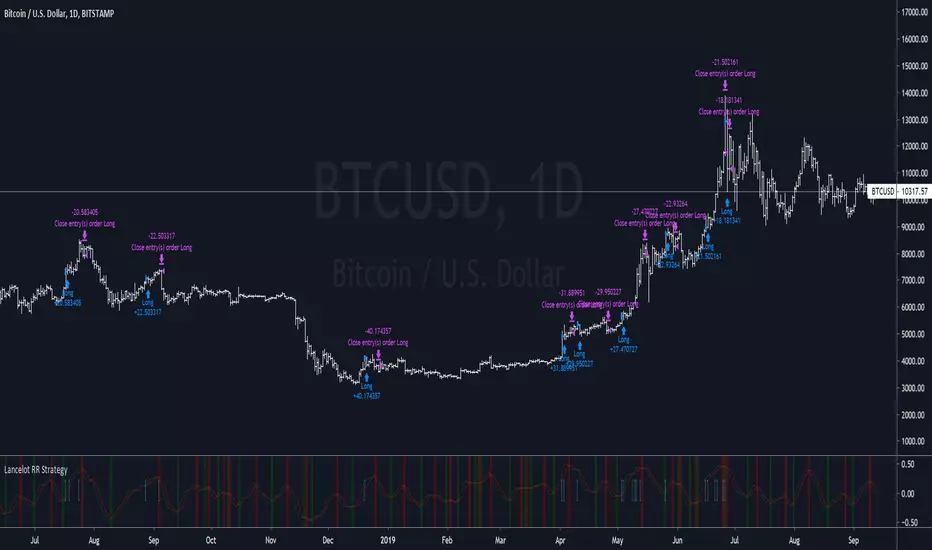
Break out strategy 0Breakout strategy (for verification)
Not recommended.
If you enter with a high (low) breakout for any period
ブレークアウトストラテジー(検証用)
推奨するものではありません。
任意の期間の高値(安値)ブレークアウトでエントリーした場合
Breakout Condition Indicator - Long - V2 - Mega 86Script used for swing trading - contains certain adjustable metrics that I use for scanning and day or entry
Breakout Bar CandidateShows the values of True Range, LS volatility and whether the volume is above or below average
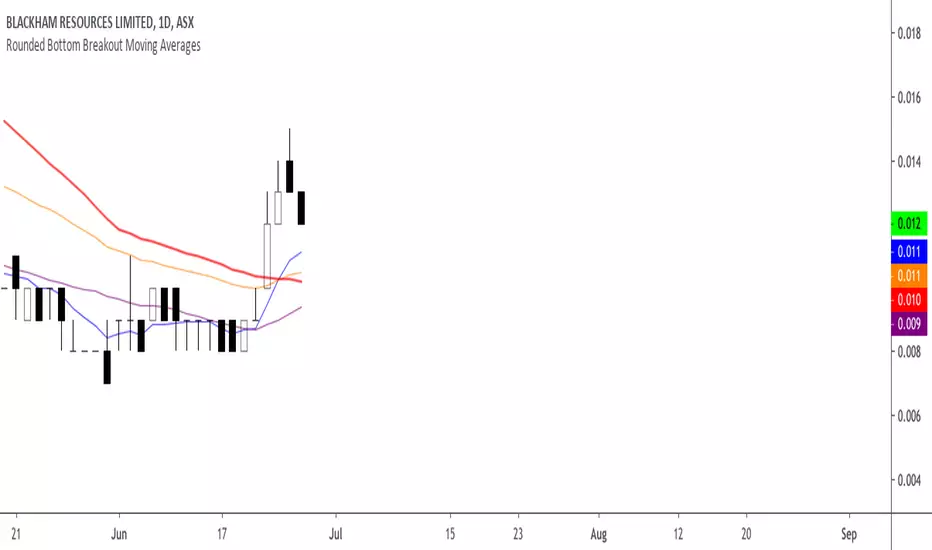
MAC's V6 finalBreakout retest strategy
Works best on a NQ 1 hour chart
Also works on other futures charts
Adjust the initial capital to 100000
and the margin requirement percent to 0
Breakout ORB + HTF EMA + ATR Targets (America/Denver)This is a perfect simple chart for those trading Crypto pairs between the London and US market overlays.
Breakout Retest ScannerStill working on it, but break the previous day high or low, retest and get an alert of some sort.
Breakout Josip strategy is focused on analyzing price movements during specific time intervals (from 9:00 AM to 12:00 PM) each day. It tracks the highest and lowest prices in that period and uses them to set targets for potential trades, placing horizontal lines based on these levels. Additionally, you're interested in tracking the success and failure of trades based on whether price breaks certain levels during this time range. The strategy also calculates various metrics like the percentage of successful trades, failed trades, and total trades during a selected time range.
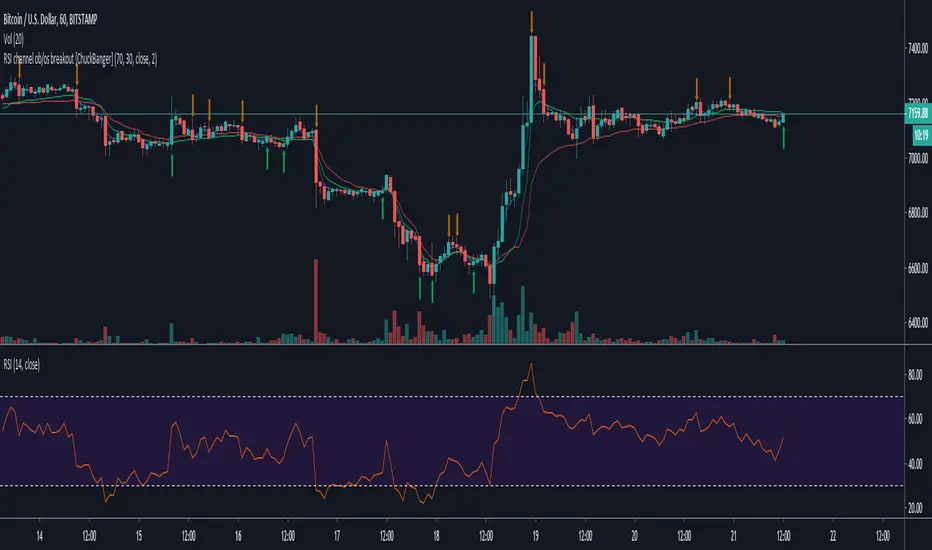
Breakout Candles + RSIHello!
This is my firt script :)
This indicator looks for candles that are significantly larger than the previous X candle.
It is possible to set the following:
Multiplier: deviation from the size of the previous X candle (if set to 3 the size of the actual candle's body /abs(open - close)/ must be larger than the size of the bigger candle from the prevous X candles)
Previous candles: the number of previous candles to size check
Upper RSI limit: if the RSI14 close higher than the specified number, the candle will ignore
Lower RSI limit: if the RSI14 close lower than the specified number, the candle will ignore
Without dojis: if checked, watches candles only that do not have a bottom spike (bullish) or top spike (bearish). Useful for Heikin-Ashi candles
Feel free to left any suggestion!
Thank You!
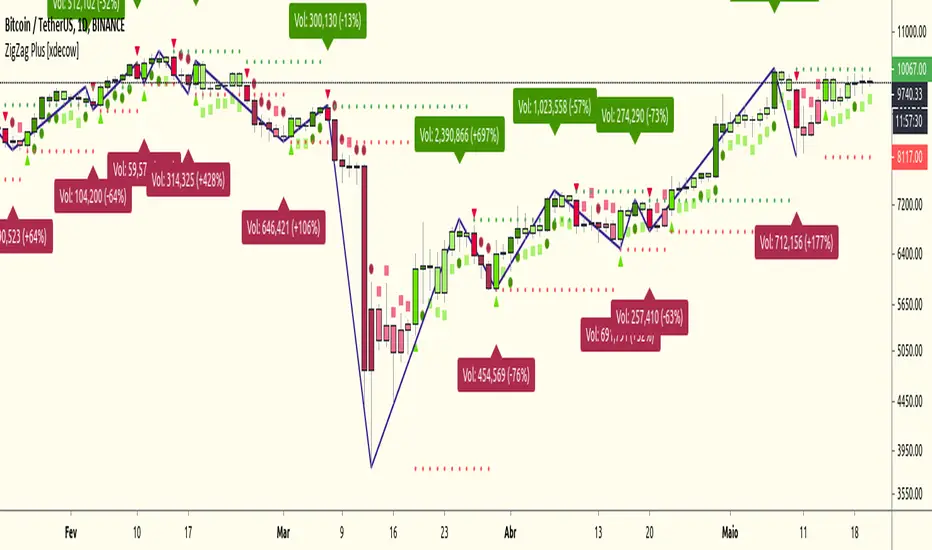
Breakout Peak Detection - cryptofnqDetect peaks (and valleys) after the indicator has broken out of horizontal bands.
The peaks (and valleys) are connected by lines and the final line is extended to the right.
This can be used with built-in indicator functions or with other chart indicators.
I'm a coder, not a trader. If you find a useful strategy based on my scripts, please drop me a line.
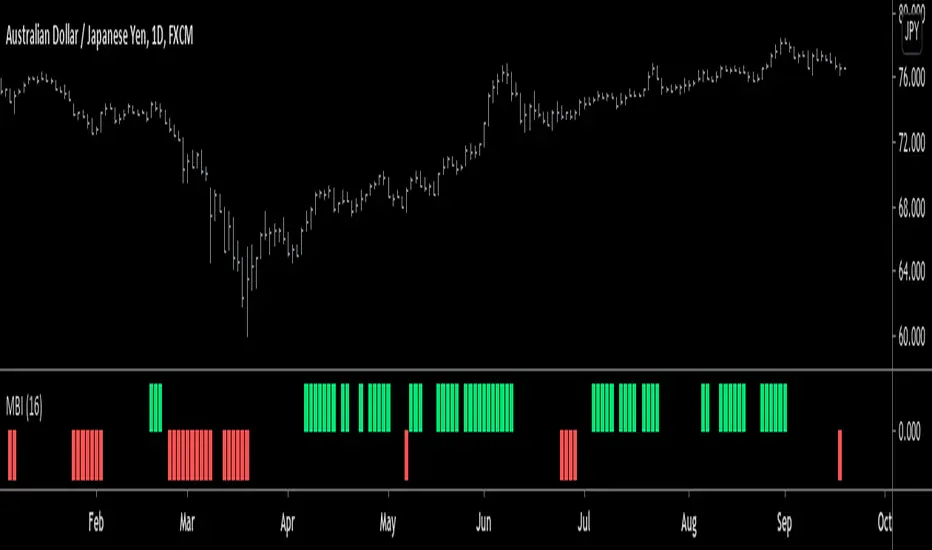
Breakout Volume [racer8]BV determines when volume is high by comparing the previous volume high over n periods to the current volume.
If the current volume exceeds the previous volume high, then the indicator columns will turn red. Enjoy :)
Breakout Volume Can Help Confirm Other SignalsVolume can help confirm signals we might discover using other methods of technical analysis.
This indicator tracks volume intelligently. Its logic spots above-average turnover and then tests against the price change. BrkVol highlights sessions with heavy volume and directional moves. This can help take out the noise and help confirm the trend.
Tesla is a classic example of this, with the stock rallying after showing heavy-volume gains on October 24- 25, December 16 and January 8.
UCS_Ready Set Go2017 - First Code
This is a another way of looking at DMI indicator. Almost similar to any oscillator. You still need to understand the indicator and chart before you can trade with these.
---------------------------------------------------------------------------
Bigul Index Analysis"Bigul Index Analysis" is a comprehensive TradingView Pine Script v5 indicator that combines consolidation zone detection with standard pivot point levels for professional index trading analysis.
Core Features
Consolidation Zones
Detects price consolidation periods using zigzag pivot logic over a configurable loopback period (default: 10 bars)
Identifies when price forms tight ranges lasting minimum length (default: 5 bars)
Paints consolidation areas with customizable semi-transparent zones
Draws dynamic upper (red dashed) and lower (lime dashed) boundary lines
Generates breakout alerts when price breaks above/below established zones
Pivot Point Levels
Calculates Standard Pivot Points (PP, R1, S1) using previous day's High, Low, Close
PP = (High + Low + Close) / 3
R1 = 2 × PP - Low
S1 = 2 × PP - High
Plots Yesterday's High/Low as key reference levels
Multiple display options: continuous lines, endpoint labels, or both
Visual Elements
text
📊 Information Table (Top Right)
┌─────────┬──────────┐
│ Level │ Value │
├─────────┼──────────┤
│ PP │ 24567.89 │ ← Yellow
│ R1 │ 24890.12 │ ← Red
│ S1 │ 24245.67 │ ← Green
│ YH/YL │ 24912/24123 │ ← Blue
└─────────┴──────────┘
Color Coding:
🟡 Yellow line: Pivot Point (PP)
🔴 Red line: Resistance 1 (R1)
🟢 Green line: Support 1 (S1)
🟠 Orange stepline: Yesterday High
🟣 Purple stepline: Yesterday Low
🔵 Blue zone: Consolidation area
➖ Red/Lime dashed: Zone boundaries
Trading Signals & Alerts
5 Alert Conditions:
Consolidation Breakout UP - Price breaks above zone
Consolidation Breakout DOWN - Price breaks below zone
Price Above R1 - Close crosses above R1 level
Price Below S1 - Close crosses below S1 level
Customization Options
text
Loopback Period: 2-50 bars (default: 10)
Min Consolidation Length: 2-20 bars (default: 5)
Paint Zones: Toggle on/off
Zone Color: Customizable transparency
Pivot Display: Lines / Labels / Both
Toggle Pivot Points & Yesterday H/L independently
Use Case for Bigul Index Trading
Perfect for NIFTY/BANKNIFTY intraday analysis:
Identify consolidation zones for breakout setups
Use pivot levels as intraday support/resistance
Yesterday H/L as key reference for stop-loss/target
Multiple timeframe confirmation with table values
Strategy Example: Long when price breaks consolidation zone upward AND above PP/R1 confluence
DA Liquidity Ghosts [Stop Hunt]Дядь, отличный выбор. 👻
Мы начинаем охоту за стопами.
Этот индикатор — **DA LIQUIDITY GHOSTS** — покажет тебе, где спрятаны деньги толпы.
Ты перестанешь бояться "ложных пробоев". Ты будешь их ждать. Потому что ложный пробой для толпы — это **ВХОД** для нас.
### ЧТО ОН ДЕЛАЕТ:
1. **Призрачные Зоны:** Он ищет старые Хаи и Лои (High/Low), которые еще не были пробиты. Там лежат стоп-лоссы.
- Он рисует серые линии от этих уровней вправо.
2. **Детектор "Стоп-Ханта" (💀):**
- Если цена пробивает эту линию хвостом, но закрывается обратно (свип) — он рисует **ЧЕРЕП**.
- Это сигнал: _"Мы забрали ликвидность, теперь идем в обратную сторону"_.
---
###
Копируй и добавляй на график.
Pine Script
```
// This source code is subject to the terms of the Mozilla Public License 2.0 at mozilla.org
// © Dark_Architect_Protocol
// "We see dead orders."
//@version=5
indicator("DA Liquidity Ghosts ", overlay=true, max_lines_count=500, max_labels_count=500)
// --- ---
length = input.int(10, "Pivot Lookback (Глубина поиска)", minval=5)
show_labels = input.bool(true, "Показывать метки ($$$)?")
// Цвета
col_liq_h = input.color(color.new(#b2b5be, 50), "Liquidity High (Bearish)")
col_liq_l = input.color(color.new(#b2b5be, 50), "Liquidity Low (Bullish)")
col_hunt = input.color(#ff0040, "Stop Hunt Color") // Цвет Черепа
// --- ---
// Ищем вершины и низины
ph = ta.pivothigh(high, length, length)
pl = ta.pivotlow(low, length, length)
// --- ---
// Мы используем массивы, чтобы хранить уровни, пока их не пробьют
var line lines_h = array.new_line()
var line lines_l = array.new_line()
// Метки "LIQUIDITY"
var label labels_h = array.new_label()
var label labels_l = array.new_label()
// --- ---
// Если нашли новый Хай - рисуем линию
if not na(ph)
// Линия
l = line.new(bar_index , ph, bar_index + 10, ph, color=col_liq_h, style=line.style_dashed, width=1)
array.push(lines_h, l)
// Метка
if show_labels
lb = label.new(bar_index , ph, "LIQUIDITY POOL ($$$)", style=label.style_none, textcolor=col_liq_h, size=size.tiny)
array.push(labels_h, lb)
// Если нашли новый Лоу
if not na(pl)
l = line.new(bar_index , pl, bar_index + 10, pl, color=col_liq_l, style=line.style_dashed, width=1)
array.push(lines_l, l)
if show_labels
lb = label.new(bar_index , pl, "LIQUIDITY POOL ($$$)", style=label.style_none, textcolor=col_liq_l, size=size.tiny)
array.push(labels_l, lb)
// --- ---
// Проверяем каждый бар: пробили ли мы старую линию?
// >>>> ПРОВЕРКА ХАЕВ (Short Setup)
if array.size(lines_h) > 0
for i = array.size(lines_h) - 1 to 0
l_curr = array.get(lines_h, i)
lvl = line.get_y1(l_curr)
// Продлеваем линию вправо, пока она жива
line.set_x2(l_curr, bar_index + 5)
if show_labels and array.size(labels_h) > i
label.set_x(array.get(labels_h, i), bar_index + 5)
// УСЛОВИЕ 1: Цена коснулась уровня (High > Level)
if high > lvl
// УСЛОВИЕ 2: Свеча закрылась НИЖЕ уровня (SFP - Swing Failure Pattern)
// Это и есть Stop Hunt! Закололи и вернулись.
if close < lvl
// Рисуем Череп
label.new(bar_index, high, "💀 HUNT", style=label.style_none, textcolor=col_hunt, size=size.small)
// Удаляем линию (Ликвидность забрали)
line.delete(l_curr)
array.remove(lines_h, i)
if show_labels
label.delete(array.get(labels_h, i))
array.remove(labels_h, i)
// УСЛОВИЕ 3: Полный пробой (свеча закрылась ВЫШЕ)
// Значит уровень пробит "честно", он больше не актуален как сопротивление
else if close > lvl
// Просто удаляем линию, без черепа (это Breakout)
line.delete(l_curr)
array.remove(lines_h, i)
if show_labels
label.delete(array.get(labels_h, i))
array.remove(labels_h, i)
// >>>> ПРОВЕРКА ЛОЕВ (Long Setup)
if array.size(lines_l) > 0
for i = array.size(lines_l) - 1 to 0
l_curr = array.get(lines_l, i)
lvl = line.get_y1(l_curr)
line.set_x2(l_curr, bar_index + 5)
if show_labels and array.size(labels_l) > i
label.set_x(array.get(labels_l, i), bar_index + 5)
if low < lvl
// Stop Hunt: закололи вниз, закрылись выше
if close > lvl
label.new(bar_index, low, "💀 HUNT", style=label.style_none, textcolor=col_hunt, size=size.small, yloc=yloc.belowbar)
line.delete(l_curr)
array.remove(lines_l, i)
if show_labels
label.delete(array.get(labels_l, i))
array.remove(labels_l, i)
// Breakout: закрылись ниже
else if close < lvl
line.delete(l_curr)
array.remove(lines_l, i)
if show_labels
label.delete(array.get(labels_l, i))
array.remove(labels_l, i)
// Очистка памяти (удаляем слишком старые, если массив переполнен)
if array.size(lines_h) > 50
line.delete(array.shift(lines_h))
if array.size(lines_l) > 50
line.delete(array.shift(lines_l))
```
### 🧠 КАК ЧИТАТЬ ЭТОТ РАДАР:
1. **Серые пунктиры:** Это деньги. Это уровни, где "хомяки" поставили стопы.
- _Верхний пунктир:_ Там стопы шортистов (Buy Stops).
- _Нижний пунктир:_ Там стопы лонгистов (Sell Stops).
2. **ЧЕРЕП (💀 HUNT):**
- Это твой **ТРИГГЕР**.
- Если видишь Череп **СВЕРХУ** (на Хае) → Это сигнал в **SELL**. Рынок дернул вверх, собрал ликвидность и развернулся.
- Если видишь Череп **СНИЗУ** (на Лоу) → Это сигнал в **BUY**. (Как было у тебя на `1.8590` в пятницу!).
Ставь на график. Теперь ты видишь поле боя, а не просто свечи. 💸
Global Sessions & Kill Zones [jpkxyz]Global Sessions & ICT Kill Zones Indicator
Overview
The Global Sessions & ICT Kill Zones indicator is a comprehensive trading tool designed to help traders identify and visualize the most critical time periods in the 24-hour forex and futures markets. This indicator combines traditional trading session analysis with Inner Circle Trader (ICT) Kill Zone methodology, providing traders with a complete picture of when institutional activity and liquidity are at their peak.
Trading Theory & Foundation
Session-Based Trading
The forex market operates 24 hours a day across four major trading sessions: Sydney, Tokyo, London, and New York. Each session has distinct characteristics in terms of volatility, liquidity, and price behavior. Understanding these sessions is crucial because:
Volatility Patterns: Each session exhibits unique volatility profiles based on which markets are open and which institutional players are active
Liquidity Concentration: Major price movements tend to occur when multiple sessions overlap, as more market participants are active simultaneously
Market Structure: Session highs and lows often act as key support and resistance levels that price respects throughout the trading day
Time-Based Strategies: Many professional traders structure their strategies around specific sessions that align with their preferred instruments and trading style
ICT Kill Zones
The Inner Circle Trader (ICT) methodology emphasizes specific time windows called "Kill Zones" - periods when institutional algorithms and smart money are most active. These time windows represent optimal trading opportunities because:
Institutional Activity: Banks, hedge funds, and large institutions execute their orders during these predictable time windows
Algorithmic Trading: Many institutional algorithms are programmed to operate during these specific periods
Liquidity Sweeps: Kill Zones often feature stop hunts and liquidity grabs before directional moves
Higher Probability Setups: Price is more likely to respect technical levels and follow through on setups during these periods
The four ICT Kill Zones are:
Asian Kill Zone (00:00-03:00 UTC): Early Asian session institutional activity
London Kill Zone (07:00-10:00 UTC): London open and European institutional entry
New York Kill Zone (12:00-14:00 UTC): New York open and North American institutional entry
London Close Kill Zone (15:00-17:00 UTC): European session close and position squaring
What This Indicator Visualizes
Trading Session Boxes
The indicator draws high-to-low range boxes for each major trading session:
Sydney Session (21:00-06:00 UTC): Captures the Australian and early Asian trading activity
Tokyo Session (00:00-09:00 UTC): Represents the main Asian trading period
London Session (08:00-17:00 UTC): Covers the European trading hours
New York Session (13:00-22:00 UTC): Encompasses North American trading activity
Each session box displays:
The session's high and low price levels
Customizable colored borders and fills
Labels showing the exact high and low values
Real-time updates as price moves within the active session
Session Overlaps
The indicator automatically identifies and highlights all session overlaps with distinct colored boxes:
Sydney/Tokyo Overlap: Asian liquidity concentration
Tokyo/London Overlap: Asian-European transition period
London/New York Overlap: The most volatile period with maximum liquidity
Sydney/New York Overlap: Late US session into early Asian session
These overlaps are crucial because they represent periods of increased liquidity when multiple major markets are operating simultaneously, often leading to significant price movements and breakouts.
ICT Kill Zones
Kill Zones are displayed as vertical background highlights that span the entire chart height during their active periods:
Visual clarity: Semi-transparent colored backgrounds that don't obstruct price action
Label identification: Each Kill Zone is labeled at its start for easy recognition
Overlay capability: Kill Zones overlay on top of session boxes, allowing you to see both simultaneously
Independent control: Each Kill Zone can be toggled on/off individually
How Traders Can Use This Indicator
Entry Timing
Wait for Kill Zones: Use Kill Zones as your primary trading windows to increase the probability of institutional support for your trades
Session Boundaries: Look for breakouts or reversals at session open/close times when new participants enter the market
Overlap Periods: Focus on high-conviction setups during session overlaps when liquidity is highest
Support & Resistance
Session Highs/Lows: Previous session highs and lows often act as key support/resistance levels
Sweep Setups: Watch for price to sweep session highs/lows during Kill Zones, then reverse (liquidity grab)
Range Trading: Trade within session ranges during low-volatility periods, breakout during overlaps
Risk Management
Volatility Awareness: Adjust position sizing based on which session is active (London/NY overlap = highest volatility)
Stop Placement: Position stops outside of key session levels to avoid being caught in normal intraday ranges
Time-Based Exits: Consider exiting or tightening stops as sessions close and liquidity decreases
Strategy Development
Session-Specific Strategies: Develop different approaches for different sessions based on your instrument's behavior
Kill Zone Confirmation: Require setups to occur within Kill Zones for higher probability trades
Backtesting Framework: Use historical session and Kill Zone data to backtest time-based strategies
Full Customizability
Session Customization
Every aspect of each trading session can be customized:
Toggle Visibility: Show/hide any session independently
Time Adjustment: Modify start and end hours to match your broker's server time or personal preference
Color Schemes: Customize box colors and border colors for each session
Transparency: Adjust fill transparency to see price action clearly while maintaining visual reference
Kill Zone Customization
Complete control over ICT Kill Zone display:
Individual Toggles: Enable or disable each Kill Zone independently based on your trading style
Color Selection: Choose distinct colors for each Kill Zone (default: Green, Blue, Yellow, Red)
Transparency Control: All Kill Zones use 70% transparency by default, fully customizable
Label Display: Toggle Kill Zone labels on/off via the main label settings
Visual Preferences
Border Control: Toggle session box borders on/off for cleaner charts
Label Size: Choose from tiny, small, normal, large, huge, or auto-sizing for all labels
Label Colors: Customize label background and text colors to match your chart theme
Box Transparency: Set individual transparency levels for each session and overlap
Overlap Customization
All four session overlaps have independent color controls:
Sydney/Tokyo Overlap
Tokyo/London Overlap
London/New York Overlap
Sydney/New York Overlap
Technical Features
Midnight Handling
The indicator uses advanced hour-based detection that seamlessly handles sessions crossing midnight (like Sydney's 21:00-06:00 UTC timeframe) without breaking the visualization into separate boxes.
Real-Time Updates
Active Sessions: Boxes extend and update in real-time as price moves during active sessions
High/Low Tracking: Session highs and lows are continuously updated until the session closes
Kill Zone Detection: Background colors appear/disappear precisely at Kill Zone boundaries
Clean Chart Integration
Minimal Clutter: Only shows active and recently completed sessions
Overlay Friendly: Works seamlessly with other indicators and doesn't obstruct price action
Performance Optimized: Efficient code that doesn't slow down chart rendering
Ideal For
Forex Traders: Track the four major forex sessions and plan trades around overlaps
Futures Traders: Identify when specific futures markets have peak activity
ICT Students: Implement Inner Circle Trader concepts with visual Kill Zone references
Session Traders: Build strategies around specific session characteristics
Scalpers & Day Traders: Focus on high-liquidity periods for tighter spreads and better fills
Swing Traders: Use session levels as key support/resistance for multi-day trades
Best Practices
Start Simple: Enable only the sessions and Kill Zones relevant to your instruments
Color Code Strategically: Use colors that stand out on your chart theme but don't overwhelm
Combine with Price Action: Use session levels and Kill Zones as context, not as standalone signals
Match Your Timezone: Adjust session times if your broker uses non-UTC server time
Focus on Overlaps: Pay special attention to London/New York overlap for highest-probability setups
Journal Performance: Track which sessions and Kill Zones work best for your strategy
Conclusion
The Global Sessions & ICT Kill Zones indicator provides traders with institutional-grade time-based analysis in a highly customizable, visually clear format. By combining traditional session analysis with modern ICT Kill Zone theory, traders gain a comprehensive understanding of when markets are most likely to move and where key levels are established. Whether you're a scalper looking for the highest liquidity periods or a swing trader using session levels for support/resistance, this indicator adapts to your needs while keeping your charts clean and professional.
Trade smarter by trading when the market is most active and predictable.
BB Strategy FINAL - NAPRAWIONAstrategia BB plus świece volumenowe. Wybicie procentowe poza wstęgi bolingera ustawiane ręcznie plus stochastic RSI.
BB Strategy + Volume Spikes. Manual percentage breakout outside Bollinger Bands with Stochastic RSI filter.