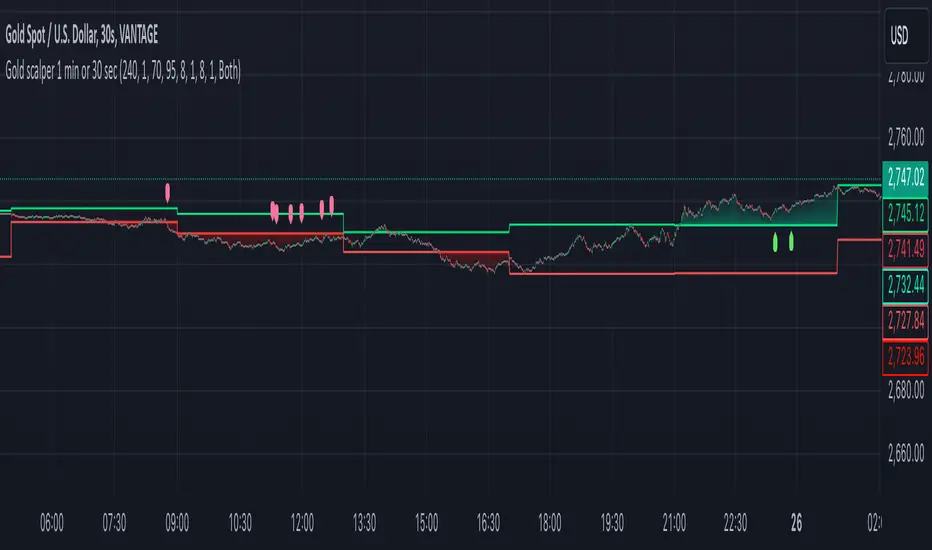
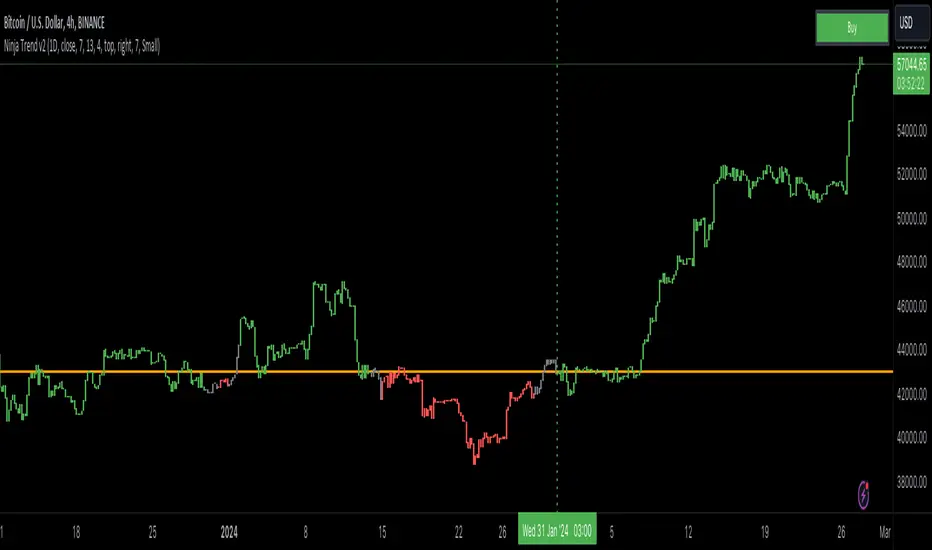
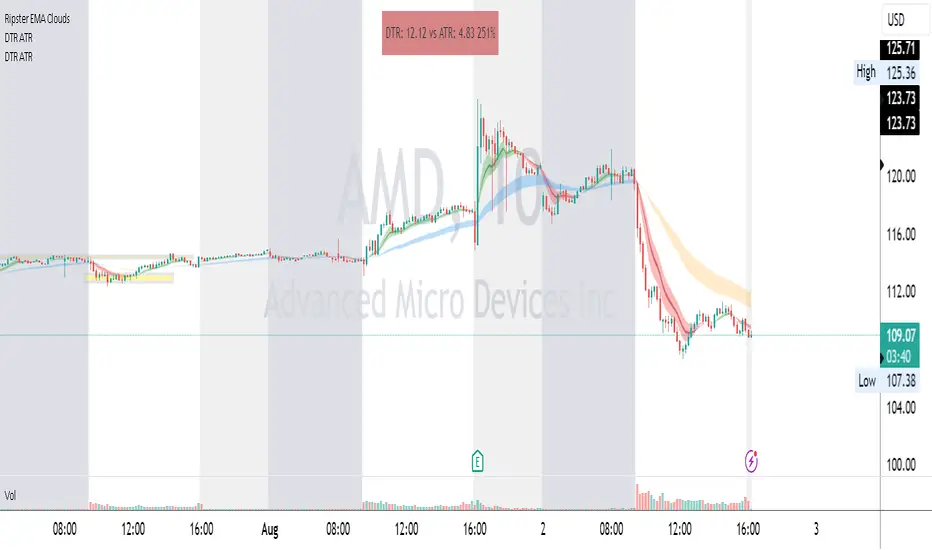
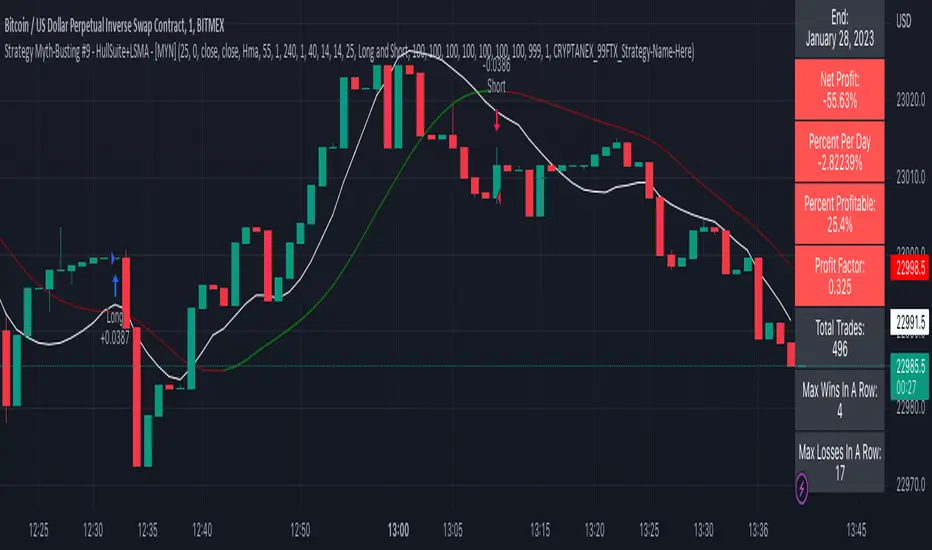
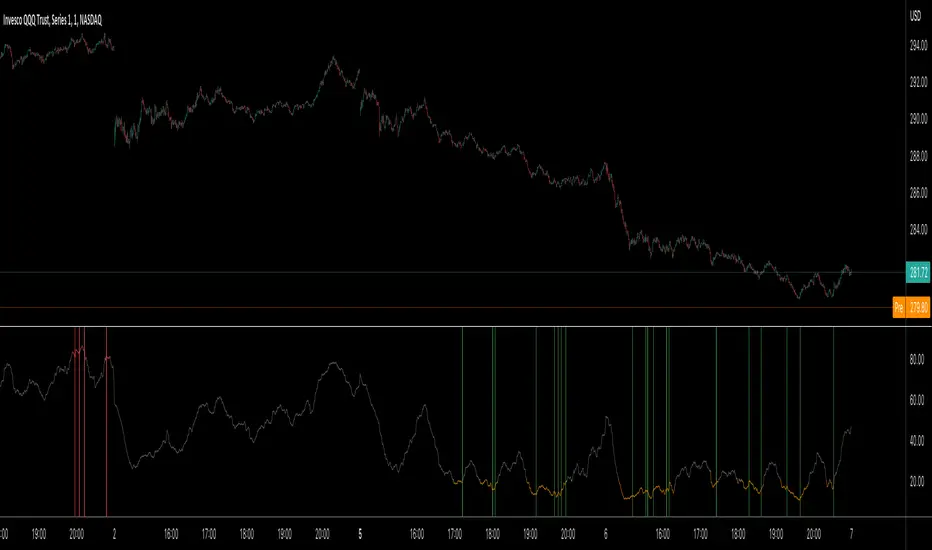
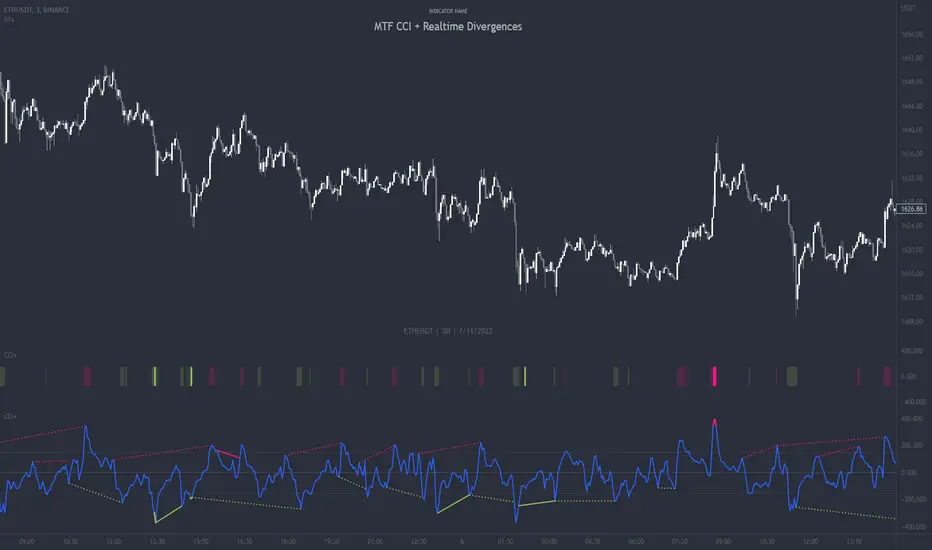
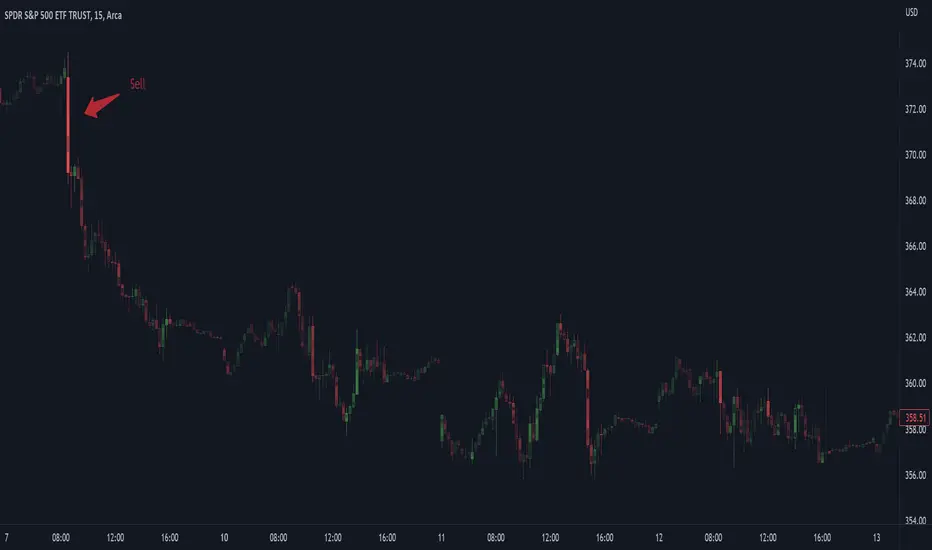
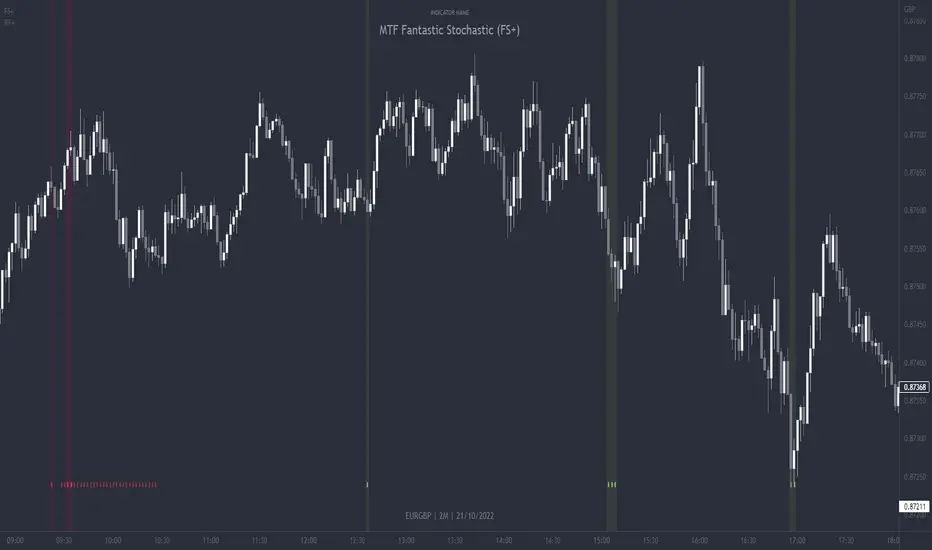
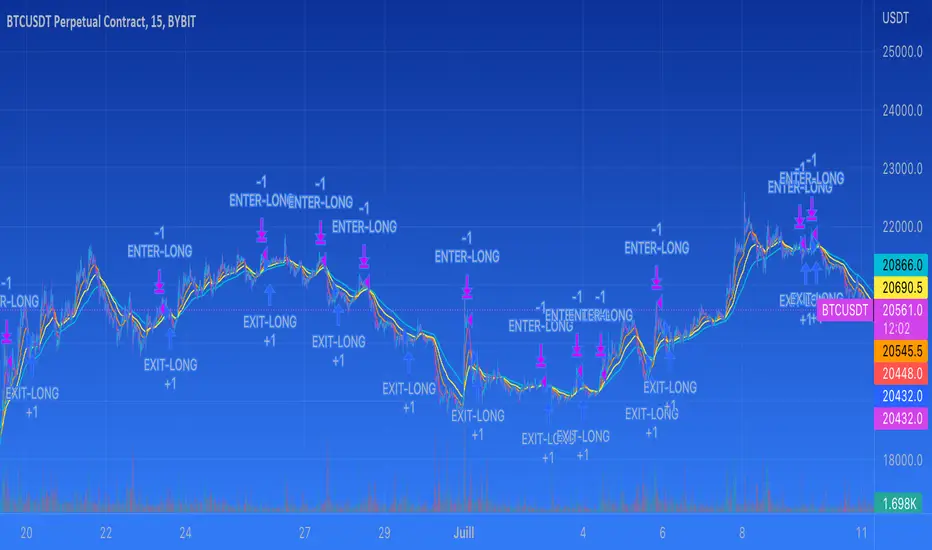
BB+AO STRATto be used with AO indicator, based on forex strat --
www.forexstrategiesresources.com
works on 1/3/5/15/30 candles, buy signals are best when the black 3 fast ema crosses up through the red mid band
Search in scripts for "scalping"
BB+AO ALERTSto be used with AO indicator, based on forex strat --
www.forexstrategiesresources.com
works on 1/3/5/15/30 candles, buy signals are best when the black 3 fast ema crosses up through the red mid band
BB+AO STRATto be used with AO, based on forex strat --
www.forexstrategiesresources.com
works on 1/3/5/15/30 candles
Rolling VWAP + Bands (Tighter Option) + 2.35/3.0 Re-entry AlertsRolling VWAP + σ Bands — How to Trade It
This indicator plots a Rolling VWAP (a volume-weighted mean over a fixed bar window) along with standard deviation (σ) bands around that VWAP. The goal is simple:
Quantify “normal” price distance from value (VWAP)
Highlight statistical extremes and pullback zones
Trigger re-entry signals when price returns from extreme deviation back inside key bands (±2.35σ and ±3σ)
It’s designed for scalping and short-term decision support, especially on lower timeframes.
What the Lines Mean
VWAP (Rolling Window)
The VWAP line represents the rolling “fair value” of price, weighted by volume across the lookback window.
In ranges: VWAP acts like a gravity center
In trends: VWAP acts like a dynamic mean that price may pull back toward before continuing
σ Bands (Standard Deviation)
The σ bands show how far price is from VWAP in statistical terms:
±1σ: Normal variation
±1.5σ: Common pullback / continuation zone in trends
±2σ: Extended move / trend stress
±2.35σ: Deep extension (often a “stretched” market)
±3σ: Rare extreme (often emotional moves / liquidation wicks)
The Most Important Feature: 2.35σ and 3σ Re-entry Signals
A Re-entry signal fires when price was outside a band on the previous bar and closes back inside that band on the current bar.
Why this matters:
The market pushed into an extreme zone…
…then failed to stay there
That “failure” often leads to a snap-back toward value (VWAP) or at least toward inner bands.
In general, a 3σ re-entry is stronger than a 2.35σ re-entry, because it represents a more statistically extreme excursion that couldn’t hold.
These are not “magic reversal calls” — they’re high-quality mean-reversion triggers when conditions favor mean reversion.
Regime 1: Contracting Bands = Mean Reversion Environment
What contracting bands imply
When the bands tighten / contract, volatility is compressed. In this environment:
Price tends to oscillate around VWAP
Deviations are more likely to mean revert
Extremes are clearer and usually followed by a return toward value
How to trade mean reversion with this indicator
Core idea: fade extremes and target VWAP / inner bands.
A) Highest quality setups: 2.35σ and 3σ re-entries
These are your “strongest” mean reversion events.
Short bias setup
Price closes outside +2.35σ or +3σ
Then re-enters back below that band (signal)
Typical targets: +2σ → +1.5σ → VWAP (depending on momentum)
Long bias setup
Price closes outside −2.35σ or −3σ
Then re-enters back above that band (signal)
Typical targets: −2σ → −1.5σ → VWAP
Why these work best in contraction:
The market is statistically “stretched”
With low volatility, it’s harder for price to stay extended
Re-entry often starts the “snap-back” leg
B) Scaling / partial targets (optional approach)
If you manage positions actively:
Take partial profits at inner bands
Use VWAP as the “magnet” target when conditions remain range-bound
Risk framing for mean reversion
Mean reversion fails when price keeps walking the band and volatility expands.
Common failure clues:
Bands begin to widen aggressively
Price repeatedly holds outside outer bands
VWAP slope starts to accelerate in one direction
If that starts happening, the market is likely shifting to a trend regime.
Regime 2: Expanding Bands + VWAP Slope = Trending Environment
What trending conditions look like
Trends typically show:
VWAP sloping consistently
Bands expanding (higher volatility)
Price spending more time on one side of VWAP
Pullbacks that stall near inner/mid bands instead of reverting fully
In this environment, fading outer bands becomes lower probability because price can “ride” deviations during strong directional flow.
How to trade continuation with this indicator
Core idea: use VWAP and inner bands as pullback zones, then trade in the direction of the VWAP slope.
A) Trend continuation zones (most practical)
VWAP: first pullback level in mild trends
±1σ: shallow pullback continuation
±1.5σ: higher-quality pullback depth in stronger trends
±2σ: deep pullback / trend stress (more caution)
Example (uptrend):
VWAP rising
Price pulls down into VWAP / +1σ / +1.5σ area
Continuation entries are considered when price stabilizes and pushes back with the trend
Example (downtrend):
VWAP falling
Price pulls up into VWAP / −1σ / −1.5σ area
Continuation entries are considered when price rejects and rotates back down
What to do with 2.35σ / 3σ re-entry signals in trends
Re-entry signals can still occur in trends, but they should be interpreted differently:
In strong trends, an outer-band re-entry may only produce a brief bounce/rotation, not a full mean reversion to VWAP.
Targets may be more realistic at inner bands rather than expecting VWAP every time.
In other words:
Range: outer-band re-entries often aim toward VWAP.
Trend: outer-band re-entries often aim toward 2σ / 1.5σ / 1σ first.
Practical Regime Filter (simple visual read)
This script intentionally doesn’t hard-code a “trend/range detector,” but you can visually infer regime quickly:
Mean reversion bias
Bands contracting or stable
VWAP mostly flat
Price crossing VWAP frequently
Trend continuation bias
Bands expanding
VWAP clearly sloped
Price holding mostly on one side of VWAP
Notes on σ Calculation Options
This indicator includes σ mode toggles:
Unweighted σ (tighter): treats price deviations more “purely” and often gives bands that react more tightly to price behavior.
Volume-weighted σ: emphasizes high-volume price action in the deviation calculation.
Both are valid — test based on your market and timeframe.
Summary Cheat Sheet
Contracting bands (range / compression)
Favor: mean reversion
Best signals: 2.35σ and 3σ re-entry
Typical targets: inner bands → VWAP
Expanding bands + sloped VWAP (trend)
Favor: continuation
Use pullbacks to: VWAP / 1σ / 1.5σ as entry zones
Outer-band re-entries: treat as rotation opportunities, not guaranteed full reversals
EMA 9 & 26 Crossover By SN TraderEMA 9 & 26 Crossover – Trend & Momentum Indicator For Scalpers
The EMA 9 & EMA 26 Crossover Indicator is a simple yet powerful trend-following tool designed to identify high-probability buy and sell signals based on short-term and medium-term momentum shifts.
This indicator is widely used by scalpers, intraday traders, and swing traders across Forex, Crypto, Stocks, Indices, and Commodities.
🔹 Indicator Logic
EMA 9 (Green) → Fast momentum
EMA 26 (Red) → Trend direction
BUY Signal
When EMA 9 crosses above EMA 26
Indicates bullish momentum and possible trend reversal or continuation
SELL Signal
When EMA 9 crosses below EMA 26
Indicates bearish momentum and potential downside movement
Clear BUY / SELL labels are plotted directly on the chart for easy visual confirmation.
📈 How to Trade Using This Indicator
✔ Enter BUY trades after EMA 9 crosses above EMA 26
✔ Enter SELL trades after EMA 9 crosses below EMA 26
✔ Use higher timeframes (15m, 1H, 4H) for stronger signals
✔ Combine with RSI, MACD, UT Bot, VWAP, Support & Resistance for confirmation
✅ Best Use Cases
Trend reversal identification
Momentum-based entries
Scalping & intraday strategies
Swing trading trend confirmation
Works on all timeframes
⚙️ Features
✔ Lightweight & fast
✔ Beginner-friendly
✔ Non-repainting signals
✔ Pine Script v6 compatible
✔ Clean visual design
⚠️ Disclaimer
This indicator is for educational purposes only and should not be considered financial advice. Always apply proper risk management and confirm signals with additional analysis.
Step Generalized Moving Average [BackQuant]Step Generalized Moving Average
Overview
Step Generalized Moving Average (StepGMA) is a trend-structure moving average designed to solve two common problems with classic MAs:
They overreact to noise in chop, causing constant micro-flips.
They lag too much when you smooth them enough to stop that noise.
StepGMA tackles this by combining two layers:
A Generalized Moving Average (GMA) that increases responsiveness without simply shortening length.
A Step Filter that converts the MA into discrete “steps” sized by ATR, suppressing insignificant movement and only updating when the move is meaningful.
The output is a trend line that behaves more like market structure: it holds its level through noise, then “reprices” in chunks when volatility-adjusted movement is large enough.
What the indicator is trying to represent
Instead of showing every tiny MA wiggle, StepGMA tries to represent the idea that:
Most price movement is noise relative to volatility.
Trend only matters when it advances by a meaningful amount.
A good trend line should stay stable until the market forces it to move.
That makes this indicator useful as:
A regime filter (trend vs chop).
A trend-following bias line.
A structure-like dynamic S/R reference.
A signal generator with fewer low-quality flips.
Component 1: Moving Average engine (selectable)
The base smoothing is not fixed. You can choose between multiple MA types:
SMA, EMA, WMA, VWMA: classic smoothing families.
DEMA, TEMA: reduced-lag EMA variants.
T3: smooth yet responsive, good for trend.
HMA: very low lag, can be twitchy without filtering.
ALMA: center-weighted smoothing, often “cleaner” visually.
KAMA: adaptive smoothing based on efficiency ratio, good in mixed regimes.
LSMA: regression-based, tends to track trend direction well.
McGinley: dynamic smoothing designed to reduce lag during fast moves.
This matters because the StepGMA is not “one MA.” It is a framework that lets you pick the underlying smoothing behavior, then applies the generalization and step logic on top.
Component 2: Generalized Moving Average (GMA)
Where the idea comes from
Generalized MA here is essentially a form of two-stage smoothing compensation . A common trick in signal processing and technical analysis is:
Apply a smoother once (MA1).
Apply it again (MA2).
Use MA2 as a “lag reference,” then combine MA1 and MA2 to reduce lag while keeping smoothness.
This is related in spirit to reduced-lag filters (like DEMA/TEMA) and “zero-lag” style constructions that subtract part of the lag component. You are not magically removing lag, you are biasing the output toward the first-pass MA while subtracting some of the second-pass smoothing that represents delayed response.
How this script does it
It computes:
ma1 = MA(src, len)
ma2 = MA(ma1, len)
Then combines them using a volume factor (vf):
generalized = ma1 * (1 + vf) - ma2 * vf
Interpretation:
ma2 is a “more delayed” version of ma1.
Subtracting vf * ma2 and adding (1+vf) * ma1 pushes the output toward responsiveness.
vf controls how aggressive that push is.
Volume Factor (vf) is really an aggressiveness knob
The script clamps vf between 0.01 and 1.0 to keep it stable. Conceptually:
Low vf: behaves closer to a normal MA1, smoother, more lag.
High vf: more compensation, faster response, more risk of overshoot or noise sensitivity (which is then handled by the step filter).
So the GMA stage tries to give you a cleaner, faster trend estimate without just shrinking the MA period.
Component 3: Step Filter (the key behavior)
What a step filter is
A step filter turns a continuous signal (here, the generalized MA) into a discrete “staircase” signal. Instead of updating every bar, it updates only when the input has moved far enough to justify a new step.
This is conceptually similar to:
A quantizer in signal processing (rounding changes to discrete increments).
A volatility threshold filter (ignore changes smaller than X).
Market structure logic where levels matter more than micro movement.
How it works in this script
The filter maintains a persistent value: stepped .
Each bar:
diff = src - stepped
If |diff| < stepSize, do nothing (hold the level).
If |diff| >= stepSize, move stepped by a number of step increments.
The step increment size is:
stepSize = (stepMult / 100) * ATR(atrPeriod)
This is critical:
In higher volatility, ATR is larger, so steps are larger, fewer updates, more stability.
In lower volatility, ATR is smaller, so steps are smaller, more updates, more sensitivity.
So the step behavior automatically adapts to volatility.
Multiple-step catching behavior
If price jumps far beyond one step, the script does not move only one step. It moves by:
floor(|diff| / stepSize) * stepSize
So it “catches up” in discrete blocks, preserving the stepped character without lagging massively after large moves.
Direction and regime
Direction is determined by the stepped line, not the raw MA:
direction = +1 if steppedMA is rising
direction = -1 if steppedMA is falling
otherwise direction stays the same
Signals only trigger on direction state changes:
Long when direction flips to +1
Short when direction flips to -1
This matters because it prevents repeated signals while the trend remains intact. You only get a signal when the market has moved enough (in ATR terms) to justify a structural step in the opposite direction.
Secondary line and gradient fill
The script also plots a secondary “slow MA” (length 25, same MA type). This is not the core logic, it is a visual context layer:
StepGMA is the structure line (discrete, regime-driven).
Slow MA is a smoother reference for the underlying drift.
The gradient fill highlights separation and dominance.
When StepGMA sits above the slow MA, the fill reinforces bullish bias. When below, it reinforces bearish bias. It is basically a “trend pressure” visual, not a separate signal.
How to interpret it
1) StepGMA as trend structure
Flat steps mean price is not making enough volatility-adjusted progress to move structure.
Up-steps mean the market has advanced enough to reprice the trend line upward.
Down-steps mean deterioration significant enough to reprice structure downward.
2) Direction is a regime, not a tick-by-tick call
Because direction is derived from step changes, it is naturally a regime filter:
Fewer flips in chop.
Clearer regime transitions.
Signals tend to occur later than ultra-fast tools, but with better confirmation quality.
3) Step size controls noise rejection
StepMult is the main “anti-chop” control:
Higher stepMult = bigger ATR steps = fewer updates, fewer signals, more confirmation, slower to react.
Lower stepMult = smaller steps = more updates, more signals, more sensitivity, more chop risk.
4) Generalization controls responsiveness of the underlying trend estimate
vf controls how “fast” the MA tries to be before stepping:
Higher vf makes the MA respond faster to new price information.
Lower vf makes the MA smoother and more conservative.
The step filter then decides whether that change is meaningful enough to matter.
Practical use cases
Trend filter for entries
Only take longs when direction is bullish.
Only take shorts when direction is bearish.
Avoid trades when StepGMA is flat for long periods, market is not repricing meaningfully.
Dynamic support and resistance
Because the line holds levels, it often behaves like structure:
In uptrends it can act as a rising support reference.
In downtrends it can act as falling resistance.
Signal quality layer
The step-based flip signals tend to be higher quality than basic MA crossovers because they require:
A meaningful volatility-adjusted move.
A confirmed direction change in the stepped trend structure.
Trade management
Use StepGMA as a trailing invalidation reference.
Use direction flips as “hard” regime exits.
Use separation vs slow MA as a “pressure” gauge for scaling decisions.
Tuning guidelines
MA Type
Pick based on the character you want:
T3, ALMA, KAMA are usually good defaults for clean trend representation.
HMA/LSMA are faster but may need larger stepMult to avoid twitch.
SMA is slow and stable but can be too laggy unless vf is increased.
MA Period
Sets the base smoothing horizon. Longer periods give “macro trend,” shorter periods give “tactical trend.”
Volume Factor (vf)
Sets responsiveness compensation:
0.05–0.25 is usually sensible.
Higher than that can get aggressive, step filter will save you, but your steps may fire more often.
ATR Period and StepMult
These define your structure sensitivity:
ATR Period controls how stable the volatility estimate is.
StepMult controls how large a move must be to change structure.
If you want fewer flips, increase StepMult or ATR Period. If you want quicker reaction, lower StepMult or ATR Period.
What this indicator is and is not
It is:
A trend structure MA that ignores sub-threshold noise.
A regime tool that uses volatility-adjusted repricing logic.
A configurable framework that works across assets and timeframes.
It is not:
A predictive reversal tool.
A scalping signal machine.
A replacement for risk management.
Summary
Step Generalized Moving Average combines a lag-compensated moving average (generalization via MA1/MA2 blending) with a volatility-scaled step filter (ATR-based quantization). The result is a stable, structure-like trend line that updates only when price movement is meaningful relative to volatility, producing cleaner regimes, fewer chop flips, and clearer trend bias than conventional moving averages.
Fiery River V 1.0 Description of the "Fiery River" (FR) Indicator
**Overview of the Indicator**
"Fiery River" (abbreviated as FR) is a technical indicator for TradingView, written in Pine Script version 6. It's designed for traders who incorporate Fibonacci levels with moving averages to analyze support and resistance zones. The indicator dynamically plots levels based on a selected moving average (MA) and Fibonacci multipliers, displaying them on the current timeframe and an additional secondary timeframe. This helps visualize potential reversal or continuation points, making analysis more comprehensive. The name "Fiery River" evokes a "fiery" flow of levels that "stream" across the chart, adapting to price movements. ?
**Key Features**
- **Level Construction**: The indicator calculates a moving average (EMA, SMA, WMA, RMA, or HMA) from the closing price and multiplies it by specified Fibonacci coefficients (0.618, 0.5, 0.382, 0.27, 0.18 for "long" levels and 1.618, 1.5, 1.382 for "short" levels). This creates 10 lines: 5 for the current timeframe (fully visible) and 5 for the secondary timeframe (with semi-transparency for distinction).
- **Color Scheme**: Levels are colored in gray, red, orange, and green, with additional "short" variants for extensions.
- **Fills**: Green fills are added between level pairs to highlight areas of interest, making the chart more visually intuitive.
- **Alerts**: Automatic notifications when the price touches levels (e.g., "Price touches Red line"), helping you stay on top of key moments.
- **Multi-Timeframe Support**: Incorporates a secondary timeframe (e.g., daily if the main is hourly) for comparing levels across different scales.
**How to Use**
1. Add the indicator to your chart in TradingView.
2. Customize settings in the panel: Select MA type, period (default 89), secondary timeframe, and Fibonacci coefficients.
3. Analyze levels as potential entry/exit points: Gray and red for stronger zones, green for weaker ones. Use fills to identify ranges.
4. Enable alerts for real-time signals.
It's ideal for strategies based on Fibonacci and trends, but always combine with other tools for confirmation. ?
**Advantages and Limitations**
- **Pros**: Highly customizable, visually clear, supports multiple MA types and timeframes. Great for scalping and swing trading.
- **Cons**: Can create a lot of lines on the chart, potentially overwhelming if not managed. May require testing for optimal settings on volatile assets.
If you need any adjustments, more details, or help with the code, just let me know! ?
Predator UAV🛩️ Predator UAV — Indicator Overview
Predator UAV is a multi-module market structure & execution assistant.
Think of it as 4 sensors on a drone, each scanning a different layer of price:
Module What it Sees Why it Matters
Module 1 Swing Structure (ZigZag) Trend direction & key levels
Module 2 FVGs, Imbalances, Targets, D/W/M levels Liquidity & objectives
Module 3 Swing Labels + Candle Patterns Entry timing & confirmation
Module 4 VWAP + Slope Dashboard Intraday bias & strength
You can turn any module ON/OFF independently.
🧩 MODULE 1 — ZigZag Swing High / Low (Market Structure)
What it does
Detects Swing Highs (HH / LH) and Swing Lows (HL / LL)
Draws:
Horizontal structure levels
ZigZag connections
Broken vs respected levels
Shows current swing direction in a mini table
How to use it
Bullish structure → higher lows forming
Bearish structure → lower highs forming
Best used for:
Bias filtering
Stop placement
Avoiding counter-trend trades
💡 Pro tip:
If price breaks a swing level and holds → structure shift confirmed.
🧱 MODULE 2 — FVGs, Imbalances, Targets & HTF Levels (Liquidity Engine)
This is the core execution intelligence.
A️⃣ Fair Value Gaps (FVGs)
Bullish FVG → price inefficiency below price
Bearish FVG → inefficiency above price
Options:
Extend none / limited / default
Limit number on chart
Show midpoint equilibrium
Usage
Price returning into FVG = high-probability reaction zone
Best entries = FVG + structure + VWAP bias
B️⃣ Imbalances
Based on strong displacement candles
Shows where price moved too fast
Usage
Often aligns with:
Breakouts
Stop runs
Momentum continuation
C️⃣ Swing Targets
Automatically marks next logical target
Swing Highs for longs
Swing Lows for shorts
Usage
Use as:
Take-profit zones
Partial exits
Trail stop reference
D️⃣ Previous Day / Week / Month Highs & Lows
Institutional liquidity magnets
Extremely effective on indices & forex
Usage
Expect:
Rejections
Stop hunts
Reversals near these levels
🔍 MODULE 3 — Swing Labels + Candle Patterns (Entry Timing)
This module answers: WHEN to enter?
Swing Labels
HH / HL / LH / LL printed directly on chart
Candle Patterns Detected
Hammer
Inverted Hammer
Bullish Engulfing
Bearish Engulfing
Hanging Man
Shooting Star
Each label includes:
Pattern name
Tooltip explanation (educational)
Usage
Never trade patterns alone
Best when combined with:
FVG
VWAP
Structure level
📐 MODULE 4 — VWAP with Slope Dashboard (Bias & Strength)
This is your intraday compass.
What it shows
Session VWAP
VWAP slope (numeric + angle)
Direction:
↗ Bullish
↘ Bearish
→ Neutral
Strength:
Weak
Moderate
Strong
How to read it
Above VWAP + positive slope → long bias
Below VWAP + negative slope → short bias
Flat slope → scalp only or wait
💡 Pro tip:
Strong VWAP slope + FVG pullback = A-grade setup.
🎯 COMPLETE TRADING TUTORIAL (Step-by-Step)
Step 1 — Determine Bias
Use Module 1 + Module 4
Structure bullish?
VWAP slope bullish?
✅ If aligned → look for longs
❌ If mixed → reduce size or wait
Step 2 — Identify POI (Point of Interest)
Use Module 2
Bullish:
Bullish FVG
Prior swing low
VWAP pullback
Bearish:
Bearish FVG
Prior swing high
VWAP rejection
Step 3 — Wait for Entry Confirmation
Use Module 3
Look for:
Engulfing
Hammer / Shooting star
Swing HL / LH confirmation
Step 4 — Define Targets
Use Next Target
Or Previous Day / Week Highs
Partial TP near first liquidity pool
Step 5 — Risk Management
SL beyond:
FVG boundary
Swing high/low
Trail using:
VWAP
Structure breaks
🧠 Best Timeframes
Purpose TF
Bias 15m / 30m
Setup 5m
Entry 1m–3m
Scalping VWAP + FVG only
⚠️ Common Mistakes to Avoid
❌ Trading every FVG
❌ Ignoring VWAP slope
❌ Counter-trend without confirmation
❌ Overloading chart (turn unused modules off)
🚀 Final Thought
Predator UAV is not a signal generator.
It’s a decision-support system — when multiple modules align, probability shifts in your favor.
Z-Score ProZ-Score Pro - Complete Description
This is an **advanced mean reversion indicator** that measures how many standard deviations the current price is from its average. It's ideal for identifying market extremes and trading opportunities.
What is the Z-Score?
The Z-Score is a statistical measure that answers: **"How far is the price from normal?"**
- **Z = 0**: Price is at its average
- **Z = +2**: Price is 2 standard deviations above (overbought)
- **Z = -2**: Price is 2 standard deviations below (oversold)
- **Z > +3** or **Z < -3**: Very rare extremes (occur ~0.3% of the time)
Main Features
### 1. **Flexible Calculation**
- **SMA or EMA**: Choose between simple or exponential moving average
- **Adjustable period**: Default 20 periods
- **Smoothing**: Option to smooth the Z-Score to reduce noise
### 2. **Multiple Levels**
- **±1.0**: Caution zone
- **±2.0**: Overbought/Oversold (68% statistical confidence)
- **±3.0**: Rare extremes (99.7% statistical confidence)
### 3. **Trading Signals**
The indicator generates automatic signals based on:
**Buy Signals (BUY)**:
- Z-Score is in oversold zone
- Momentum changes from negative to positive (price stops falling)
**Sell Signals (SELL)** :
- Z-Score is in overbought zone
- Momentum changes from positive to negative (price stops rising)
**Aggressiveness Levels**:
- **Conservative**: Only signals at extremes (±3.0)
- **Normal**: Signals at ±2.0 (recommended)
- **Aggressive**: More frequent signals at ±1.5
### 4. **Divergence Detection**
**Bullish Divergence** (aqua marker):
- Price makes a lower low
- Z-Score makes a higher low
- Indicates weakening of downtrend
**Bearish Divergence** (fuchsia marker):
- Price makes a higher high
- Z-Score makes a lower high
- Indicates weakening of uptrend
---
## Visualization
### Dynamic Colors
- **Bright red**: Z-Score > 2 and rising (strong overbought)
- **Orange**: Z-Score > 1 and rising
- **Purple**: Neutral zone rising
- **Transparent green**: Z-Score falling (any level)
### Background Zones
- **Intense red**: Extreme overbought (Z > 3)
- **Soft orange**: Overbought (Z > 2)
- **Intense green**: Extreme oversold (Z < -3)
- **Soft lime**: Oversold (Z < -2)
### Info Table (top right corner)
Shows in real-time:
- **Current Z-Score**: Numeric value with color
- **Status**: Extreme OB/OS, Overbought, Oversold, or Neutral
- **Momentum**: Rising ↗ or Falling ↘
- **Mean**: Current average value
- **Std Dev**: Current standard deviation
---
## Alert System
The indicator includes **8 types of alerts**:
1. **Buy Signal**: When entry conditions are met
2. **Sell Signal**: When exit conditions are met
3. **Overbought**: When crossing above +2.0
4. **Oversold**: When crossing below -2.0
5. **Extreme Overbought**: When reaching +3.0
6. **Extreme Oversold**: When reaching -3.0
7. **Bullish Divergence**: Potential reversal up
8. **Bearish Divergence**: Potential reversal down
---
## How to Use It
### **Mean Reversion Strategy**
1. Wait for Z-Score to reach ±2 or beyond
2. Wait for BUY/SELL signal (momentum reversal)
3. Enter trade in opposite direction of extreme
4. Exit when Z-Score returns to zero
### **Divergence Strategy**
1. Identify divergence markers (DIV)
2. Confirm with momentum change
3. Enter in direction of divergence
4. Use Z-Score levels as targets
### **Multi-Timeframe Analysis**
- **Short-term** (5-15 min): Scalping with aggressive mode
- **Medium-term** (1H-4H): Swing trading with normal mode
- **Long-term** (Daily): Position trading with conservative mode
---
## Best Practices
**Do**:
- Use in ranging/sideways markets
- Combine with support/resistance levels
- Wait for momentum confirmation
- Use conservative mode in trending markets
**Don't**:
- Trade against strong trends
- Ignore divergences
- Use alone without confirmation
- Over-trade in low volatility
---
## Statistical Background
The Z-Score follows a **normal distribution**:
- **68%** of values fall within ±1 standard deviation
- **95%** of values fall within ±2 standard deviations
- **99.7%** of values fall within ±3 standard deviations
When price reaches Z = ±2, there's a **95% probability** it will revert toward the mean, making it a powerful mean reversion tool.
---
##Customization Options
All aspects are customizable:
- Calculation method and periods
- Visual colors and transparency
- Signal sensitivity
- Alert preferences
- Level thresholds
- Background zones on/off
Gamma Regime Indicator [Eloni]
╔══════════════════════════════════════════════════════════════════════════════════════════════╗
║ GAMMA REGIME / VWAP FLOW ENGINE ║
╚══════════════════════════════════════════════════════════════════════════════════════════════╝
┌──────────────────────┬─────────────────────────────┬────────────────────────────┬──────────────┐
│ MARKET STRUCTURE │ FLOW / SENTIMENT │ VOLATILITY / IV │ POSITION │
├──────────────────────┼─────────────────────────────┼────────────────────────────┼──────────────┤
│ • VWAP Distance │ • Call / Put / Total Vol │ • VIX / IV Level │ • Hold Bars │
│ • Round Levels │ • Z-Score Normalization │ • IV Slope (Up/Down) │ • Entry ≥ 5 │
│ • Prev Close │ • Flow Hot / Flow Cold │ • ATR Compress / Expand │ • Exit ≤ 2 │
│ • ATR % │ • PCR Ratio & Slope │ • Regime Shift Alert │ • Buffer │
│ • Near / Far Zones │ • Extremes Detection │ • Volatility Cycles │ • Reset │
└──────────────────────┴─────────────────────────────┴────────────────────────────┴──────────────┘
===============================================================================
PINNING REGIME (MEAN REVERSION ZONE)
===============================================================================
┌─────────────┐ ┌──────────────┐ ┌──────────────┐
│ LOCATION │ ----> │ CONFIRM │ ----> │ EXECUTE │
└─────────────┘ └──────────────┘ └──────────────┘
Near VWAP / Level Flow = Cold Fade Extremes
Near Prev Close ATR = Compress Sell High / Buy Low
IV = Down Scalps / Short DTE
PCR = Extreme
-------------------------------------------------------------------------------
WHERE
-----
- VWAP ± Threshold
- Gamma Walls
- Round Numbers
- Prior Day Close
INDICATORS
----------
- VWAP
- Volume Z-Score
- ATR Percent
- PCR
- VIX
STRATEGIES
----------
- VWAP Fade
- Range Scalping
- Iron Condors
- Credit Spreads
- Mean Reversion Options
AVOID
-----
- Expanding Range
- High Volume Breaks
- Rising IV
- News Events
===============================================================================
TREND / BREAKOUT REGIME (MOMENTUM ZONE)
===============================================================================
┌─────────────┐ ┌──────────────┐ ┌──────────────┐
│ LOCATION │ ----> │ CONFIRM │ ----> │ EXECUTE │
└─────────────┘ └──────────────┘ └──────────────┘
Far from VWAP Flow = Hot Buy Pullbacks
Outside Range ATR = Expand Break and Retest
IV = Rising Ride Momentum
PCR = Trending
-------------------------------------------------------------------------------
WHERE
-----
- Range High / Low
- VWAP Break
- Value Area Break
- Opening Range
INDICATORS
----------
- VWAP Bands
- Flow Z
- ATR Expansion
- IV Slope
- Volume Profile
STRATEGIES
----------
- Opening Range Breakout
- Trend Pullbacks
- Debit Spreads
- Futures Momentum
- Directional Options
AVOID
-----
- Fading Strength
- Weak Volume Moves
- Flat Volatility
- Midday Chop
===============================================================================
NO EDGE / BUFFER ZONE
===============================================================================
VWAP Reset | Session Open | Post-News | Low Volume
- Reduce Size
- Observe Only
- Wait for Alignment
- Capital Preservation
===============================================================================
REGIME DECISION MATRIX
===============================================================================
┌──────────────┬──────────────┬──────────────┬──────────────┬──────────────┐
│ STRUCTURE │ FLOW │ IV │ PCR │ REGIME │
├──────────────┼──────────────┼──────────────┼──────────────┼──────────────┤
│ Near │ Cold │ Down │ Extreme │ Pinning │
│ Far │ Hot │ Up │ Trending │ Trend │
│ Mixed │ Neutral │ Flat │ Neutral │ No Edge │
└──────────────┴──────────────┴──────────────┴──────────────┴──────────────┘
===============================================================================
EXECUTION PLAYBOOK
===============================================================================
PIN MODE
--------
Entry : VWAP / Level Touch + Flow Cold
Stop : VWAP Break + ATR Expansion
TP : Mid-Range / Mean Reversion
Size : Medium to High
TREND MODE
----------
Entry : Pullback to VWAP / EMA
Stop : Range Reclaim
TP : ATR Trail / Structure
Size : Scale In
NO EDGE
-------
Entry : None
Goal : Preservation
Focus : Patience
===============================================================================
CORE SYSTEM LOGIC
===============================================================================
PINNING = Liquidity Absorption -> Mean Reversion -> Sell Volatility
TREND = Momentum Expansion -> Directional Flow -> Buy Volatility
NO EDGE = Regime Unclear -> Capital Protection
SMA 20 Candle Risk & Contract Sizer (MNQ)his indicator helps traders size contracts based on the distance between the candle close and a 20-period SMA.
It calculates:
• Candle size relative to SMA (with optional buffer)
• Suggested contract count to target a fixed dollar risk
• Estimated total risk per trade
Designed for discretionary scalping workflows on MNQ and similar instruments.
This tool is for informational purposes only and does not place trades.
This script is provided for educational purposes only and does not constitute financial advice. Trading involves risk.
Meridian v2A comprehensive multi-timeframe trading system that combines statistical volatility levels, dynamic price ranges, momentum-based signals, and precision entry/exit zones.
Key Features:
StdDev Levels: Displays standard deviation bands from higher timeframes (4H, 1H default) to identify key support/resistance zones based on price volatility
Trading Ranges: Automatically plots dynamic support/resistance ranges using ATR calculations with adaptive zone fills
ZScore Momentum: Colors candles based on normalized price momentum relative to moving average, highlighting bullish/bearish conditions
60 Tick Lines: Draws horizontal lines at precise tick distances above/below current price for scalping entries
EMA System: Dual EMA crossover signals with optional volume confirmation and visual ribbon display
Trade Signals: Diamond markers for range breakout entries, triangle markers for EMA crossovers
Perfect for multi-timeframe analysis combining volatility structure, momentum, and precise price levels for confluence-based trading decisions.
CANDLE STRUCTURE FILTER PRO by HeruprastCandle Structure Filter
CANDLE STRUCTURE FILTER PRO is a price-action-based indicator that filters trading signals using candle body strength, wick ratio, and EMA trend alignment. It only generates non-repainting BUY/SELL signals on strong candles with valid structure, aligned with the selected trend EMA, and confirmed by an EMA Gap Filter to avoid sideways or choppy market conditions.
Designed for scalping to intraday trading, especially effective on volatile instruments like XAUUSD, with automatic calibration based on timeframe and instrument characteristics.
Entropy Divergence (No Repaint) [PhenLabs]📊 Entropy Divergence (No Repaint)
Version: PineScript™ v6
📌 Description
The Entropy Divergence Scalper (EDS) is a sophisticated trading indicator that applies information theory to market analysis. By calculating Shannon Entropy on price returns, it identifies periods when market behavior becomes more predictable and orderly—the ideal conditions for divergence-based trading.
Traditional divergence indicators generate signals regardless of market conditions, leading to many false signals during chaotic, high-entropy periods. EDS solves this by acting as an intelligent filter: it only triggers signals when entropy drops below your specified threshold, indicating that the market has entered a more structured, tradeable state.
This indicator is built with a strict non-repainting guarantee. All signals use barstate.isconfirmed and only appear after bar close, giving you reliable signals you can trust for live trading.
🚀 Points of Innovation
Shannon Entropy integration measures market randomness using information theory mathematics
Dual divergence engine detects both RSI and Volume divergences simultaneously
Entropy-filtered signals eliminate noise by only triggering in low-entropy (predictable) market conditions
100% non-repainting architecture ensures all signals are confirmed and historically accurate
Multi-layer confirmation combines entropy state, RSI divergence, and volume divergence for higher probability setups
Dynamic color visualization provides instant visual feedback on current market entropy state
🔧 Core Components
Shannon Entropy Calculator: Bins price returns into histograms and calculates entropy using H(X) = -Σ p(x) × log₂(p(x))
RSI Divergence Detector: Identifies when price makes lower lows while RSI makes higher lows (bullish) or price makes higher highs while RSI makes lower highs (bearish)
Volume Divergence Detector: Spots increasing volume interest at price lows (bullish) or decreasing conviction at price highs (bearish)
Pivot Detection System: Uses configurable lookback periods to identify and track price, RSI, and volume pivots
Signal Classification Engine: Labels signals as RSI, VOL, or RSI+VOL based on which divergences triggered
🔥 Key Features
Entropy Threshold Control: Set your preferred entropy level (default 2.5) to filter out signals during chaotic market periods
Configurable Smoothing: EMA smoothing on entropy values reduces noise while maintaining signal responsiveness
Flexible Pivot Detection: Adjust left/right lookback bars to tune sensitivity for different trading styles
Divergence Search Range: Control how far back the indicator looks for divergence patterns (20-200 bars)
Minimum Pivot Distance: Prevents false signals from pivots that are too close together
Complete Alert System: Four alert conditions for bullish signals, bearish signals, any signal, and low entropy zone entry
🎨 Visualization
Dynamic Entropy Line: Color gradient shifts from green (low entropy/tradeable) to orange (high entropy/chaotic)
Entropy Threshold Line: Dashed reference line shows your configured entropy threshold
Low Entropy Zone Fill: Background highlighting indicates when market is in tradeable low-entropy state
Scaled RSI Plot: RSI overlay scaled to fit the entropy pane for easy correlation analysis
Normalized Volume Bars: Volume displayed as columns normalized against 20-period average
Signal Labels: Clear LONG/SHORT labels with divergence type (RSI, VOL, or RSI+VOL)
Information Table: Real-time display of entropy value, state, RSI, and current signal status
📖 Usage Guidelines
Entropy Lookback Period — Default: 20, Range: 5-100 — Controls how many bars are used for entropy calculation; higher values provide smoother readings but slower response
Histogram Bins — Default: 10, Range: 5-50 — Number of bins for probability distribution; more bins provide finer granularity
Low Entropy Threshold — Default: 2.5, Range: 0.5-4.0 — Signals only trigger when entropy drops below this value; lower settings are more selective
Entropy Smoothing — Default: 3, Range: 1-10 — EMA smoothing applied to raw entropy values for noise reduction
RSI Length — Default: 14, Range: 5-50 — Standard RSI calculation period
Pivot Lookback Left — Default: 5, Range: 2-20 — Bars to the left for pivot detection
Pivot Lookback Right — Default: 2, Range: 1-10 — Bars to the right for pivot confirmation; lower values produce faster signals
Divergence Search Range — Default: 60, Range: 20-200 — Maximum bars to look back for divergence comparison
Min Bars Between Pivots — Default: 5, Range: 3-30 — Minimum distance between pivots for valid divergence detection
✅ Best Use Cases
Scalping during low-volatility consolidation periods when entropy drops and price becomes more predictable
Swing trade entry timing by waiting for divergence signals in low-entropy market conditions
Trend reversal identification when both RSI and Volume divergences align with low entropy readings
Multi-timeframe confirmation by checking entropy state on higher timeframes before taking signals
Filtering existing strategies by adding entropy as a confirmation layer to reduce false signals
⚠️ Limitations
Signals appear with a delay due to pivot confirmation requirements (pivotLookbackRight bars after pivot forms)
May generate fewer signals during strongly trending markets where entropy remains elevated
Entropy threshold requires optimization for different instruments and timeframes
Not designed for high-frequency trading due to bar-close confirmation requirement
Divergences can fail in extremely strong trends where momentum overwhelms the signal
💡 What Makes This Unique
First indicator to combine Shannon Entropy filtering with multi-factor divergence detection
Information theory approach provides mathematical foundation for identifying tradeable market states
Triple confirmation requirement (low entropy + divergence + bar close) significantly reduces false signals
Non-repainting guarantee makes it suitable for strategy backtesting and live trading
Open-source PineScript v6 code allows traders to understand and customize the methodology
🔬 How It Works
Step 1 — Entropy Calculation: The indicator calculates logarithmic returns, bins them into a histogram, and computes Shannon Entropy to measure market randomness
Step 2 — Entropy Filtering: When smoothed entropy drops below the threshold, the market is considered to be in a tradeable low-entropy state
Step 3 — Pivot Detection: The system continuously tracks price, RSI, and volume pivots using configurable lookback parameters
Step 4 — Divergence Analysis: When a new pivot is confirmed, the indicator compares it against previous pivots to detect bullish or bearish divergences
Step 5 — Signal Generation: A final signal only triggers when low entropy conditions coincide with a confirmed divergence pattern on a closed bar
💡 Note:
This indicator is designed for educational purposes and technical analysis. Always use proper risk management and never risk more than you can afford to lose. The non-repainting guarantee means signals will only appear after bar close—watch the indicator in real-time to verify this behavior. For optimal results, consider combining EDS signals with support/resistance levels and overall market context.
Trading Command Center# Trading Command Center (TCC)
## 📊 All-In-One Confluence Trading System
**Stop guessing. Start confirming.**
The Trading Command Center combines the most essential technical analysis tools into a single, unified indicator with a real-time **Confluence Dashboard** that tells you when multiple signals align—giving you higher-probability trade setups.
---
## 🎯 What Is Confluence Trading?
Professional traders don't rely on a single indicator. Studies show that **85% of professional traders use 2+ indicators** to confirm entries. Confluence trading means waiting for multiple independent signals to agree before taking action.
**One signal = noise. Multiple signals = conviction.**
This indicator does the heavy lifting by:
- Displaying all key technical levels on your chart
- Automatically scoring bullish vs bearish signals
- Alerting you when high-confluence setups appear
---
## 📦 What's Included
### On-Chart Overlays
| Component | What It Shows |
|-----------|---------------|
| **EMAs (9, 21, 50, 200)** | Trend direction at multiple timeframes |
| **VWAP + Bands** | Institutional fair value & standard deviation levels |
| **Dynamic S/R Zones** | Auto-detected support/resistance with touch counts |
| **Auto Trendlines** | Connecting recent pivot highs and lows |
| **Volume Highlights** | Background shading when volume exceeds 1.5x average |
### Dashboard Analysis (Top Right Panel)
| Indicator | Dashboard Shows |
|-----------|-----------------|
| **EMA Stack** | Perfect/partial bullish or bearish alignment |
| **Price vs EMA 200** | Above/below with % distance |
| **Price vs VWAP** | Intraday institutional bias |
| **RSI (14)** | Value + overbought/oversold status |
| **MACD** | Bullish/bearish + momentum direction + crosses |
| **Volume** | Ratio vs 20-period average |
| **ATR** | Current volatility level |
| **Confluence Score** | Net score from -10 to +10 |
---
## 🚦 How The Confluence Score Works
The system awards points for bullish and bearish conditions:
### Bullish Points
- Perfect EMA stack (9 > 21 > 50 > 200): **+2**
- Partial EMA alignment: **+1**
- Price above VWAP: **+1**
- RSI bullish (50-70): **+1**
- RSI oversold (<30): **+2** *(potential reversal)*
- MACD above signal: **+1**
- MACD rising momentum: **+1**
- MACD bullish cross: **+2**
- Above 200 EMA: **+1**
- High volume + green candle: **+1**
### Bearish Points
*(Mirror of above for bearish conditions)*
### Signal Interpretation
| Score | Meaning |
|-------|---------|
| **+5 to +10** | 🟢 STRONG BUY - Multiple confirmations aligned |
| **+2 to +4** | Bullish bias |
| **-1 to +1** | Neutral / Mixed signals |
| **-2 to -4** | Bearish bias |
| **-5 to -10** | 🔴 STRONG SELL - Multiple confirmations aligned |
---
## 📈 How To Use This Indicator
### For Trend Following
1. Check the **EMA Stack** status in the dashboard
2. Confirm price is on the correct side of **VWAP**
3. Wait for **confluence score ≥ +3** (longs) or **≤ -3** (shorts)
4. Use S/R zones for entry/exit targets
### For Reversal Trading
1. Look for **RSI overbought/oversold** conditions
2. Watch for price at a **Dynamic S/R Zone**
3. Wait for **MACD cross** confirmation
4. Enter when confluence supports the reversal
### For Day Trading
1. Use **VWAP** as your primary bias (above = long bias, below = short bias)
2. Trade pullbacks to **EMA 9/21** in the direction of VWAP
3. Avoid entries when **ATR** shows "HIGH VOL" (choppy conditions)
4. Target the opposite **VWAP band** or nearest S/R zone
---
## ⚙️ Recommended Settings
### Default (Works for most markets)
All settings are optimized out of the box for stocks, crypto, and forex on 5min-Daily charts.
### Scalping (1-5 min charts)
- Reduce Pivot Lookback to 5-7
- Reduce Zone Width to 0.3%
### Swing Trading (4H-Daily)
- Increase Pivot Lookback to 15-20
- Increase Zone Width to 0.8-1.0%
---
## 🔔 Alerts Included
- **Strong Bullish Confluence** - Multiple indicators aligned bullish
- **Strong Bearish Confluence** - Multiple indicators aligned bearish
- **MACD Bullish/Bearish Cross** - Momentum shift
- **RSI Overbought/Oversold** - Extreme readings
- **Volume Spike** - Volume exceeds 2.5x average
---
## 💡 Pro Tips
1. **Don't chase low-confluence setups** - Wait for score ≥ +3 or ≤ -3
2. **Respect the 200 EMA** - It defines the macro trend
3. **Volume confirms moves** - High volume signals are more reliable
4. **S/R zones with more touches are stronger** - Look for + touch counts
5. **MACD crosses near zero line are strongest** - Avoid extended readings
---
## ⚠️ Important Notes
- **RSI, MACD, and ATR values are shown in the dashboard only** (not plotted separately). If you want the actual plots, add TradingView's built-in indicators alongside this one.
- **This is a tool, not a trading system** - Always use proper risk management
- **Past performance ≠ future results** - Confluence improves probability, not certainty
---
## 🔧 Customization
All components can be toggled on/off:
- Show/hide EMAs, VWAP, S/R Zones, Trendlines
- Adjust all lengths and multipliers
- Change colors to match your chart theme
- Move dashboard position (all 4 corners)
---
**Questions or suggestions?** Drop a comment below!
*If this indicator helps your trading, please leave a like/follow—it helps others find it too.*
---
**Tags:** confluence, ema, vwap, rsi, macd, support resistance, trendlines, volume, atr, dashboard, all-in-one, trading system, beginner friendly
MACD RSI EMA AGGRESSIVE + ATR SLTP (ALL COIN)This indicator is designed for aggressive scalping and intraday trading, especially on crypto futures.
It combines:
- MACD crossover for momentum direction
- RSI filter to avoid weak signals
- EMA trend filter to follow market bias
- Volume confirmation to reduce false signals
- ATR-based SL/TP visualization for risk management
The script provides clear BUY and SELL alerts that can be used across multiple symbols and timeframes.
Best used on lower timeframes (1m–5m) with proper risk management.
MACD RSI EMA AGGRESSIVE + ATR SLTPThis indicator is designed for aggressive scalping and intraday trading, especially on crypto futures.
It combines:
- MACD crossover for momentum direction
- RSI filter to avoid weak signals
- EMA trend filter to follow market bias
- Volume confirmation to reduce false signals
- ATR-based SL/TP visualization for risk management
The script provides clear BUY and SELL alerts that can be used across multiple symbols and timeframes.
Best used on lower timeframes (1m–5m) with proper risk management.
AI Smart Entry Pro v4 (AVINASH27)AI Smart Entry Pro v4 is a rule-based trading strategy designed to identify high-probability market entries using trend confirmation and momentum logic.
This strategy is intended for educational and back-testing purposes only.
It does not repaint and all signals are generated strictly on closed candles.
Key Features:
Works best in trending market conditions
Uses predefined logic for entry and exit
Suitable for intraday and scalping timeframes
Designed for consistent risk-controlled trading
No future data or repainting logic used
Recommended Usage:
Apply on liquid instruments (Forex, Indices, Gold, Crypto)
Combine with proper risk management
Always forward-test before live trading
⚠️ Disclaimer:
This strategy does not guarantee profits. Trading involves risk, and past performance is not indicative of future results. Use at your own discretion.
Gold AI: Hyper-Frequency 1minute Scalper The Gold AI: Hyper-Frequency is a high-precision scalping tool specifically engineered for the unique volatility of XAUUSD on lower timeframes (1m, 5m). Unlike traditional lagging indicators, this script utilizes a Lorentzian Distance Classifier —a machine learning approach that finds historical price fractals similar to current market conditions to predict the next high-probability move.
This indicator is designed for "Hyper-Frequency" trading, meaning it prioritizes capturing multiple micro-moves while using a three-stage Dynamic Take Profit system to let "runners" extend during strong momentum bursts.
█ THE AI CORE: LORENTZIAN CLASSIFICATION
Instead of standard Euclidean distance, this script employs Lorentzian Distance . This metric is superior for financial time series because it is less sensitive to extreme outliers, allowing the AI to identify patterns in "noisy" 1-minute gold charts that other models might miss.
The AI evaluates three key "features" to find matches: 1 — RSI (7): Momentum and overbought/oversold status. 2 — MFI (7): Money Flow Index to track institutional volume. 3 — ROC (3): Rate of Change to detect immediate velocity.
█ DYNAMIC PROFIT SCALING
To solve the "Gold Problem"—where price often spikes past targets or reverses instantly—we implemented a 3-Stage Profit Extender:
• Stage 1 (Initial TP): Targets a quick scalp (default 1.0 ATR). • Stage 2 (Extension): If momentum remains strong, the TP is automatically pushed further. The Stop Loss moves to Breakeven at this stage. • Stage 3 (Moonshot): For high-velocity moves, the TP extends to a major multiplier while the Stop Loss trails the previous candle's high/low.
█ KEY FEATURES
• K-Neighbors Engine: Analyzes the 'K' most similar historical instances to generate buy/sell "votes." • Sensitivity Control: Adjust how strictly the AI matches patterns. Lower values = higher accuracy; higher values = more frequent trades. • Volatility Filter (ATR): All targets and stops are mathematically pegged to current volatility, ensuring the script adapts whether the market is quiet or explosive. • Volume Gatekeeper: Filters out "fake-outs" that occur on low-volume retail spikes.
█ HOW TO USE
Asset: Optimized for XAUUSD (Gold).
Timeframe: Best performance on 1m or 5m charts.
Session: High-frequency signals are most reliable during London and New York sessions.
Confirmation: For maximum safety, enable the "Filter by 200 EMA" in settings to only take trades in the direction of the macro trend.
Disclaimer: Trading Gold involves high risk. This AI tool is designed to assist in decision-making and pattern recognition. Always perform your own due diligence and use proper risk management. Past performance does not guarantee future results.
Asset Liquidity Meter by Funded RelayAsset Liquidity Meter by Funded Relay
This indicator estimates the liquidity of any asset by calculating the volume traded per unit of price movement (volume / (high - low)).
Higher values generally indicate better liquidity (more volume in a smaller price range → easier to enter/exit positions with less slippage).
Lower values suggest thinner liquidity (higher risk of price impact and volatility).
The indicator displays:
• Histogram: raw liquidity per bar (green = above SMA, red = below SMA)
• SMA line: smoothed liquidity trend
• Real-time info table in the top-right corner
• Built-in alert conditions
How to Use – Step by Step
1. Adding the Indicator
- Open any chart on TradingView
- Click the "Indicators" button at the top
- Search for "Asset Liquidity Meter v6" (or find it in Community Scripts / My Scripts)
- Click to add it to the chart
- It will appear in a separate pane below the price chart
2. Customizing Settings
Double-click the indicator name in the pane (or right-click → Settings):
• SMA Length (default: 14)
- Controls the smoothing period of the liquidity trend line
- Smaller values (5–10) → more responsive, good for intraday/scalping
- Larger values (20–50) → smoother trend, better for swing/position trading
• Epsilon (default: 0.00000001)
- Tiny value that prevents division-by-zero errors on flat bars (high = low)
- Almost never needs to be changed
• Colors
- High Liquidity Color: histogram bars when liquidity > SMA
- Low Liquidity Color: histogram bars when liquidity < SMA
- SMA Line Color: color of the smoothed trend line
• Show Alert Conditions in Menu
- Keep enabled (true) to see the built-in alert options when creating alerts
3. Reading & Interpreting the Indicator
• Histogram Bars (Raw Liquidity)
- Height = amount of volume per unit of price range
- Tall bars = high liquidity (market is "thick")
- Short bars = low liquidity (market is "thin")
- Green = current liquidity is stronger than the average (SMA)
- Red = current liquidity is weaker than the average
• Blue SMA Line
- Shows the average liquidity over the selected period
- Rising line → liquidity improving (more participants, easier trading)
- Falling line → liquidity decreasing (thinner market, caution advised)
• Info Table (top-right corner)
- Displays current raw liquidity, SMA value, and status ("High Liquidity" / "Low Liquidity")
- Updates in real-time on the last bar
• Zero Line (dotted gray)
- Visual reference — everything above zero is positive liquidity
4. Practical Trading Applications
• High Liquidity Zones (green bars + rising SMA)
- Favorable conditions for entering or scaling into positions
- Lower expected slippage
- Better for large orders
• Low Liquidity Zones (red bars + falling SMA)
- Higher risk of slippage and exaggerated price moves
- Consider smaller position sizes or waiting for better conditions
- Common during session opens/closes, holidays, or low-volume periods
• Crossovers
- Liquidity crossing above SMA → potential increase in market participation
- Liquidity crossing below SMA → potential drying up of interest
5. Setting Up Alerts
1. Right-click on the chart → "Add Alert"
2. In "Condition", select "Asset Liquidity Meter v6"
3. Choose one of the available alert conditions:
- Liquidity ↑ Crosses Above SMA
- Liquidity ↓ Crosses Below SMA
- Very High Liquidity (2× SMA)
- Very Low Liquidity (<30% SMA)
4. Set frequency (Once Per Bar Close is usually best)
5. Configure notification (email, popup, sound, webhook, etc.)
6. Create the alert
6. Tips for Best Results
• Works on all markets: stocks, forex, crypto, futures, indices
• Best on timeframes with meaningful volume data (5 min and higher usually give clearest signals)
• Compare liquidity across different assets or timeframes using multiple charts
• Combine with support/resistance, volume profile or order flow tools for confirmation
• Not a standalone signal — use in context with your overall strategy
Limitations & Notes
• This is an estimation based on OHLCV data — it does not show real order book depth
• Results vary significantly between centralized exchanges, brokers and instruments
• Zero-volume bars will show zero liquidity (expected behavior)
Enjoy safer and more informed trading!
Questions or suggestions? Feel free to comment below.
Midas Decision Dashboard (XAU)Midas Decision Dashboard (XAU)
Indicator Overview
Midas Decision Dashboard (XAU)** is a high-precision strategic tool specifically engineered for Gold (XAU/USD) scalping on lower timeframes like M1 and M5. Instead of providing a single, lagging signal, the dashboard acts as a "Mission Control" center, synthesizing four core market dimensions and real-time Price Action into a live, weighted scoring matrix.
The Four Strategic Pillars
The dashboard evaluates the market using a weighted logic system to ensure no single indicator triggers a false entry:
📈 TREND ANALYSIS (EMA 200 - 20%): Monitors the 200-period Exponential Moving Average to establish the primary market direction (BULL/BEAR/FLAT).
⚡ POWER & STRENGTH (ADX - 45%): The engine of the strategy. A high weight ensures you only engage when real trend strength is present. **WEAK** power is highlighted in Light Yellow to signal low-volatility caution.
🔥 MARKET ENERGY (CHOP - 25%): A sophisticated volatility meter that identifies BREAKOUT phases while flagging dangerous CONSOLIDATION zones in red to avoid sideways traps.
🌊 MOMENTUM SAFETY (RSI - 10%): Provides a final safety layer to prevent buying at overextended peaks or selling at oversaturated bottoms.
Dynamic Scoring & Signal Hierarchy
The system calculates a live score (0-100%) based on active conditions. The **🎯 SIGNAL** row triggers a verdict using a professional traffic-light system:
🟢 GO (80% - 100%): High-conviction alignment. All major pillars are in sync for an entry.
🟡 WAIT (50% - 79%): The market is developing, but full confirmation is currently missing.
🔴 STOP (Below 50%): Low-probability environment. No trade zone.
Disclaimer
Trading gold involves significant risk. This dashboard is a decision-support tool and should be used in conjunction with a proper risk management strategy.
Luminous Trend Wave [Pineify]```
Luminous Trend Wave - Hull MA Based Normalized Momentum Oscillator
The Luminous Trend Wave (Pineify) is a momentum oscillator designed to provide clear, responsive trend signals while minimizing the lag commonly associated with traditional momentum indicators. By combining Hull Moving Average (HMA) calculations with ATR-based normalization and hyperbolic tangent transformation, LTW delivers a bounded oscillator that works consistently across different assets and timeframes.
Key Features
Hull Moving Average foundation for reduced lag trend detection
ATR normalization for universal applicability across all markets
Bounded output range (-100 to +100) using mathematical tanh transformation
Dynamic gradient coloring that reflects momentum intensity
Built-in signal line for momentum confirmation
Automatic alerts for trend reversals and momentum shifts
How It Works
The indicator operates through a four-stage calculation process:
Trend Basis Calculation: The indicator first calculates a Hull Moving Average (HMA) of the closing price. HMA was chosen specifically because it provides significantly less lag compared to Simple or Exponential Moving Averages while maintaining smoothness. This allows the oscillator to respond quickly to genuine price movements.
Distance Measurement: The raw distance between the current close price and the HMA trend line is calculated. This distance represents how far price has deviated from its smoothed trend.
ATR Normalization: The distance is then divided by the Average True Range (ATR) over the same lookback period. This normalization step is crucial - it makes the oscillator readings comparable across different assets regardless of their price levels or typical volatility. A stock trading at $500 and one at $5 will produce equivalent readings when their relative movements are similar.
Tanh Transformation: Finally, the normalized value is passed through a hyperbolic tangent function scaled by a sensitivity multiplier. The mathematical formula (e^2x - 1) / (e^2x + 1) naturally bounds the output between -100 and +100, preventing extreme spikes while preserving the directional information.
Trading Ideas and Insights
Zero Line Crossovers: When the oscillator crosses above zero, it indicates a shift from bearish to bullish momentum. Conversely, crossing below zero signals bearish momentum. These crossovers can be used as entry triggers when confirmed by other analysis.
Overbought/Oversold Levels: Readings above +80 suggest overbought conditions where price has extended significantly above its trend. Readings below -80 indicate oversold conditions. These extremes often precede mean reversion moves.
Signal Line Divergence: When the main oscillator (histogram) is above the signal line, momentum is increasing. When below, momentum is decreasing. This relationship helps identify the strength of the current move.
Momentum Fading: The indicator automatically fades the color intensity when the oscillator value is closer to the signal line than to the extremes, visually indicating weakening momentum before potential reversals.
How Multiple Indicators Work Together
LTW integrates three distinct technical concepts into a cohesive system:
Hull MA + ATR Integration: The Hull Moving Average provides the trend direction while ATR provides the volatility context. Together, they answer not just "where is the trend?" but "how significant is the current deviation relative to normal market movement?"
Mathematical Bounding + Visual Mapping: The tanh transformation ensures readings stay within predictable bounds, while the gradient coloring maps these bounded values to intuitive visual feedback. Strong bullish readings appear in bright green, strong bearish in bright red, with smooth transitions between.
Oscillator + Signal Line System: Similar to MACD's relationship between the MACD line and signal line, LTW uses a WMA-smoothed signal line to filter noise and confirm momentum direction. The interplay between the faster oscillator and slower signal creates actionable crossover signals.
Unique Aspects
Universal Normalization: Unlike many oscillators that produce different reading ranges on different assets, LTW's ATR normalization ensures consistent interpretation whether trading forex, crypto, stocks, or commodities.
Sensitivity Control: The sensitivity parameter allows traders to adjust how aggressively the oscillator responds to price changes. Higher values make it more responsive (useful for scalping), while lower values smooth out noise (better for swing trading).
Visual Momentum Feedback: The gradient coloring and transparency adjustments provide immediate visual feedback about trend strength without requiring traders to interpret numerical values.
How to Use
Add the indicator to your chart - it displays in a separate pane below price.
Watch for zero line crossovers as primary trend signals. Bullish when crossing above, bearish when crossing below.
Use the ±80 levels as caution zones where reversals become more likely.
Monitor the relationship between the histogram and signal line - histogram above signal indicates strengthening momentum.
Pay attention to color intensity - faded colors indicate weakening momentum and potential reversal zones.
Set alerts for automated notifications on trend changes and momentum shifts.
Customization
Trend Lookback (default: 21): Controls the HMA period. Lower values increase responsiveness but may generate more false signals. Higher values provide smoother trends but with more lag.
Signal Smoothing (default: 5): Adjusts the WMA period for the signal line. Higher values create a slower signal line with fewer crossovers.
Sensitivity (default: 1.5): Multiplier for the tanh transformation. Increase for more reactive signals, decrease for smoother readings.
Colors: Fully customizable bullish and bearish colors to match your chart theme.
Gradients: Toggle gradient coloring on/off based on preference.
Conclusion
The Luminous Trend Wave indicator offers traders a mathematically sound approach to momentum analysis. By combining the low-lag properties of Hull Moving Average with ATR-based normalization and bounded output transformation, LTW provides consistent, interpretable signals across any market. The visual feedback system makes trend strength immediately apparent, while the signal line crossovers offer clear entry and exit timing. Whether used as a standalone tool or combined with price action analysis, LTW helps traders identify trend direction, momentum strength, and potential reversal zones with clarity.
```