Search in scripts for "wave"

Jae Flow+Jae_Folw+
- Auxiliary indicator that can judge the overall flow / short-term flow of the market
- Flow Chart is divided into upper / middle / lower part
- There is no timeframe limitation, but like the existing divergence trading, we recommend trading by specifying the mainframe.
🔋 (green line) : It is written with an algorithm based on (5 33 / 10 66 / 20 1212) "3 Stochastic", and is used to check the double peak/double bottom easly.
➕ (Cross): Reports Gold Cross/Dead Cross of existing (5 33 / 10 66 / 20 1212) "3 Stochastic".
🔷 (diamond): It is written with a DCP-based(MA+Volume Trend) algorithm to indicate the turning point of the trend
🌈 Basics of trading 🌈
Reversal of Trend Requires Diver/Finale
A chart with a large trading volume cannot go in the opposite direction.
To relieve the moving inertia, after the beam is finished, the beam is crossed and the wave is drawn (during this sidewalk, a divers of an appropriate size is generated)
Indicators to help you know when and where this inertia will end
Trade with the idea that the downward ball changes its inclination and catches the flow in the opposite direction.
It takes longer than I thought for the ball to stop and move in the opposite direction.
🌈🌈
====Usage====
====Basically recommend using divergence as a base, judging the flow of wave (market) with Jaeflow====
📍0. Identifying mainframes and specifying frames to buy and sell
📍1. "Top Flow"
A Need to check the double ceiling/double bottom of the green line of “top flow” (think of the green line as RSI and check the divergence with the candle BEST)
B Cross signal from double ceiling/double floor = flow is changing
C Does a diamond occur at this time + what is the shape of the lower "interrupted flow" (overbought/overbought? double floor/ceiling? etc.)
D Rather than trading with “upper flow”, it is better to see the upper flow following the stop flow
📍2. "Middle Flow"
A Use the same as above
B "Middle flow" consists of the strongest signal to judge the flow
C Active participation in trading if the “Top flow” double peak + stop flow double bar + cross signal + diamond signal continues
📍3. "bottom flow"
A When the above trading conditions are established, check whether the "bottom flow" is also the form immediately preceding the desired shape (BEST)
B If you can see the double-floor/double-ceiling shape in "Bottom Flow", it is recommended to increase the time frame by one level (there is a possibility that it is not the main frame)
📍4. "2 diamonds" or "3 diamonds"
A If “upper/middle/lower flows” occur at the same time, it can be seen as a signal of a strong trend reversal.
🥇 "When Diver Occurs" 🥇
Use it to overlap with items 1,2,3,4 above to judge the trend
===============================================================================================
🥇 Jaedie 사용자를 위한 JaeFlow
- 시장의 전체 흐름 / 단기 흐름을 판단할 수 있는 보조지표
- Flow Chart는 상단 / 중단 / 하단부 로 나뉜다
- 타임프레임의 제한은 없지만, 기존 다이버전스 매매와 같이 메인프레임을 특정하여 매매를 추천
🔋 (녹색선) : (5 33 / 10 66 / 20 1212) 3스토 기반의 알고리즘으로 작성되어, 쌍봉/쌍바닥을 확인하는데 쓰임
➕(크로스) : 기존 (5 33 / 10 66 / 20 1212) 3스토의 골드크로스/데드크로스를 알려줌
🔷(다이아) : DCP기반의 알고리즘으로 작성되어 추세의 전환점을 나타냄
🌈매매의 기본에 대하여🌈
추세의 전환에는 다이버/피날레가 필요함
큰 거래량의 빔형태의 차트가 바로 반대방향으로 갈수는 없음
움직이던 관성을 해소하기 위해 빔이 끝난 후 횡보를 하며 파동을 그림 (이 횡보 도중 적당한 크기의 다이버가 발생하게 되고)
이 관성이 끝날 타이밍과 흐름(Flow)을 알 수 있도록 도와주는 지표
내려가던 공이 기울기가 바뀌어 반대방향으로 굴러가는 흐름을 잡는다는 생각을 하며 매매를 수행
이 공이 멈춰가며 반대방향으로 움직이기엔 내 생각보다 더 긴 시간이 필요함
🌈🌈
====사용법====
====기본적으로 Jaedie의 다이버전스를 Base로 활용 추천, Jaeflow로 파동(시장)의 흐름을 판단====
📍0. 메인프레임 특정 및 매매할 프레임 특정하기
📍1. "상단 플로우"
A "상단 플로우"의 녹색 선 쌍천장/쌍바닥을 확인해야 함 (녹색 선을 RSI라 생각하고 캔들과의 다이버전스를 확인 BEST)
B 쌍천장/쌍바닥에서 나오는 크로스 신호 = 흐름이 변하고 있다
C 이때 다이아가 발생하는지 + 아래쪽 "중단 플로우"의 형태는 어떠한지 (과매수/도 인지? 쌍바닥/천장 인지? 등)
D "상단 플로우"로 매매를 수행하기보단 상단 플로우가 중단 플로우와 이어지는 형태를 보는게 좋음
📍2. "중단 플로우"
A 위와 마찬가지로 활용
B "중단 플로우"는 흐름을 판단하기에 가장 강력한 신호로 이루어져 있음
C "상단 플로우"의 쌍봉 + 중단플로우의 쌍봉 + 크로스 신호 + 다이아 신호등이 이어진다면 매매에 적극적으로 참여
📍3. "하단 플로우"
A 위의 매매조건이 성립했을때, "하단 플로우" 또한 원하는 모양의 바로 직전형태인지 확인(BEST)
B "하단 플로우"에서 대놓고 쌍바닥/쌍천장의 형태가 보인다면 타임프레임을 한단계 높이는걸 추천 (메인프레임이 아닐 확률이 있음)
📍4. "2다이아" or "3다이아"
A "상/중/하단 플로우"가 동시에 다이아가 발생하는 경우 강한 추세전환의 신호로 볼 수있음
🥇 "Jaedie 다이버 발생 시" 🥇
위의 1,2,3,4 항목들과 중첩하여 사용하여 추세를 판단
캔들이 빔을 쏘는 도중 or 관성이 끝나지 않은 도중 반대포지션 진입을 자제합시다
충분히 유연한 곡선으로 그려질 경우 + 다이버가 추가 될 경우 포지션 진입을 하는 매매습관을 들입시다

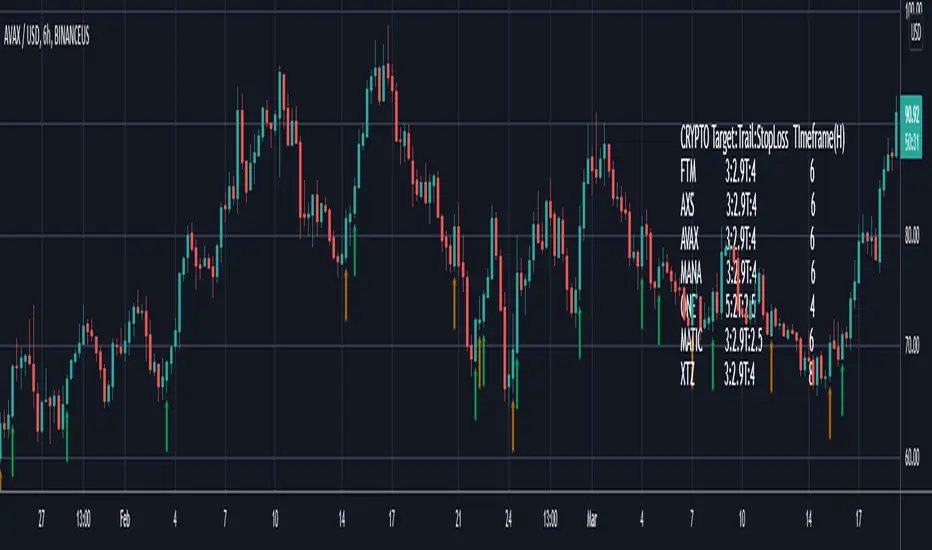
Smart Bottom SignalThis indicator is used to find temporary bottoms that are validated with a subsequent candle that closes above the high. The indicator is based on elliott wave theory and tries to signal entries on wave lows. It triggers off of code from " TD D-Wave" 0, 2, 4, A, and C bull wave lows by finding a candle with a close higher that the high of the lowest wave candle or the high of a bullish candle that first breaks above the 8EMA. Green arrows will plot on close indicating that the indicator was triggered.
There are 3 options for display of plots provided:
ShowSmartSigs - This is defaulted to true (display) and allows users to toggle the green arrow alert plots on/off that appear below the candle when triggered.
ShowOnOffPlots - This is logic I use to signal a downturn/upturn and is indicated by red/green arrows appearing above the trigger candle.
ShowBounceSigs - This is defaulted to false and would show as an orange arrow under a candle where a bullish candle first climbs above the 8EMA when ShowOnOffPlots is signaling a downturn and SlowtSochastics is below 21. The SlowStochastics settings are adjustable on the settings screen and default to 21,3.
Alerts Available:
"Smart Buy Bounce" - This alert fires when the ShowSmartSigs signal is triggered.
"Buy Bounce" - This alert fires when the ShowBounceSigs signal is triggered.
"Turn Off Bots"/"Turn On Bots" - This alert fires when the ShowOnOffPlots signals are triggered. I use this to turn off shorter timeframe (15m-1H) bots during a prolonged price drop.
This is an early prototype that is filtered to the following tested cryptos against the specified chart timeframes and using the expressed target/trail/stoploss logic.
CRYPTO Target:Trail:StopLoss TImeframe(H)
FTM 3:2.9T:4 6
AXS 3:2.9T:4 6
AVAX 3:2.9T:4 6
MANA 3:2.9T:4 6
ONE 5:2T:2.5 4
MATIC 3:2.9T:2.5 6
XTZ 3:2.9T:4 8
SARWThis indicator aims to indicate the correlation between two assets(Current and Base), it does NOT show entries or help your chart analysis directly.
The main features of this Correlation indicator is :
Correlation type : Direct Correlation | Inverse Correlation | No Correlation
Correlation Percentage : as its name, it calculate the Correlation Percentage between Current and base assets if exist
How to use: Chose the base asset (default: bitcoin) and open any other chart to be the other -Current- asset
inputs:
Max Lookback length : how many candles will be included in the scan.
Swing intensity : How many candle should be counted to confirm a Swing, If you are confused leave it as its default.
Base Asset : The base asset to calculate the current asset correlation with.
Important Notes:
As I promised, the previous correlation indicator used each candle alone, while this one uses waves and swings.
The Current asset has more power over the base, because it compares the Base to current, but not the opposite((E.g. if you want to check if some coin have correlation with bitcoin, it's better to use bitcoin and put the other coin name in the input field)).
For any notes on the indicator to be edited, or for another indicator ideas please comment.

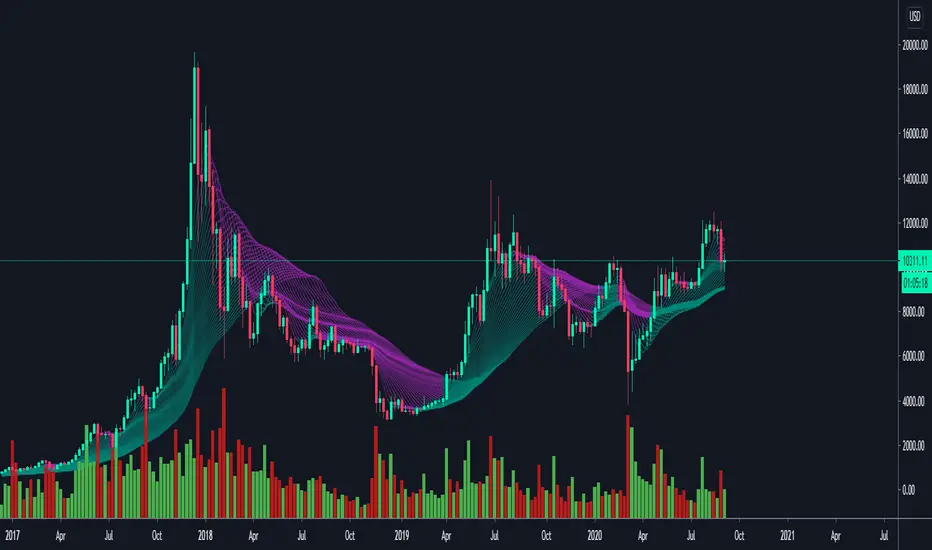
Moving Average WavesThis indicator displays up to 20 fully editable moving averages.
Go to MA Waves settings and play around to get your favorite visual display, there are plenty of combinations to chose from.
Depending on time frame and tuning, it can be used as a trend/momentum & volatility indicator or to identify supports/resistances.
Longer moving averages represent a stronger "area of value" and the price loves it.
I made this one mostly because it looked cool, if you get ideas to make better use of it let me know.
Hope you enjoy!

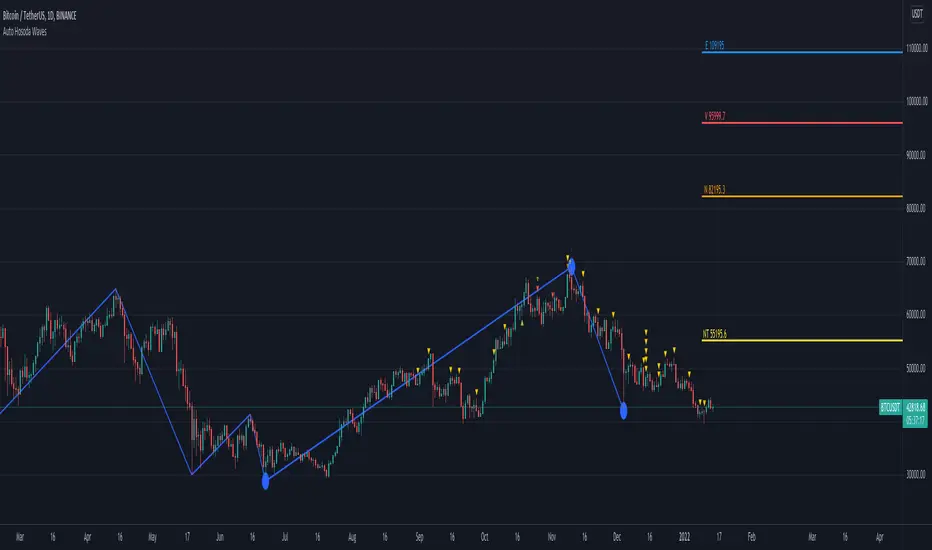
Auto Hosoda Waves by TheSocialCryptoClubName: Auto Hosoda Waves
Category: Indicator
Timeframe: Any Timeframe.
Description: Auto Hosoda Waves uses Zig-Zag to calculate bullish and bearish impulses.It then considers the last Zig-Zag movements to calculate the ABC pattern
Suggested usage: Use on any timeframe. From the configuration of the indicator it is possible to calculate waves also from past ABC patterns, so as to adapt to the trader's intuition.
Technical Details: Internally uses the Zig-Zag indicator for understanding the bounces. From bounces identifies the ABC patterns and uses the Hosoda Waves formulas to print the levels on the screen.
Credits:
- Technique has been explained by Corrado Rondelli in “Ichimoku Kinko Hyo. Operatività sui mercati”
- It is based on the Zig-Zag indicator of TradingView to calculate the Zig-Zag.
- Hosoda Waves calculation from Hosoda Waves by Rexio and modified by PawTar
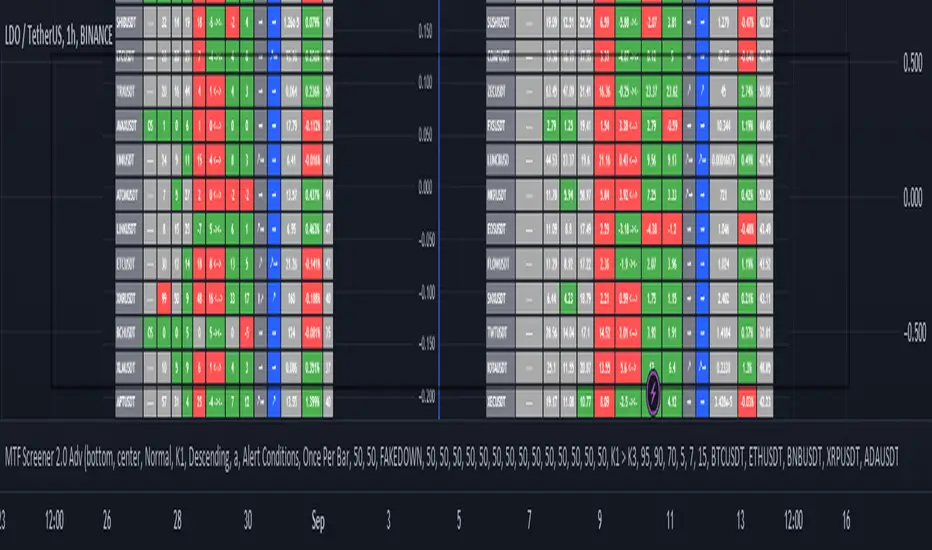
MTF Wave Screener [Cryptoheat]The "MTF Wave Screener" is a screener built to be able to scan the market quickly and easily in a very efficient way based on the "MTF Wave Stochastic RSI " function.
therefore it is basically an MTF wave stochastic scanner to monitor a wide scope of charts and know which to look deeper into using the "MTF Wave Stochastic RSI" itself. therefore it is recommended to be used with the other indicator and is considered an additional tool for those who use and master the "MTF Wave Stochastic RSI " indicator. if you do not know how it works, make sure to check it out here and read its description, which is a vital part for this one:
knowing how it works, you should be able to understand what it means for the chart to be Overbought, Oversold or having a Fake-out (mini-wave) on the MTF Wave Stochastic RSI, as well as the meaning of the values of K1, K2, K3 and the gap between K1 and K2. if not, please check it out by visiting the link attached earlier.
This table screener basically writes all the MTF data in a table showing mainly the chart's status as an option of (Oversold, Overbought, Fakeup or Fakedown) as well as the K1, K2, K3, Gap, value change from last candle data of all requested charts. Therefore acting as a market scanner for people who want to save the time needed to scan the whole market manually.
For example:
as you can see the table is showing 'GALA:USDT' pair as being oversold and having k1,k2 and k3 values of 0,0 and 9.76 respectively, therefore if you go check on the MTF Wave Stochastic RSI indicator, you will see that the current pair has a green highlight indicating oversold. and having the K1,K2 and K3 values as indicated on the indicator.
same goes for any other MTF status. Another example is when it shows a FAKEDOWN . Experienced MTF Wave Stoch RSI users know that this means that the MTF curves are formed in a bullish way showing that there is a retrace towards oversold only on the lowest time frame stochastic K1 while the normal time frame stochastic is still overbought. if you check the screener table you will see for example that 'QNTUSDT' pair is showing a FAKEDOWN the gap between K1 and K2 can be seen in the K1 and K2 values as well as the column named Gap val . with it you can determine the strength of that Fakedown. the bigger the Gap Val the higher the Fakeout and the bigger the expected bounce is should it play out.
checking on the QNTUSDT MTF Wave Stoch RSI you will see a clear fakedown between k1 and k2 (gray and blue curves), indicating a possible bounce incoming soon.
Overbought and Fakeup, each mean the opposite of Oversold and Fakedown respectively.
in short all the values contained on that screener table help you picture each chart's individual MTF Wave Stoch RSI of their own without having to check each one by itself. this is a very useful tool for traders who need to scan the market for the MTF data of each coin...
The screener comes with several options. in settings you can change the parameters for overbought, oversold , Fakeup and Fakedown in the settings according to the k1, k2, k3 values and differences. The table is made to screen 33 charts at the same time. to allow you to store more charts it is made in a way that you can choose not only those 33 but also 4 other x 33 watchlists and select the ones you want among them giving you the option to make your own 165 chart's watchlist and save it.
You must know that however, in the event that any of those default charts gets is not valid anymore, for example if a coin gets delisted of an exchange or a stock gets delisted the table will not work until you manually change that pair, even if it is in the alternative watchlists. in that case you will receive a warning message and a black indicator. in that event, please check for the pair that has been delisted and change it to another working pair and save as default.
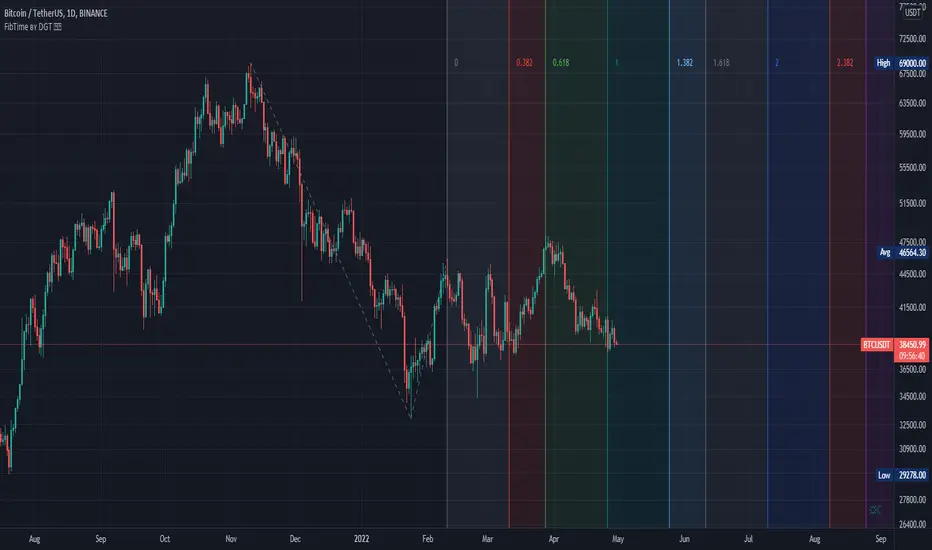
Auto Fib Time Zones and Trend-Based Fib Time by DGTFibonacci time zones, based on the Fibonacci number sequence, are vertical lines that represent potential areas where a swing high, low, or reversal could occur.
Trend-Based Fib Time shows probable price corrections in an existing trend. A useful tool to use in addition to Elliot Wave counting, Fib Time helps to identify how far the wave is likely to travel
Please note, Time zones aren't concerned with price, only time
Disclaimer :
Trading success is all about following your trading strategy and the indicators should fit within your trading strategy, and not to be traded upon solely
The script is for informational and educational purposes only. Use of the script does not constitute professional and/or financial advice. You alone have the sole responsibility of evaluating the script output and risks associated with the use of the script. In exchange for using the script, you agree not to hold dgtrd TradingView user liable for any possible claim for damages arising from any decision you make based on use of the script
TopTenAlgo 8. Elliottwave Cycle EN: The Elliottwaves Cycle Oscillator is an indicator that allows the detection of impulsive (impulsive / ascend) or corrective (correction / fall) waves, ie each cycle (cycle) in Elliott Waves . The aim is to measure the speed of a real trend and to predict returns. In the uptrend or impulsive movement, Cycle continues its movement in the upper band after the price is set on a certain band, while in the downtrend or corrective move, the Cycle continues its movement in the lower band.
This algorithm is prepared with @Top10Algo ...
TR: Elliottwaves Cycle Osilatörü Elliott Dalgalarında ki impulsive (itkisel/yükseliş) yada corrective (düzeltme/düşüş) dalgaların yani her bir siklus’ un (cycle) önceden tespit edilmesini sağlayan bir göstergedir. Amaç gerçek bir trendin hızını ölçmek ve geri dönüşleri önceden tespit etmektir. Yükseliş trendi içinde yada impulsive bir harekette fiyat belli bir banda oturduktan sonra Cycle üst band’ da hareketine devam ederken, düşüş trendi içinde yada corrective bir harekette fiyat belli bir banda oturduktan sonra Cycle alt bandda hareketine devam eder.
Bu algoritma @Top10Algo ile beraber hazırlanmıştır...

VWAP OscillatorToday I'm proposing a simple VWAP oscillator script to trade buy and sell waves more easily.
You trade this similar to how you trade Awesome Oscillator, so if you want an explanation just look up YT videos.
In addition to that, this will also show volume squeezes, please note that this is a makeshift way and not real volume squeeze phenomena of volume profile and tape. None the less, it is quite good at allowing you to ride out good trending waves and locate weak price action due to volume squeeze. You can turn off bar coloring from settings if you don't want this.
For ease of reading, I've also applied Allenstars Dynamic zones on this indicator so you can easily locate where the reading is entering in long and where it is in sell, this is compared to selected sample size. I've already selected the most common setting for that, so you don't really need to fiddle with it unless you find something better.
This indicator can be used to trade divergences as well, in fact, I feel it is better for that compared to RSI/MACD, the usual suspects.
Past performance is not assurance of future performance and this idea is published for only educational purposes, author taken no responsibility for your profit or loss.
Hodl Wave v1.0Hodl Wave identifies waves and shows market strength. It's perfect companion to Hodl SR indicator.

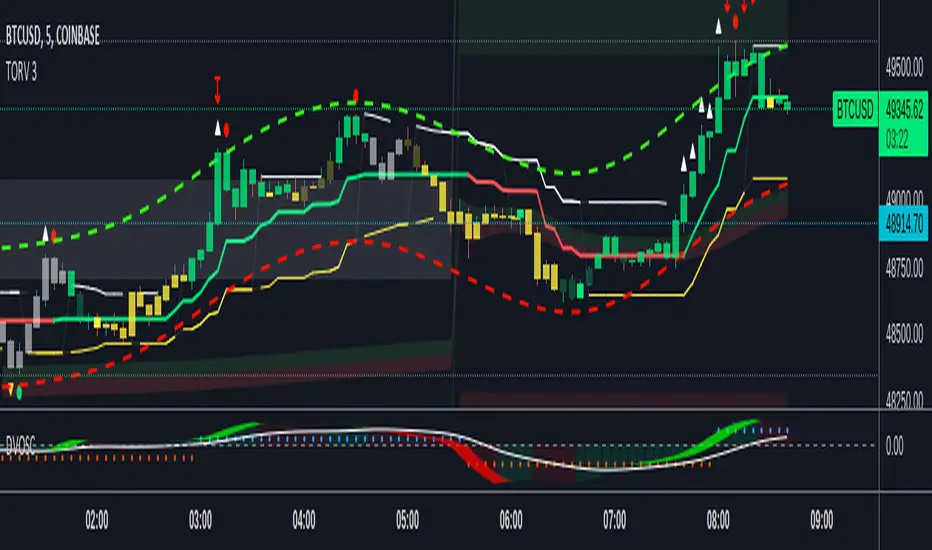
Market Waves Alpha All-In-One IndicatorMarket Waves Alpha Indicator is a part of the Market Waves All-In-One indicators. It provides indicators on top of the candles which give accurate information on where the market it heading. It is important to familiarize yourself with the different keys available in Market Waves Alpha Indicator . These indicators appear above each candle, but it is important to wait until the candle actually closes before reacting on them. To make things a little easier, we are going to look at each indicator on its own and compare it with market price to see how it performs.
Blood & Red Diamond
These are suppose to be showing you when there is bearish momentum in the trend. Blood & Red Diamonds mean strong bearish momentum.
Yellow Cross – Market Manipulation
This indicator can identify when there is market manipulation about to occur, so be careful with your trade! Let’s see it in action:
Red Cross – Bearish Indicator
The red cross above the candle shows that there is bearish signals showing, so be careful!
Green Dot
The green dot that appears above the candles on Market Waves Alpha Indicator is suppose to where there is bullish intent:
The image above shows 2 green dots that appeared on 1 hour time frame. Clearly, the green dot appear followed by a large spike in price.
Blue Triangle
The blue triangle on Market Waves Alpha Indicator lets you know when there is a trend change, so if price action currently looks bullish the triangle lets you know that we are now in a bearish zone. Let’s take a look at this indicator:
EMA Ribbon
EMA ribbon can be used to identify the trend. Price is above the EMA ribbon when the trend is bullish and below the EMA ribbon when the trend is bearish.
This indicator is recommended to be used with Market Waves Omega Indicator for additional confirmation:
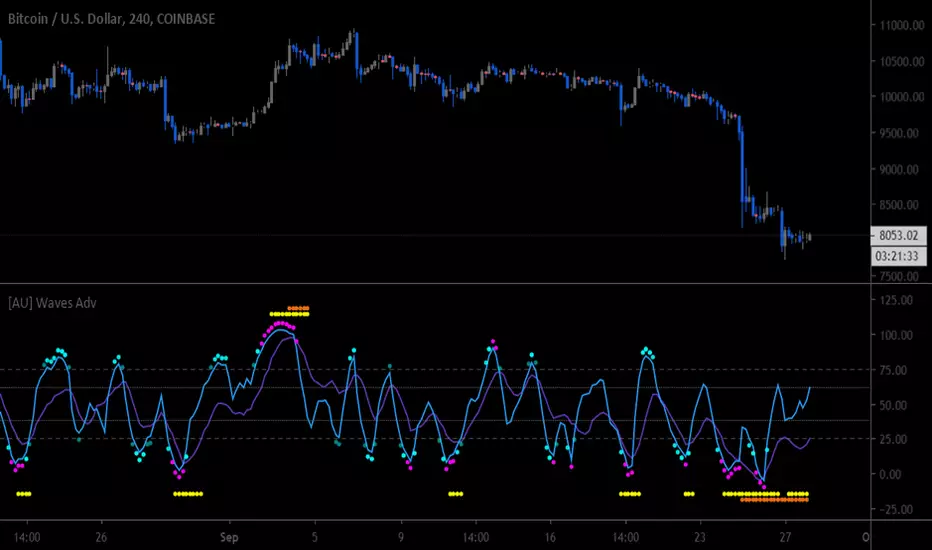
M waves Mk3 'Magical M's v1
V2
V3
So I forgot this existed so here is the Opened sourced code (pm me for older sorce code there are 600+ Saves)(pm me for other scrips course code too lazy to republish everything)
Changes: Simplified and annotated code/upgraded to v4 format
as always adjust before using
i use this indicator combined with the other frequency one to help me identify time and direction of next move.
Pair with rsi
Pair with detrended tsi (have unpublished script might share later)
‘Redraw’ safe
Slightly detrented(adjustable) to avoid traps
quick how to use:
Meant as and adjustable indicator to “tune" to personal risk/reward preference
Green means buy red means sell
arrow indicators for long term sell and buy
Highly customizable (candles too)
Check out my profile for previous versions they are less customizable but also easier to get started with
similar to rsi you want to buy/sell when the indicator turns green/red and lines are as pinched as posible (the lines that are being filled).
keep an eye on the other line that moves around ;) if its not matching the other 2 moving averages and the main color indicator chances are its a trap(works both ways)
use the candles to help you keep your eye on the indicator when scalping (look at the original post for some color ideas)


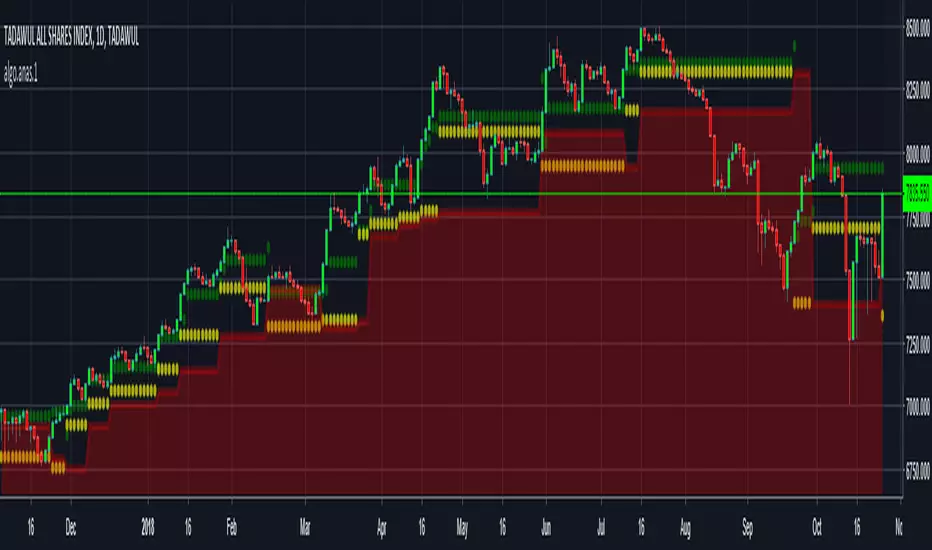
Price Action based indicator to visualize waves and trendsANAS indicator is a proprietary script that quickly analyze price action and plot 3 price levels around each bar. Namely, green level, yellow level, and red zone. You will easily be able to identify current trend, support/resistance levels, wave count, targets and stops by studying different patterns and scenarios evolving around each bar. When applying the indicator to the same symbol on two different time frames, you differently got an edge!
Nothing can explain things more than giving it a try.
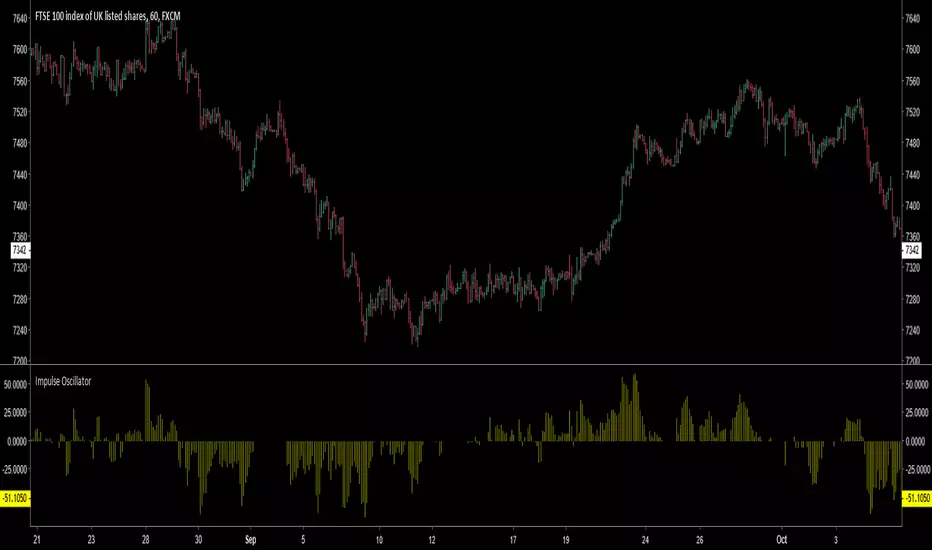
Impulse Oscillator without legs for Price Action & Elliott WavesHi Traders,
I have a newcomer for impulsetrading.
This indicator is an oscillator that show without legs impulses of Price Action .
For the expertise: you can use it for counting elliott waves !
Have fun and winning trades!
Kumo WavesKumo Waves is included in the Richimoku Traiding System.
Kumo Waves (Indentify divergences, trends, investor sentiment. Know First. Act Faster. A must-have for every trader!)
*As some indicators you may come across are using the repainting mode (which consists in correcting the false signal back in time).
You'll never see such thing in the Richimoku Trading System. What's on the charts is displayed in real time, no cheating...
Feel free to test Kumo Waves or the Richimoku Trading System For 12 hours! Study the chart history on all timeframes. Study all details incl. divergences, trend and investor sentiment etc.
FAQ.
How to access Kumo Waves in tradingview?
To access your indicator simply click on “Indicators” at the top of your Chart, and click on “Invite-Only Scripts”. Click on the indicator to activate it. That’s it!
Will Kumo Waves work for Stock and Index trading?
Sure! It works on all Forex, Stocks, Indexes, Metals and Crypto's!
Does this indicator work with a free TradingView Account?
Yes you can use Kumo Waves or the Richimoku Indicator Trading System with a free TradingView account.
Does the indiators work on all timeframes?
Yes, the indicators can be used on all time frames!


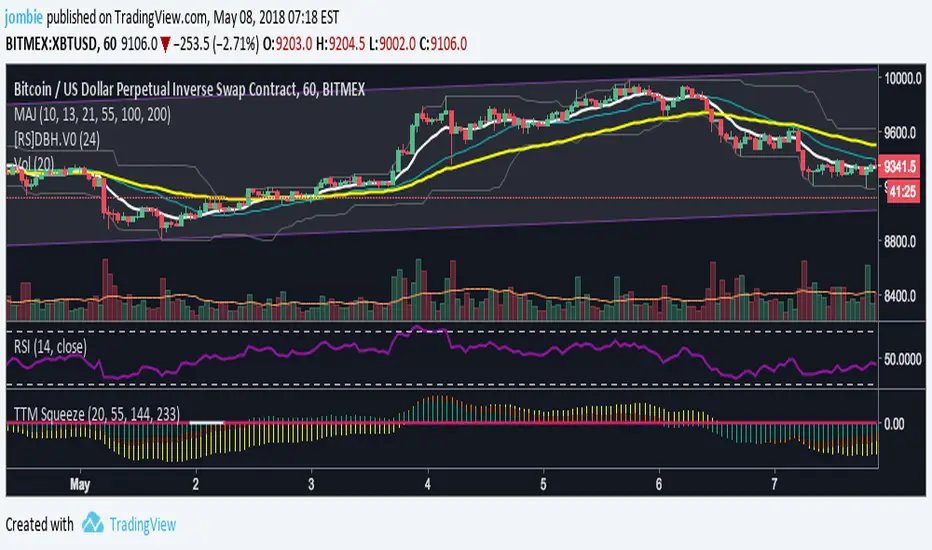
MACD Waves SignalsThia is a standard MACD inclucing thoses signals:
- White line, you are at the possible bottom or top of a flag or a reversal. See it, a warning.
- Green line , possible bullish reversal.
- Red line , possible bearish reversal.
How to use :
- Simply do your waves analysis using the standard MACD of the indicator.
- At critical prices in your analysis, a corresponding bar can help to validate your forecast.
- Do not do your forecast only based on signals.
Happy trading!
