My Smart Volume Profile – Fixed
Title: 🔹 My Smart Volume Profile – Fixed
Description:
Lightweight custom Volume Profile showing POC, VAH, and VAL levels from recent bars. Highlights the value area, marks price touches, and supports optional alerts.
Developer Note:
Created with precision and simplicity by Magnergy
Bands and Channels
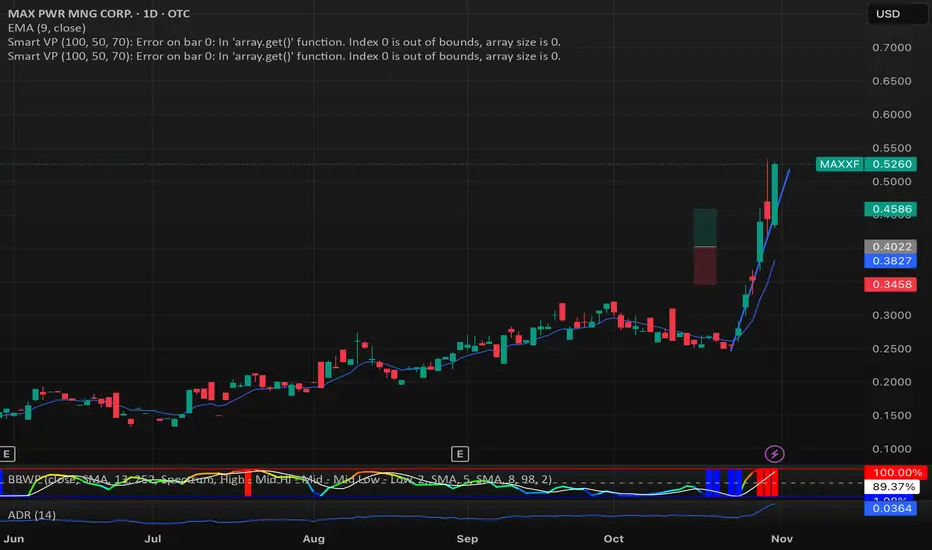
My Smart Volume Profile – Fixed
Title: 🔹 My Smart Volume Profile – Fixed
Description:
Lightweight custom Volume Profile showing POC, VAH, and VAL levels from recent bars. Highlights the value area, marks price touches, and supports optional alerts.
Developer Note:
Created with precision and simplicity by Magnergy


Margen de confianzaIt uses two moving averages (20 and 80). Based on their crossovers, you draw parallel bands.
The zone between these bands signals “confidence.” A downside break warns of risk; an upside break suggests price could push to new highs.
Son 2 medias moviles. Una de 20 y otra de 80. Utilizando los cruces se puede trazar lineas paralelas.
En las zonas que quedan entre estas lineas hay "confianza". Si el precio atraviesa para abajo hay peligro y si atraviesa para arriba puede ir a romper maximos

Power Law BTC IndicatorPOWER LAW BTC indicator:
A long-term price model that suggests Bitcoin's price follows a power law function over time. Unlike traditional stock market models that assume linear or exponential growth, the power law model suggests that Bitcoin's price scales in a predictable, non-random way over the long run

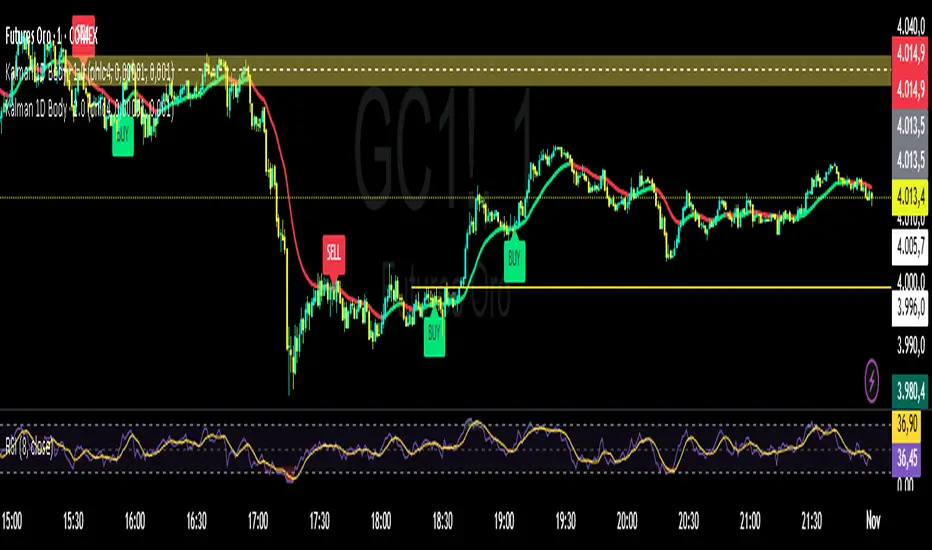
Kalman Filter by TwisterTrades(1D + Body Condition)
## 🧭 **Kalman Filter (1D + Body Condition)
This script implements a **true 1-dimensional Kalman Filter** applied to price data — not a simple moving average.
The Kalman Filter is a **Bayesian optimal estimation algorithm**, designed to separate **market noise** from the **true underlying trend** by dynamically adapting its sensitivity at every new bar.
Unlike **EMA**, **SMA**, or **VWAP**, which use fixed weighting formulas, the Kalman Filter **learns** how much to trust the current price based on how noisy and volatile the market is.
The result is a **smoother and smarter curve** that follows the real market direction while rejecting random fluctuations.
---
### ⚙️ **How It Works**
1. **Prediction:** The filter assumes the trend continues (predicts the next value).
2. **Update:** It compares the prediction with the actual price and updates its estimate based on:
* **Q (Process Noise):** how much the true trend can change.
* **R (Measurement Noise):** how noisy or unreliable the current price is.
3. The **Kalman Gain (K)** adjusts automatically — it becomes more responsive when volatility increases and more stable when the market is calm.
---
### 🎯 **Signals Logic**
The script generates **BUY** and **SELL** labels based on a combination of:
* **Trend direction:** whether the Kalman line is turning up or down.
* **Body confirmation:** the candle body closes entirely **above** or **below** the Kalman line.
**🟩 BUY signal:**
* Trend is turning bullish (line turning green).
* Candle body closes fully **above** the Kalman line.
**🟥 SELL signal:**
* Trend is turning bearish (line turning red).
* Candle body closes fully **below** the Kalman line.
You can enable alerts for both conditions:
```text
Kalman Filter: BUY signal detected (body above filter)
Kalman Filter: SELL signal detected (body below filter)
```
---
### 🔊 **Understanding Noise and Signals**
* **Noise** refers to short-term, random fluctuations in price (e.g. stop-hunts, low-volume spikes, or microstructure volatility).
* **Signal** refers to consistent, directional movement that carries information about the real trend.
The Kalman Filter works as a **signal extractor** — removing meaningless movements while keeping true directional momentum.
If the line is smooth and consistent, it means the market’s directional “signal” is clear.
If the line oscillates frequently, it means **noise dominates** — and trading signals should be taken with caution.
---
### ⏱️ **Recommended Timeframes and Parameters**
The strength of the filter depends on how noisy your timeframe is.
Here’s how to adjust it for different use cases:
| Purpose | Timeframe | Q (Process Noise) | R (Measurement Noise) | Description |
| ----------------------------- | --------- | ----------------- | --------------------- | --------------------------------------- |
| **Scalping / Microstructure** | 1m – 3m | 0.001 | 0.05 | Reacts faster, filters tick-level noise |
| **Intraday Bias / Trend** | 5m – 15m | 0.0001 | 0.01 | Balanced reactivity and smoothness |
| **Swing / Macro Bias** | 1H – 4H | 0.00001 | 0.001 | Very stable, great for clean trend bias |
💡 **Pro tip:**
* If the filter lags too much → increase **Q** slightly.
* If it reacts too much (too noisy) → increase **R** slightly.
* Always backtest adjustments visually for your market’s volatility (e.g. XAU/USD or NAS100).
---
### 📈 **Comparison with Other Indicators**
| Indicator | Adaptivity | Noise Filtering | Reactivity | Ideal Use |
| -------------------- | ---------------- | --------------- | ------------- | ---------------------------- |
| **SMA** | ❌ Fixed weights | ❌ Poor | ⚠️ Slow | Clean long trends |
| **EMA** | ⚠️ Semi-adaptive | ⚠️ Medium | ✅ Fast | Intraday direction |
| **VWAP** | ⚠️ Volume-based | ⚠️ Moderate | ✅ Good | Session-level bias |
| **Kalman Filter 1D** | ✅ Fully adaptive | ✅ Excellent | ✅ Intelligent | Any noisy or volatile market |
---
### 📊 **Usage Tips**
* Use the Kalman Filter as a **directional bias tool**, not a signal generator alone.
* Combine it with **price action**, **volume**, or **market structure** to confirm entries.
* Works exceptionally well on assets with **high noise and volatility** (e.g. XAU/USD, NASDAQ, BTCUSD).
* You can use the Kalman line instead of EMA50 or EMA100 — it provides a cleaner trend estimate without lagging as much in choppy conditions.
---
### ⚠️ **Disclaimer**
The Kalman Filter is not a predictive tool but a **state estimator** — it helps reveal the *true underlying direction* by filtering out noise.
It should be used together with sound risk management and a clear trading plan.
NY ORB - Full Dynamic SystemNY ORB - Full Dynamic Strategy Summary
1. Opening Range and Session Timing
Opening Range (ORB) Calculation: The strategy identifies the ORB High and ORB Low by tracking the highest high and lowest low during the specified New York pre-market window, which is set by default from 8:30 to 8:45 (New York time).
Entry Window: Trading activity is restricted to a specific entry period, typically starting shortly after the ORB is established (default: 8:50 to 12:00).
Hard Exit Time: Any remaining open positions are automatically closed at a fixed exit time (default: 13:25).
2. Trade Entry Logic and Filters
An entry (Long or Short) is generated when the price breaks out of the established ORB, provided it passes a series of optional filters:
Direction Control: The user can restrict the strategy to trade Long Only, Short Only, or Both.
Second Breakout Logic: An optional filter that requires the price to break out, reverse back into the range, and then break out again, confirming momentum after a consolidation.
Confirmation Candle Count: An optional filter that checks the close of a previous candle (e.g., 1 or 2 candles ago) to ensure the price was still inside the range, preventing premature entry.
Technical Filters (Optional): The entry is only executed if it aligns with selected indicators:
RSI: Filters for non-overbought (Long) or non-oversold (Short) conditions.
MACD: Requires the MACD line to be above/below the Signal line for alignment.
VWAP: Requires the price to be above/below the Volume-Weighted Average Price.
Trend Filter (SMMA): Requires the price to be above/below a 50-period Simple Moving Average.
3. Dynamic Risk and Exit Management
This strategy features highly configurable stop-loss and profit-taking mechanics:
Primary Stop Loss Methods: The Stop Loss distance can be dynamically chosen from four types:
Fixed: A fixed number of ticks.
ATR: Based on a multiple of the Average True Range (ATR).
Capped ATR: ATR-based, but with a hard maximum tick limit.
OR-Based: Based on a multiple of the actual ORB High-to-Low range.
Dynamic Profit Target: The Take Profit level is calculated dynamically based on a multiplier of either the ATR or the ORB Range.
Breakeven Stop:
If enabled, the Stop Loss automatically moves to the entry price (Breakeven) once the price moves a predetermined distance in the profitable direction.
An Adaptive Breakeven option allows the trigger distance to be calculated as a percentage of the overall ATR Profit Target.
Trailing Stop: The strategy uses a trailing stop, which can be custom-set (fixed ticks) or dynamically tied to the ATR. An optional feature Auto Tighten Trailing reduces the trailing multiplier once the breakeven level is hit.
MA Cross Exit: An alternative, counter-trend exit mechanism that closes the trade if the price crosses back over the chosen Moving Average (either SMMA or VWAP), overriding the pending profit target.
4. Daily Account Management
The strategy includes crucial daily risk controls to protect capital and lock in profits:
Daily Profit Limit: If the total daily PnL (realized and unrealized) hits a predefined maximum profit threshold (in ticks), all trades are closed, and new entries are blocked for the remainder of the trading day.
Daily Loss Limit: Conversely, if the total daily PnL hits a predefined maximum loss threshold, all trades are closed, and new entries are blocked for the remainder of the day.

Multi-Anchor VWAP | Trade Symmetry🧩 Multi-Anchor VWAP
Description:
Dynamic VWAP anchored to Session, Week, Month, Quarter, and Year — all in one view.
Full Description:
This indicator plots multiple VWAPs (Volume-Weighted Average Prices) simultaneously — each anchored to a different time period:
Session, Week, Month, Quarter, and Year.
💡 Ideal for traders who track institutional mean reversion and liquidity zones across multiple timeframes.
Features
✅ Session, Weekly, Monthly, Quarterly, and Yearly Anchored VWAPs
✅ Independent color and visibility controls for each anchor
✅ Adjustable label position and size
✅ Option to hide VWAPs on Daily or higher charts
✅ Clean and efficient performance
This tool helps you visualize volume-weighted mean levels where price often reacts — offering a clear map of bias and equilibrium across all major time horizons.

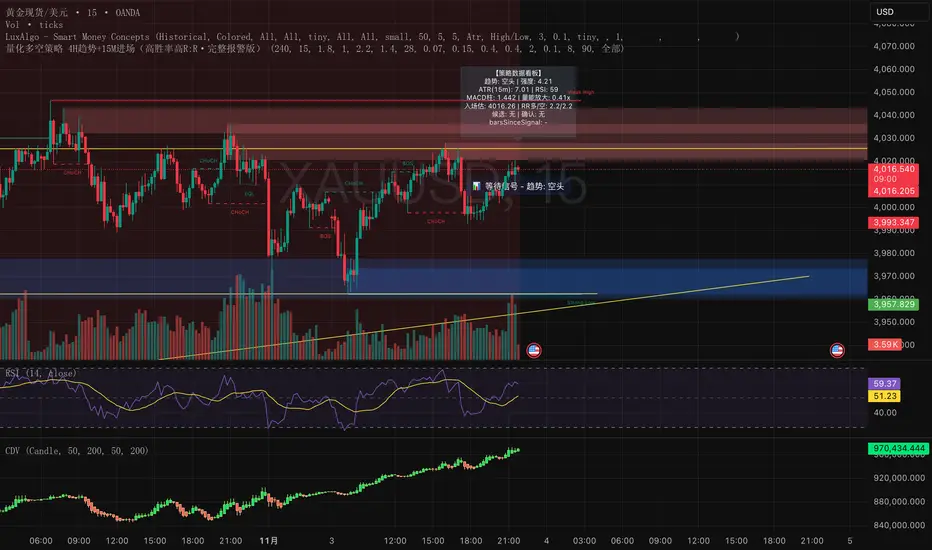
量化多空策略 4H趋势+15M进场(高胜率高R:R·完整报警版)这是一套结合多周期结构(4小时趋势 + 15分钟入场)的量化交易策略,
核心理念是「顺势而为 + 动量二次确认 + 高R:R风险控制」。
策略特点:
• 使用 4H EMA 趋势判定方向
• 结合 15m RSI + MACD 动量信号确认入场
• 二次确认(2~3 根内突破 + 动量共振)过滤假信号
• 自适应止盈止损(基于 ATR 和 ADX)
• 全自动计算 R:R、冷却周期、成交量放大过滤
适用场景
• 加密货币(BTC、ETH、SOL、BNB 等)
• 黄金 / 外汇 / 指数CFD
• 15m~1h短线趋势盯盘
• 适合希望提高信号质量、过滤假突破的交易者
注意事项
• 该策略为研究与教学用途,不构成投资建议
• 实盘前请先在回测与模拟盘验证参数
• 适度调整「确认根数」「R:R」「ADX阈值」以适应不同市场波动性
This is a multi-timeframe quantitative trading strategy combining the 4-hour trend with 15-minute entry signals.
Its core philosophy is “Trend following + Momentum confirmation + High R:R risk control.”
Key Features
• Uses 4H EMA structure to determine market trend
• Combines 15m RSI + MACD momentum for entry confirmation
• Dual confirmation within 2–3 bars (breakout + momentum alignment) to filter false signals
• Adaptive take-profit and stop-loss based on ATR and ADX
• Automatically calculates Risk/Reward ratio, cooldown period, and volume expansion filters
Best Use Cases
• Cryptocurrencies (BTC, ETH, SOL, BNB, etc.)
• Gold / Forex / Index CFDs
• Short-term trend tracking (15m–1h)
• Traders aiming to improve signal quality and avoid false breakouts
Notes
• This strategy is for research and educational purposes only — not financial advice.
• Always backtest and paper trade before live deployment.
• Adjust confirmation bars, R:R ratio, and ADX threshold to suit different market volatilities.
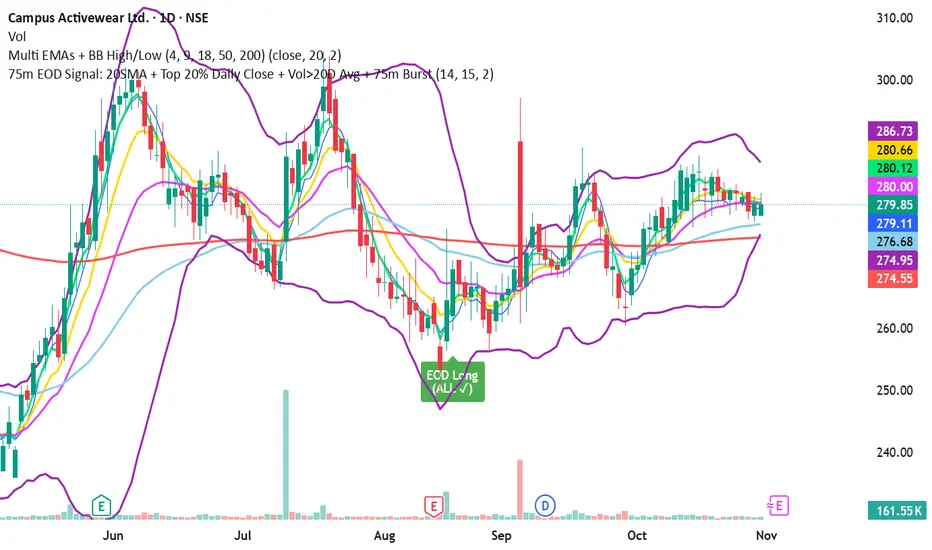
Addikro_V1📌 Description – Trend+Entry+Risk Indicator
This indicator combines statistically proven trading concepts into a complete trading framework:
✅ Trend Filter (EMA200)
All trades follow the higher-timeframe trend. Trend direction is clearly visualized.
✅ Entry Signals (you can choose):
EMA Crossover (EMA50 crossing EMA200) — classic trend-following entry
Breakout of recent highs/lows (20-bar range) — optionally only valid after a pullback to EMA50
✅ ATR-Based Risk Management:
Dynamic Stop Loss (SL) and Take Profit (TP1/TP2) levels using ATR
The last entry is saved — SL/TP lines stay visible on the chart
Optional position size suggestion based on % risk of account
✅ Smart Filters for Higher Accuracy:
RSI filter: e.g., only long if RSI > 50
Volume filter: signal only if volume is above SMA × multiplier
✅ Fixed Chart HUD (Table Overlay):
Displays live information anchored to the chart (does not move with candles)
Shows: Trend direction, entry mode, RSI, ATR, SL/TP multiplier, position size suggestion
Position can be set: top-left / top-right / bottom-left / bottom-right
✅ Signals & Alerts:
Visual arrows on the chart for long/short signals
Custom alert conditions included (works with mobile, email, webhook, bots)
🎯 Why this indicator works
It follows the same logic used by many successful systematic and hedge fund strategies:
Trend direction + statistically solid entries + strict risk management → no repainting, no guessing, no emotion.

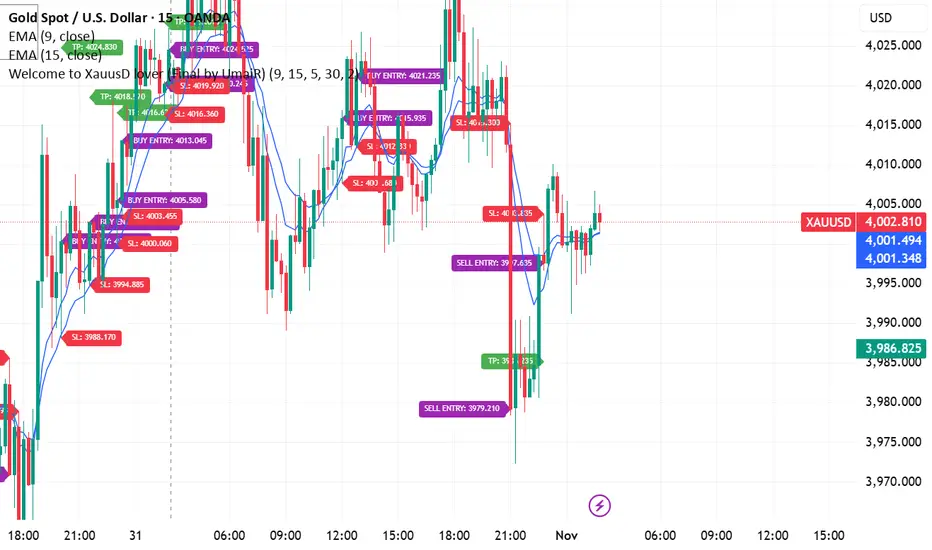
Signal by UmaiR v2 Perfect 🔥 bhai — yeh raha tera **super-clean, professional TradingView description** version —
formatted for **maximum clarity & style**, same tone as a polished release note 👇
---
## 🟡 **Welcome to the Wolf Community – Gold Strategy (Final Version)**
This strategy has been **specially designed for Gold (XAUUSD)**.
Please read carefully to understand the correct **way to use it** and manage your trades effectively.
---
### ⚙️ **How to Use**
* As soon as **TP1 (1:1)** is hit → **Move your Stop Loss to Break Even (BE)**.
* If you want to aim for a **larger target**, let the trade continue.
* If the trade comes back and hits **Break Even**, **avoid trading again in that direction** for some time.
Why?
Because after a BE hit, the market usually gives **2–3 false signals** before continuing its true move.
Avoiding those will save you from unnecessary losses.
---
### 🎯 **Trade Progression Rules**
* **TP1 (1:1)** → Move to **Break Even / SL = 0**.
* **TP2 (1:2)** → Once this target is hit, **wait for the next signal in the same direction**.
* Example:
* If you’re in a **Buy trade** and TP2 is hit,
the next Buy signal will usually appear **slightly below TP2** (not above).
You can enter again **only if BE was not hit** earlier.
* **TP3 (1:5)** → Not visible in this version yet,
but will activate in the next update (appears only after TP2 hit).
---
### ⏱️ **Recommended Timeframes**
Use the indicator on the **5-Minute (M5)** or **15-Minute (M15)** charts
for the most accurate and consistent results.
---
### 💰 **Risk Management**
This indicator does **not** manage lot size or equity —
you must handle your **own risk per trade** according to your plan.
Decide beforehand how many trades to take per day (1 or 2) and manage profits accordingly.
---
### ⚡ **Market Notes**
Gold is highly volatile during:
* **Monday**
* **Thursday (Liquidity Day)**
* **Friday**
On these days, **TP2 targets** are often reached faster, especially on lower timeframes.
---
### 🧩 **Final Notes**
This is the **Final Version** of the Wolf Gold Strategy.
If any update or modification is made in the future,
it will be published under the **same name with Version 3**.
🚀 Apply it, trade with discipline, and share your results with the community!
---
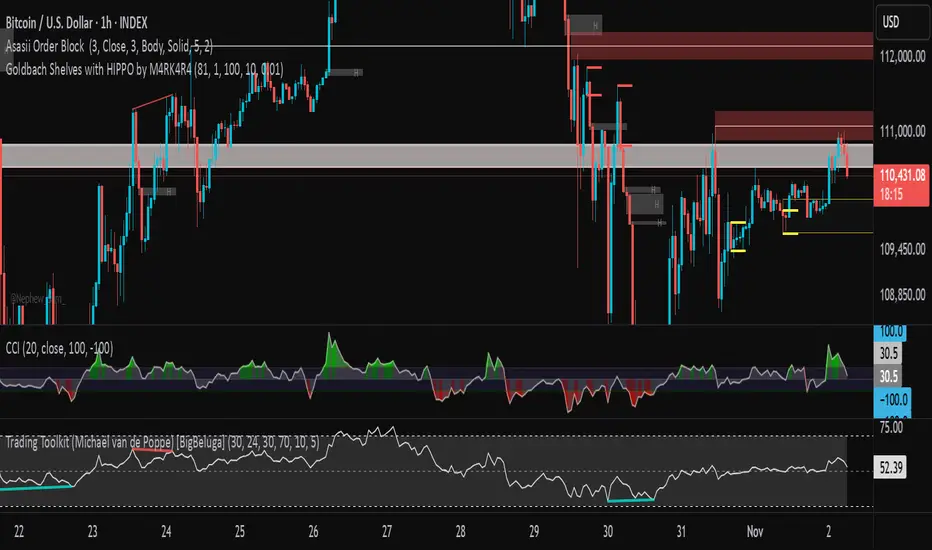
Goldbach Shelves with HIPPO by M4RK4R4Goldbach Hippo M4RK
The idea is that you are using a higher Po3 range, but trading within the smaller 3 sections, that I call "shelves", Bottom Shelf, Mid Shelf, Top Shelf. The three sections are split with the 0.33 and 0.66 Non GB levels.
Each shelf has two FV levels (gray lines), and you should TP or take most off at opposite FV level, with the stop at the NonGB lines (thick white lines), or the FV level past that.
Can also crank SL up after price goes to opposite FV. This gives you about 2.3RR, which is excellent for long term stability and automation.
Future updates:
auto Po3 range suggestion.,
current Po3 in use label (done),
section labels/tool tips,
custom colors (done)
MOSHE - GITEGITE
Developed by MOSHE for GITE students only!!!
Many thanks to all our participants in the GITE community

Orb DivergenceOrb Divergence is a market reversal indicator that visually highlights moments when price momentum is ready to shift direction.
It detects hidden energy imbalances within price movements and identifies potential trend turning points formed by these accumulations.
The indicator displays colored orbs and clear “UP / DOWN” signals to mark upcoming reversals in a simple and intuitive way.
Rather than focusing on short-term reactions, it emphasizes key zones where market momentum may truly change.
Designed as a visual compass, Orb Divergence helps you spot the moments when the market takes a breath — and prepares to turn.
For a deeper and more data-driven approach to market structure and reversal dynamics, you may also want to explore Teometric Demand Model V3;

Previous Week High & Low Flat Trendlines + Labels on Current weeks lower time frames which display Previous Week High & Low
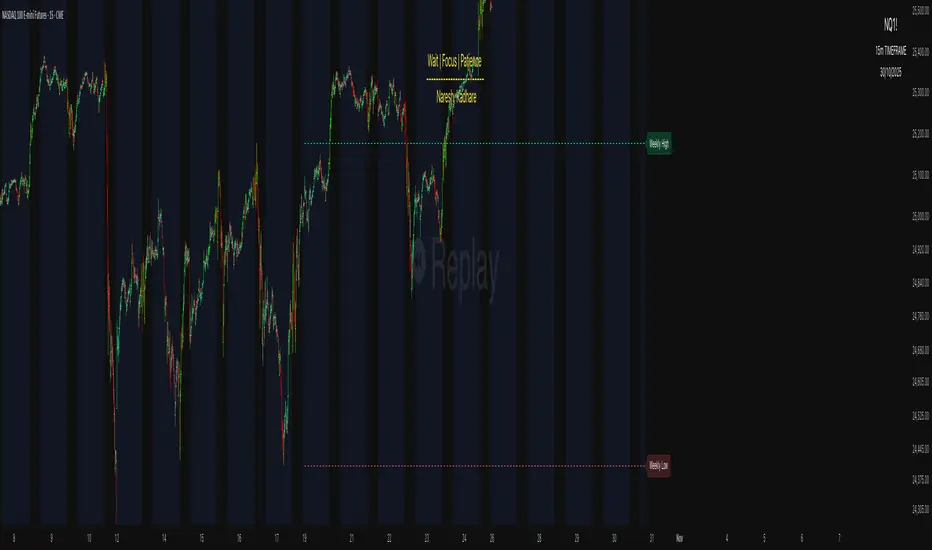
Custom Checklist# Custom Checklist - Trading Preparation & Reminders
A fully customizable checklist overlay indicator for TradingView that helps traders maintain discipline and follow their trading routine systematically.
## 🎯 Purpose
This indicator serves as a visual reminder system on your charts to ensure you complete all necessary analysis steps before entering a trade. Perfect for traders who want to maintain consistency and avoid emotional or rushed trading decisions.
## ✨ Key Features
- **20 Customizable Lines**: Create your own checklist items with any text you need
- **Flexible Display Options**:
- Show/hide title header
- Toggle entire checklist on/off
- Position anywhere on chart (9 positions available)
- Adjustable text size (tiny to huge)
- **Symbol Filtering**: Option to show checklist only on specific symbols (BTC/USD, GOLD, SPX500, USOIL)
- **Customizable Appearance**:
- Background color
- Text color
- Border color
- Transparency controls
- **Clean Interface**: Empty by default - add only the items you need
## 📋 Use Cases
- **Morning Routine**: Daily market preparation checklist
- **Trade Entry Rules**: Verify all setup conditions are met
- **Risk Management**: Confirm stop-loss, position size, and exit strategy
- **Multi-Timeframe Analysis**: Ensure you checked all required timeframes
- **Technical Analysis**: Track which indicators and patterns you've reviewed
- **News & Events**: Remember to check economic calendar and news
- **Personal Rules**: Your custom trading rules and reminders
## 🎨 Customization
Every aspect is customizable:
- All 20 lines can be edited to your needs
- Only non-empty lines are displayed
- Table position adjustable to any corner or middle position
- Color scheme fully customizable to match your chart theme
- Text size scalable for different screen sizes
## 💡 How to Use
1. Add indicator to your chart
2. Open Settings > Checklist Items
3. Fill in your checklist items (Line 1, Line 2, etc.)
4. Customize colors and position in Display Settings
5. Optional: Enable "Show Only on Specific Symbols" to show on select instruments
## 🔧 Display Settings
- **Checklist Title**: Custom header for your checklist
- **Show Title Header**: Toggle title display
- **Show Checklist**: Master on/off switch
- **Symbol Filter**: Restrict display to specific trading instruments
- **Position**: 9 placement options (corners and middle positions)
- **Text Size**: 5 size options (tiny, small, normal, large, huge)
- **Colors**: Background, text, and border fully customizable
## 📝 Example Checklist Ideas
**Swing Trading:**
- Support/Resistance levels identified
- Trend direction confirmed
- Volume analysis completed
- RSI/MACD signals checked
- Risk/Reward ratio calculated
**Day Trading:**
- Pre-market review done
- Key levels marked
- Economic calendar checked
- Trading plan written
- Position size calculated
**Technical Analysis:**
- Multiple timeframe alignment
- Chart patterns identified
- Moving averages reviewed
- Fibonacci levels drawn
- Volume profile analyzed
## ⚙️ Technical Details
- Pine Script v6
- Overlay indicator (displays on main chart)
- Lightweight - no complex calculations
- No repainting
- Works on all timeframes and instruments
## 🎓 Perfect For
- Beginner traders learning systematic analysis
- Experienced traders maintaining discipline
- Anyone who wants visual trading reminders
- Traders following multi-step strategies
- Those prone to FOMO or emotional trading
---
**Note**: This is a visual tool only. It does not generate trading signals or perform analysis. It serves as a reminder checklist to help you follow your own trading process consistently.

Cipher B Free | WaveTrend (v6)Uh.. I call this.. Mona Lisa kek. Tried creating my own version of Cipher B with Grok. Feel free to tweak to your heart's content

Leverage TP/SL CalculatorA great tool for scalp traders.
You determine how much margin to enter the trade with.
You specify how much you aim to earn at which leverage levels.
And you specify how much you are willing to lose, and those levels automatically appear on the screen.
Completely user-friendly.

Time-Aware Reversal & ContinuationTime & Price 😉. Use this indicator to enhance your trading edge using a machine learning library aiding you predict reversals & continuations, automatically, stress free!

Previous Week Levels 2ENGLISH DESCRIPTION
Previous Week Levels 2 - Multi-Level Weekly Analysis Indicator
📊 Overview
This indicator displays previous week's OHLC (Open, High, Low, Close) levels along with additional important calculations:
Mid Point: (High + Low) / 2
Open-Close Average: (Open + Close) / 2
🎯 Key Features
Customizable Styles: Choose colors, line widths, and styles (Solid, Dashed, Dotted) for each level
Flexible Week Start: Set week start day (Monday to Sunday)
Extended Lines: Horizontal lines extend to the right for easy reference
Clear Labels: Price labels positioned to the right of the chart
Real-time Updates: Automatically updates when new week begins
⚙️ Input Parameters
Level Customization:
High, Low, Open, Close colors and styles
Mid Point line customization
Open-Close Average line customization
Week Settings:
Week Start Day (0=Sunday, 1=Monday, ..., 6=Saturday)
💡 Trading Applications
Support/Resistance: Identify key weekly levels
Breakout Trading: Monitor breaks above/below previous week's range
Trend Analysis: Use midpoint and averages for trend direction
Position Trading: Weekly levels for longer-term trades
📈 How to Use
Add indicator to chart
Customize colors and styles in settings
Observe previous week's levels as potential S/R
Watch for price reactions at these levels
🔧 Technical Details
Works on all timeframes
Automatically detects week changes
Efficient line management
Optimized for performance

Hurst Dual-Channel + ECDF Early Reentry (Single Trigger)Hello,
This indicator can be useful during ranging market phases, especially on short timeframes such as 5 minutes, within a statistically contrarian approach.
It combines two quantitative methodologies:
– Hurst-type adaptive channels, which measure short- and medium-term price deviations using the ATR (Average True Range);
– an Empirical Cumulative Distribution Function (ECDF), which locates the current price between its recent extremes (0 corresponding to the lower bound, 1 to the upper bound).
The goal is to identify relative overbought and oversold zones, where the price exceeds the channels and then begins to revert toward its statistical mean.
The indicator does not issue trading recommendations: it merely highlights specific statistical conditions for research and analytical purposes.
The “BUY” and “SELL” labels indicate such technical configurations:
– ECDF < 0.2 with price returning above the lower channels → bullish reentry.
– ECDF > 0.9 with price returning below the upper channels → bearish reentry.
The parameters (channel periods, ECDF window, smoothing) allow you to fine-tune the sensitivity of the analysis according to instrument volatility or chosen timeframe.
🟩 Buy Signal (BUY)
A buy signal is triggered when a strong downside deviation pushes the price below both channels, followed by a gradual reentry inside the bands.
More precisely:
– The low is below both channels (low < scb and low < mcb).
– The ECDF crosses back above 0.19 (exit from oversold).
– Both events occur within the last six bars.
– The price moves back above the lower channel (high > scb).
– No previous long signal is active.
This configuration represents a statistical reentry to the mean after an excessive drop.
🟥 Sell Signal (SELL)
Conversely, a sell signal appears when a strong upside deviation pushes the price above both channels, followed by a pullback below them:
– The high exceeds both channels (high > sct and high > mct).
– The ECDF crosses below 0.9 (exit from overbought).
– Both events occur within the last six bars.
– The price falls back below the upper channel (low < sct).
– No previous short signal is active.
This reflects a bearish reentry following a statistical overextension.
⚙️ Operating Logic
Each signal is triggered only once per cycle thanks to the variables triggered_long and triggered_short, preventing duplicates until a new extreme occurs.
The tool is designed for visual analysis and pattern research, not for automated execution.
🔍 ECDF Principle and Calculation
The ECDF is a non-parametric measure of a value’s position within its recent distribution:
ECDF(X)=number of values ≤XNECDF(X) = \frac{\text{number of values } \le X}{N}ECDF(X)=Nnumber of values ≤X
It expresses the empirical proportion of observations below the current value.
Example:
If, among the last 100 observations, 85 are below the current price, then
ECDF=0.85ECDF = 0.85ECDF=0.85
→ The price is at the 85th percentile, statistically high relative to recent history.
Strengths: robust, model-free, well-suited to asymmetric or non-normal market regimes.
Limitations: it does not measure amplitude and depends on the selected window size.
🌊 Intuitive Analogy: The River and the Gauge
Imagine a river with a depth gauge:
– The Z-Score tells you how many meters above the average level the water currently stands.
– The ECDF tells you in how many past cases the water level was lower than it is now.
The Z-Score assumes the river always follows the same symmetrical pattern.
The ECDF simply observes reality — adapting naturally, even when the current becomes unpredictable.
Final note:
This indicator is designed for visual and statistical exploration of price behavior.
The signals represent statistical states, not trade instructions.
Entering long or short positions based on them is entirely at your own discretion and risk.

Premium/Discount Zones with Confirmation Signals📌 Indicator Description: Premium/Discount Zones with Confirmed Signals
This indicator identifies dynamic Premium, Discount, and Equilibrium zones based on recent swing highs and lows, helping traders visualize where price is considered expensive, cheap, or fair value. It’s designed for Smart Money Concepts (SMC), ICT-style trading, and anyone who values precision in zone-based analysis.
🔍 Key Features
Swing-Based Zones: Automatically detects swing highs/lows over a customizable lookback period (default: 48 bars — equivalent to 2 days on a 1-hour chart).
Premium & Discount Levels: Define overbought and oversold zones using percentage inputs (default: 25%).
Equilibrium Band (middle): Highlights the no-trade value zone with adjustable width (default: 5%).
Signal Engine: Generates trade signals based on two styles:
Bounce: Reversal signals when price reacts to a zone and confirms direction.
Breakout: Continuation signals when price breaks through a zone with momentum.
Trade Type Selector: Choose between Bounce, Breakout, or Both from the input menu.
Signal Filtering: Limits signals to one per direction at a time to reduce noise.
Visual Styling: Toggle between colored or monochrome themes for clean charting.
🧠 How It Works
Buy signals appear when price confirms strength from the discount zone or breaks above the premium zone.
Sell signals appear when price confirms weakness from the premium zone or breaks below the discount zone.
All signals include a built-in 3-bar confirmation delay to reduce false triggers.
🎯 Ideal For
Traders using SMC, ICT, or price action strategies
Zone-based scalping, swing trading, or intraday setups
Visualizing market structure and value areas with clarity
I hope you find this useful — and wish you Happy Trades!
