Momentum by KGAFeatures: • Identifies overall trend direction • Works on multiple time frames (MTF) • Suitable for momentum and swing trading Disclaimer: For educational purposes only. Not financial advice.Pine Script® indicatorby aapsv_20250
Buy Signal EMA& RSI [CocoChoco]█ OVERVIEW This indicator is a momentum breakout tool designed for trend-following traders. It produces buy signals (long only). It is based on the "50-200 EMA & RSI25 crossover indicator" by rahulbalaji4574, which has been upgraded to Pine Script v6. Most importantly, I added filters to reduce false signals and improve overall timing. The core logic ensures you only enter a trade when a long-term trend is confirmed, momentum is surging but not exhausted, and there is significant market participation (volume). █ KEY IMPROVEMENTS & LOGIC This version introduces several "Smart Filters" to the original base logic: Momentum Sweet Spot: Unlike the original which only required RSI > 50, this version requires the RSI to be between 55 and 80 and actively rising. This avoids "choppy" entries and overextended "blow-off tops." Trend Strength (ADX): An integrated ADX filter ensures the market is in a strong trend (ADX > 20) before a signal is generated. Risk Management (ATR Trailing Stop): A dynamic trailing stop-loss based on 1.5x ATR is plotted automatically to help you manage risk and lock in profits. Real-time Dashboard: A non-intrusive table in the bottom-right corner displays live RSI and ADX values for quick reference. █ HOW TO USE Look for the Signal: A large green triangle appears below a bar when all trend, momentum, and volume conditions align. Manage the Trade: Use the plotted red line as your dynamic trailing stop-loss. If the price closes below this line, the trade is considered exited, and the stop will reset. Confirm with the Dashboard: Check the bottom-right corner to see if the market is gaining strength (ADX) or nearing exhaustion (RSI). █ ADJUSTING SETTINGS You can fully customize the indicator by clicking the Settings (gear icon) next to the indicator name on your chart. Inputs Tab: Adjust the RSI thresholds, EMA lengths, or the ATR multiplier to fit your specific asset and timeframe. Style Tab: Change the colors of the 50/200 EMA, the trailing stop-loss line, and the signal triangles to match your chart's theme. Pine Script® indicatorby CocoChoco131
SIDDHI RS PROThis indicator uses EMA crossover to identify buy and sell opportunities. it is useful for trend analysis and intraday tradingPine Script® indicatorby srupvate1
EMA crossover indicator for intraday trading.This indicator uses EMA crossover to identify buy and sell opportunities. it is useful for trend analysis and intraday trading Pine Script® indicatorby srupvate5
RF MTF Moneyflow V1RF MTF Moneyflow V1 is a lightweight money-flow style proxy that estimates buying vs selling pressure using candle body direction scaled by candle range, then smooths it with an SMA. It can be calculated using Heikin Ashi (for cleaner swings) and/or sourced from a higher timeframe to create a stable “flow bias” overlay for your lower timeframe execution. What it shows A single oscillator-style area plot: Green when the proxy value is above 0 (bullish pressure) Red when below 0 (bearish pressure) Optional zero line and ±20 guide bands for quick context Up to two moving averages of the proxy for trend/bias confirmation, and crossovers Choose your data style Use Heikin Ashi Data = ON: smoother bias swings, fewer whipsaws OFF: uses normal candles (more reactive / noisier) Choose timeframe (MTF) Timeframe (empty = chart): Leave empty to use your current chart TF Set to 60, 240, D, etc. to read proxy flow from a higher timeframe Potential Use Cases Use in the right context. If Moneyflow is moving up, signals bullish momentum, along with crossovers from green and red. Use moving averages to help find crossover signals, and to help define momentum Tune sensitivity Proxy SMA Length (proxyLen): higher = smoother, slower signals Proxy Multiplier (proxyMult): scales the amplitude (visual strength) How the proxy is calculated (conceptually) Takes the candle’s body direction (close vs open) Normalizes it by the candle’s range (high–low) Applies a multiplier + smoothing to produce a stable series This is meant to be a visual bias / confirmation tool, not a true volume-based indicator. Pine Script® indicatorby RF-Trades2
Defect Warrior Premium: Non-Engulf Signal + MTF Bias + Plan & DaOverview Defect Warrior Premium is a closed-source indicator that generates confirmed buy/sell signals on a selected signal timeframe (default: H1) and provides an integrated trade plan (Entry/SL/TP) plus a monthly points dashboard. It is designed to reduce noisy signals by combining a proprietary “non-engulf” candle condition with multi-timeframe bias, adaptive VIDYA bands, and supply/demand proximity. Core Concept (How it works) This script builds a signal only when all layers align: Defect Candle Condition (Signal TF) Candle body ratio must be within a defined range. Candle must be non-engulfing vs the previous candle (the body does not fully cover the previous body range). Direction is based on candle close vs open (bull/bear). Market Bias Filters (Optional) MTF EMA bias: price vs EMA on higher timeframes (HTF1/HTF2). VIDYA bias: adaptive VIDYA trend state (price relative to VIDYA) with dynamic band width (ATR/Stdev). Supply/Demand Zone Proximity (Optional) Demand/Supply zones are derived from pivot structure on the signal timeframe. Entry is allowed only when price is near the relevant zone using a proximity buffer (Points or ATR-multiple). Confirmed & De-duplicated Signals Signals can be restricted to signal-timeframe bar close (non-repainting execution style). Includes protection against repeated alerts when Signal TF ≠ chart TF (one signal per new Signal TF bar). Trade Plan (Entry / SL / TP) When a signal triggers, the script can plot a plan with: Entry: Close or Mid-Body Stop-loss modes: Candle-based / Zone-based / ATR-multiple / Fixed points / Fixed % Take-profit targets: TP1/TP2/TP3 using configurable risk-reward (R:R) multipliers Visual plan lines and a compact plan card label (Entry/SL/TP + R:R) Dashboard (Monthly, Points-based, Net PnL) The OrcaTrade Dashboard tracks monthly performance in points: A trade is counted only after price touches the Entry. A “Win” is counted only when price touches TP1 after Entry has been touched. Net PnL is calculated in points and deducts SL hits (wins are not reduced by SL logic). Point conversion is configurable (Point Value). Alerts & Automation Built-in alert conditions for confirmed BUY/SELL. Optional JSON alert output for automation workflows (e.g., webhooks / scripts). How to use Apply on any chart timeframe. Set Signal TF (default H1). Keep the chart clean and use the plan labels/lines to understand Entry/SL/TP. Enable/disable filters (Zones, EMA bias, VIDYA bias) depending on your market and risk preference. Notes & Limitations This is an analytical tool, not financial advice. Signals are based on candle/structure confirmation; fast news spikes may cause slippage-like behavior on back-analysis. Zone proximity is pivot-based and depends on historical swing structure.Pine Script® indicatorby orcaxvtUpdated 3
HTF EMA Bias + LTF Pullback Continuation SignalsHTF EMA Pullback Signal is a trend-continuation tool designed to keep traders aligned with the higher-timeframe structure. The indicator identifies the dominant trend using a higher-timeframe EMA and only generates signals when price pulls back and resumes in that same direction on the lower timeframe. This helps filter out counter-trend trades, reduce overtrading, and focus on higher-probability continuation moves. Best used for: Trend days Swing-style intraday trades Traders who prefer patience over constant entries Key concept: Trend first. Pullback second. Entry last. This indicator does not predict reversals. It is designed to help traders participate in existing trends with clearer structure and less emotional decision-making. Recommended timeframes: This indicator is designed to work best on the 15-minute and 1-hour charts, where higher-timeframe trend structure and pullbacks are clearer and more reliable.Pine Script® indicatorby subconsciousnurse6
Buy and sell alerts using Ema's***What this indicator does:*** 1) It calculates two EMAs and an RSI emaS = short EMA (default 9) → reacts faster to price emaL = long EMA (default 21) → reacts slower, defines trend bias rsi = RSI (default 14) → momentum confirmation 2) It defines a “trend state” (bull/bear) with optional RSI confirmation Bull trend when: 9 EMA is above 21 EMA AND RSI is ≥ 55 (only if useRSI = true) Bear trend when: 9 EMA is below 21 EMA AND RSI is ≤ 45 (only if useRSI = true) This is why you see the green/red background tint—it’s marking the current trend state. 3) It generates Buy/Sell signals on EMA crossovers (plus optional RSI filter) Buy signal happens only when: 9 EMA crosses above 21 EMA, and RSI is ≥ 55 (if enabled) Sell signal happens only when: 9 EMA crosses below 21 EMA, and RSI is ≤ 45 (if enabled) **Best timeframe to use (to reduce false signals)** Because this is a crossover system, it will always whipsaw in chop—lower timeframes whip more. ✅ Best overall: 15-minute Best balance of signal quality and frequency EMA crosses mean more when candles are “real” and not micro-noise RSI confirmation works better Also very good: 5-minute (if you trade intraday a lot) More signals than 15m, still usable Expect some chop during lunchtime / ranges Cleanest but fewer trades: 1-hour Very low noise, great for swing/intraday trend holds Fewer entries, but highest reliability Avoid (unless you add filters): 1-minute / 3-minute EMA crosses happen constantly in chop RSI thresholds (55/45) get hit too easily and still whipsaw My default recommendation: Day trading: 15m Faster scalps: 5m (with a filter) Swing/position: 1h *** Some Indicators that pair well with this (and why)*** 1) ADX (Trend Strength Filter) — top pairing Use ADX to avoid taking signals in chop. Only take buys/sells when ADX > 18–25 If ADX is low, ignore EMA crosses (they’ll whipsaw) 2) VWAP (Intraday Bias Filter) — best for stocks/indices intraday Prefer BUY only if price is above VWAP Prefer SELL only if price is below VWAP This cuts a ton of false signals on 5m/15m. 3) ATR (Stop/Target + Volatility Filter) Not for entries—use it for: Stop placement (e.g., 1–1.5× ATR) Profit targets or trailing stops Also helps you avoid tiny-chop sessions where ATR is very low. 4) Higher Timeframe Trend Filter (simple but powerful) Example: Trade 15m signals only in the direction of the 1h EMA trend This is one of the easiest ways to reduce false trades. 5) Support/Resistance / Pivot Points EMA cross signals work best when they break/hold key levels. Use daily pivots, prior day high/low, OR key S/R zones Take signals that align with a break + retest The EMA’s alert with Buy/Sell Levels (v2) is a simple trend-following indicator designed to help traders identify directional bias and high-probability buy and sell opportunities using moving averages and momentum confirmation. The script combines: A fast and slow Exponential Moving Average (EMA) crossover for trend direction An optional RSI confirmation filter to reduce false signals Visual trend highlighting and clear on-chart buy/sell labels Built-in alert conditions for automation and notifications How It Works Bullish Trend Short EMA is above the Long EMA RSI is above the user-defined buy threshold (default: 55) Bearish Trend Short EMA is below the Long EMA RSI is below the user-defined sell threshold (default: 45) Buy Signal Short EMA crosses above Long EMA RSI confirms bullish momentum (if enabled) Sell Signal Short EMA crosses below Long EMA RSI confirms bearish momentum (if enabled) The background color visually reflects the current trend state: Green = Bullish Red = Bearish Recommended Timeframes 15-minute – Best balance of reliability and signal quality 5-minute – Faster signals (recommended with additional filters like VWAP or ADX) 1-hour – Higher-confidence swing and trend trades Lower timeframes may produce more false signals due to market noise. Best Use Cases Trend continuation trades Momentum breakouts Intraday and swing trading Important Notice: This indicator is intended for educational and informational purposes only. It is not financial or investment advice. Market conditions can change rapidly, and no indicator can guarantee profitable results. Always use proper risk management and confirm signals with additional analysis before making any trading or investment decisions. You are solely responsible for any trades you place using this indicator. Pine Script® indicatorby CHRIS_B584
CPR OI Toolkit - All in one indicatorThis is experimental indicator which is an extend my pre triple EMA indicator. I have been using this indicator to identify potential entry and exit for commodity market. I had used it for couple of week and it helps. I would like to share with you. It is meant identify and analyze then plan your trade. I have developed this indicator using Google Antigravity , which is an awesome tool for developing trading indicator and strategies. My CPR OI tool kit includes following. Triple EMA Stochastic - for trend catching Previous Low/high base trial and visual indication Price action concepts Reversion logic. Visual indication - buy / sell / setup initialization / exit Visual dashboard. --- ## 🎨 Visual Signal Guide | Marker | Meaning | Action | |--------|---------|--------| | 🔵 Tiny Blue Circle | Stochastic bullish setup START | Wait for EMA + breakout | | 🟢 Green Triangle UP | **LONG ENTRY** - All conditions met | **ENTER LONG** | | 🔴 Red Triangle DOWN | **SHORT ENTRY** | **ENTER SHORT** | | 🟠 Orange Circle | **EXIT** - EMA1/2 cross | **CLOSE POSITION** | | 💧 Aqua "R" | Mean reversion long | Scalp opportunity | | 💜 Fuchsia "R" | Mean reversion short | Scalp opportunity | --- ## 💰 Open Interest Interpretation | Status | Price vs Prev | OI Change | Meaning | |--------|---------------|-----------|---------| | **Long Accumulation**🟢 | ↑ | ↑ | Bulls building positions | | **Short Accumulation**🔴 | ↓ | ↑ | Bears building positions | | **Short Covering**🟡 | ↑ | ↓ | Bears exiting (bullish) | | **Long Unwinding**🟠 | ↓ | ↓ | Bulls exiting (bearish) | --- ## 🔔 Alerts (All Enabled by Default) 1. "LONG Signal | Stochastic confirmed | EMA Bullish" 2. "SHORT Signal | Stochastic confirmed | EMA Bearish" 3. "EMA Alignment: BULLISH/BEARISH" 4. "Position CLOSED - Trailing Stop Hit" --- Pine Script® indicatorby trade_crush88703
Dual HTF EMAMulti-timeframe Exponential Moving Average (EMA) indicator plots two separate higher timeframe (HTF) EMAs of your choice. Displays four EMAs per HTF while providing optional background coloring (bullish/bearish). The background coloring occurs when two EMA's cross per HTF. User can select two of the four EMAs to determine the trend direction as they cross creating the background color. User can configure timeframe, EMA lengths, EMA cross and background, source, and visibility; separately for each timeframe. Default lengths are 9, 21, 50, 200 with source as closed and EMA cross background from EMA 1 and EMA 3. Also clear visual distinction using thick solid lines for HTF 1 and thin dashed lines for HTF 2. Uses request.security() with gaps=barmerge.gaps_on to avoid staircase effects on lower timeframes. This script is ideal for multi-timeframe analysis, helping traders align shorter-term price movements with broader trends from higher timeframes without cluttering the chart.Pine Script® indicatorby Eightgent7Updated 7
25 EMA High-Low Band with 200 EMA by Basanta25 EMA High-Low Band with 200 EMA by Basanta. This indicator is purely for Trend Trading by observing the Exponential moving average 200. When the price is above EMA 200 it is considered Bullish and When the price is below EMA 200 it is considered Bearish. Entry will be made in pullback of 25 EMA.Pine Script® indicatorby Springwind1239
EMA Color Flip Strategy + ATR Risk BoxesEMA ColorFlip Strategy A trend-following strategy that captures EMA color flips for high-probability intraday setups on Ethereum (ETH), Solana (SOL), and Dogecoin (DOGE). Uses ATR-based dynamic risk boxes to define precise entry zones, stop losses, and profit targets with asymmetric risk-reward. The approach focuses on clean trend shifts across multiple timeframes, filtering for sustained momentum moves while maintaining tight risk control. Designed for futures and crypto trading with consistent position sizing. Happy New Year! The strategy is off to a strong start in 2026 - here's to continued performance throughout the year! 🚀📈 Pine Script® strategyby CoinCaveIdeas0
Multi Moving Average (EMA / SMA) - 4 Periods📈 Indicator Overview – Multi Moving Average (EMA / SMA) This indicator is designed to help traders analyze trend direction and market structure using multiple moving averages in a single, clean tool. The user can select the type of moving average—either Exponential Moving Average (EMA) or Simple Moving Average (SMA)—from the settings panel. Once selected, the indicator plots up to four different moving average periods simultaneously, such as 20, 50, 100, and 200, using the chosen MA type. Each moving average: Has its own configurable period Can be individually enabled or disabled Can be assigned a custom color for easy visual identification This flexibility allows traders to: Identify short-, medium-, and long-term trends at a glance Analyze trend alignment and strength Spot dynamic support and resistance zones Adapt the indicator easily for scalping, swing trading, or positional trading Because the calculations are based purely on price data and standard MA formulas, the indicator is non-repainting, lightweight, and reliable, making it suitable for both discretionary and systematic trading. In short, this is a versatile, all-in-one moving average indicator that eliminates the need to add multiple MA indicators separately, keeping the chart clean and focused.Pine Script® indicatorby cm17091
THE ELVINATORTHE ELVINATOR is my trend-following momentum indicator built on the 20 EMA, 50 EMA, and 200 EMA, designed for trading **XAUUSD during the New York session (9:30–17:00 NY time), Monday through Friday**. **How to trade it:** * **Trend filter:** Only take **longs above the 200 EMA** and **shorts below the 200 EMA**. This keeps trades aligned with Gold’s dominant direction. * **Long setups:** A **20 EMA cross above the 50 EMA** signals bullish momentum. Best entries come after a pullback into the 20–50 EMA zone followed by strong continuation candles. * **Short setups:** A **20 EMA cross below the 50 EMA** signals bearish momentum. Look for pullbacks into the EMA zone and rejection before continuation lower. * **Timing:** Focus on NY open and high-volume moves. Avoid choppy conditions and late-session exhaustion. * **Risk & exits:** Place stops beyond recent swings or EMA structure. Targets can be prior highs/lows or scaled with trend continuation. THE ELVINATOR is built for **structure, patience, and disciplined execution**, allowing traders to capitalize on Gold’s volatility without chasing noise. Pine Script® indicatorby ElvinLingUpdated 13
Swing Master by Pooja📘 Swing Master by Pooja Invite-Only | Rule-Based Swing & Trend Structure Indicator 🔍 What this indicator is Swing Master by Pooja is a rule-based technical analysis indicator designed to help traders identify high-quality swing opportunities within an established trend structure. This script is not a trading strategy. It does not execute trades and does not provide fixed targets or stop-loss levels. Instead, it functions as a decision-support tool. Visual signals appear only on confirmed candles, and only when trend structure, momentum, and market participation align together. The core objective of this indicator is filtering low-quality market conditions and avoiding random entries, not generating frequent signals. 🎯 Intended Trading Use This indicator is intended for traders who: Trade trend-based swings and pullbacks Prefer structure-aligned entries instead of chasing price Want multi-factor confirmation before acting Apply their own execution and risk-management rules Applicable on: Indices Stocks Futures Intraday & higher-timeframe swing charts 🧠 Why this is NOT a simple indicator mashup Although Swing Master uses EMA, RSI, Volume, and multi-timeframe context, each component serves a distinct and non-overlapping role. No indicator is used to confirm itself, and no single condition can trigger a signal independently. Signals are generated only when all required structural and momentum conditions align together on a confirmed bar, reducing noise and hindsight bias. 🔹 EMA Structure (50 / 100 / 200) Defines trend hierarchy and market structure Strictly filters trades in the dominant trend direction Identifies pullback zones, not breakout points EMA stacking is used to determine structural bias, not direct entries. 🔹 Pullback-Tolerance Logic (Key Original Component) Instead of requiring exact EMA touches, the script applies a tolerance-based pullback zone around EMAs. This allows: More realistic swing entries Fewer missed opportunities Reduced noise compared to rigid EMA rules This pullback-zone evaluation is custom-designed and central to the indicator’s behavior. 🔹 RSI Momentum Filter Ensures pullbacks occur with momentum acceptance Filters entries during weak or exhausted moves Helps avoid counter-trend traps RSI is used strictly as a momentum-quality filter, not as a standalone signal. 🔹 Volume Participation Filter Confirms that price movement has market participation Filters signals during low-interest or weak-volume phases Helps avoid false continuation attempts 🚦 Signal Types Explained (Rule-Specific & Non-Repeating) Each visual signal represents a distinct market condition, not repeated logic. ▸ sb — Swing Buy Trend-aligned pullback near EMA structure RSI confirms momentum Volume confirms participation ▸ FS — Future Sell Mirror logic of Swing Buy Appears only in established downtrends ▸ SB / SS — Strong Buy / Strong Sell Zones Price acceptance above or below all EMAs Indicates strong directional control Plotted only on the first bar of zone entry (no repetition) ▸ GB / GS — Golden Buy / Golden Sell EMA 100 / EMA 200 crossover Represents a structural trend transition Appears only on confirmed crossovers Each signal type follows its own independent rule-set. 📊 Multi-Timeframe Dashboard (Context Only) The optional dashboard provides: Trend state across higher timeframes Top-down market context for directional bias The dashboard is informational only and does not generate signals. 🔔 Alerts Alert conditions are available for all signal types. Alerts trigger only on confirmed candles and are intended to support manual analysis, not automated trading. 🔐 Why Invite-Only & Closed-Source Swing Master incorporates: Stateful signal control Multi-condition validation Non-repeating signal logic Custom pullback-zone evaluation The source code is protected to preserve the internal interaction, sequencing, and state management logic, not to conceal commonly known indicators. ⚠ Disclaimer This indicator is provided for educational and analytical purposes only. It does not constitute financial advice and does not guarantee results. All trading decisions, execution, and risk management remain entirely the user’s responsibility.Pine Script® indicatorby financegurupooja7
Advanced custom multi MA signals (EMA/SMA/VWMA/VWAP) Features of Multi Moving Averages The biggest enemy in trading is "Noise." If you get swayed by minute fluctuations on the chart, you end up missing the forest for the trees. This indicator (Advanced Custom Multi MA Signals) is not just a simple line. By combining the three core elements of Price, Time, and Volume, it acts as a navigation system that visualizes the market's "true trend." In particular, the ability to analyze 5 moving averages simultaneously across various timeframes is akin to viewing a 3D map of the battlefield. Understanding Core Concepts This indicator supports 4 types of moving averages. It is crucial to clearly understand the nature of each tool. SMA (Simple Moving Average): The most basic average value. Since it produces fewer whipsaws (false signals), it is used as a baseline to judge the "long-term trend." EMA (Exponential Moving Average): Places more weight on recent prices. It reacts sensitively to market changes, making it advantageous for identifying "entry points." VWMA (Volume Weighted Moving Average): Incorporates "volume" into the price calculation. It acts as a "false signal filter," weeding out price moves that aren't backed by trading volume. VWAP (Volume Weighted Average Price): The benchmark price used by institutional investors for daily trading. It is calculated based on the session, regardless of the period settings. It is considered the "lifeline" of day trading. Indicator Settings Guide Open the settings window and tune it to fit your trading style. MA 01 ~ 05 (Moving Average Settings) MA Type: Select according to your purpose. (Generally, EMA is recommended for short-term analysis, SMA/VWMA for long-term). Length: Enter the period you wish to analyze (e.g., 20, 60, 120, 200). Timeframe: This is the core feature. It allows you to overlay moving averages from a higher timeframe (e.g., 4-hour, Daily) onto the chart you are currently viewing (e.g., 15-minute). Signal Option (Trading Signals) Golden Cross (GC) / Death Cross (DC): Captures the moment the short-term line breaks through the long-term line. You can run up to 3 strategies simultaneously. Ribbon Gradient (Trend Visualization) Represents the gap between two moving averages with color. As the color deepens and the width expands, it indicates a powerful trend; if the width narrows, it suggests a high probability of a trend reversal. 5 Usage Strategies The highlight of this indicator is the cross strategy utilizing the "Multi-Timeframe (MTF)" feature. Familiarize yourself with the 5 example strategies below and set up your own strategy based on your expertise. 💡 Tip 1. Do not go against the "Major Trend" (The Authority of the Weekly Candle) Settings: Set MA5 to . Interpretation: The Weekly 50 line is the "major trend line" managed by institutions and market makers. If the current price is above this line, maintain only a "Buy (Long)" bias; if below, maintain only a "Sell (Short)" bias. Adhering to this rule alone can help you avoid massive losses. 💡 Tip 2. Highly Reliable "Swing Signal" (Daily Golden Cross) Settings: In Signal 1, configure the Short MA to and the Long MA to . Interpretation: A Golden Cross where the 4-Hour 50 EMA breaks above the Daily 50 EMA often signifies a major "trend reversal" rather than a temporary rebound. This provides an ideal entry signal for office workers or swing traders who need high reliability. 💡 Tip 3. 4-Hour Candle as the Standard for "Precision Entry" Situation: When the Daily trend is rising (Bullish alignment). Strategy: While watching the 15-minute or 1-hour chart, set the indicator's Signal 2 to the cross of and . Interpretation: When the Daily chart is in an uptrend, a Golden Cross occurring on the 4-Hour chart marks "the point where a correction (pullback) ends and the rise resumes." This is the entry point with the best risk-to-reward ratio. 💡 Tip 4. Filtering Out "Fake Signals" (The Secret of Volume) Strategy: When creating a cross signal, try using VWMA (Volume Weighted) for the Long MA, even if you use EMA for the Short MA. Reason: A Golden Cross caused simply by a rise in price can be a trap. However, if it breaks through the heavy VWMA line accompanied by volume, it is strong evidence that "genuine liquidity" has entered. 💡 Tip 5. Remember the "Hierarchy" (Higher Timeframe Priority Rule) Principle: If a Golden Cross (Buy Signal) appears on the 4-Hour chart, but the Daily chart is in a Death Cross (Sell Signal) state, do not enter. Interpretation: A signal from a lower timeframe cannot overcome the power of a higher timeframe. The professional approach is to trade with significant volume only when signals align (Sync) in the order of Weekly > Daily > 4-Hour. Keep this indicator's dashboard feature on and always check the status of higher timeframes. Signal Generation Principle (Operating Mechanism) Signals are generated when the set short-term moving average and long-term moving average cross each other. 📈 1. Golden Cross (BUY = Buy Signal) Situation: The moment the short-term MA crosses upward from below the long-term MA. Principle: It implies that recent buying pressure has broken through the resistance level accumulated over a long period. 📉 2. Death Cross (SELL = Sell Signal) Situation: The moment the short-term MA crosses downward from above the long-term MA. Principle: It implies that recent selling pressure has collapsed the long-term support line. ※ If the candles are not displaying correctly or are flickering, please set the indicator's 'Visual order' to 'Bring to front' as shown in the image below. Investment Caution and Disclaimer Before using this indicator for actual trading, please strictly read the contents below. ① Auxiliary indicators are a "Compass," not a "Book of Prophecy." This indicator is merely a tool that mathematically calculates and visualizes past price data. A "magic indicator" that predicts future price fluctuations 100% accurately or guarantees profit does not exist. The signals provided are for reference only and must never be the sole basis for entry/exit decisions. ② The responsibility for all investments lies with "Yourself." Financial investment (Cryptocurrencies, Stocks, Futures, etc.) involves high volatility and is a risky activity that can result in the loss of some or all of the principal. The final responsibility for all trading results (profits and losses) incurred by utilizing this indicator lies entirely with the investor. The distributor and developer accept no legal responsibility for investment results under any circumstances. ③ Past data does not guarantee the future. Even a Golden Cross that fit perfectly in backtesting or past charts may operate differently in tomorrow's market situation (News, Macroeconomics, Unexpected Variables, etc.). Do not rely solely on technical analysis; you must conduct fundamental analysis and risk management in parallel. ④ Risk management is the top priority. No matter how promising a signal appears, "all-in trading" (investing all assets in a single trade) is a shortcut to bankruptcy. More important than the indicator itself is adhering to the principles of strict scaling in (split buying) and Stop-Loss. Pine Script® indicatorby BIGTAKERUpdated 88 1.8 K
SIDD EMA RSI Supertrend Signal Table🔥 SIDD EMA RSI SuperTrend Multi-Timeframe Signal Table **SIDD EMA RSI SuperTrend Signal Table** is a **clean, powerful multi-timeframe trend confirmation dashboard** designed for traders who want **clarity, confluence, and speed** — all in one glance. This indicator **does NOT repaint** and uses **industry-standard trend logic** combining **EMA structure, RSI momentum, and SuperTrend direction** across **6 different timeframes**. --- ## 🧠 Core Logic Behind the Indicator This script works on **three independent trend engines**, displayed together in a compact table: ### ✅ 1️⃣ EMA Trend (Structure Based) * Uses **EMA 50 vs EMA 200** * **Bullish** → EMA 50 above EMA 200 * **Bearish** → EMA 50 below EMA 200 * Captures **primary market structure** ### ✅ 2️⃣ RSI Trend (Momentum Based) * RSI Length: **14** * **Bullish** → RSI > **55** * **Bearish** → RSI ≤ **55** * Helps confirm **trend strength & momentum** ### ✅ 3️⃣ SuperTrend (Price Action Based) * ATR Length: **10** * Factor: **3.0** * Clearly defines **trend direction & trailing bias** * Excellent for **entry & exit alignment** --- ## ⏱️ Multi-Timeframe Coverage The table analyzes trends across **6 configurable timeframes**: * Intraday → **5m, 15m, 1H** * Swing → **4H, Daily** * Positional → **Weekly** Each timeframe shows: * 📈 EMA Trend * 📊 RSI Trend * 🔁 SuperTrend Direction Color-coded for instant readability: * 🟢 Bullish * 🔴 Bearish * ⚪ Neutral --- ## 🎯 How to Use This Indicator ✔ **Trend Trading** Trade only when **EMA + RSI + SuperTrend align** across higher & lower timeframes. ✔ **Intraday Confirmation** Use higher TF (1H / 4H) bias and take entries on lower TF. ✔ **Avoid Chop & False Signals** If signals are mixed → market is likely **sideways or risky**. ✔ **Swing & Positional Trades** Daily + Weekly alignment gives **high-probability setups**. --- ## ⚙️ Customization Options * Adjustable **timeframes** * Table **position** (Top/Bottom – Left/Right) * Table **size** (Extra Small / Small / Normal) * Custom **colors, borders & text** * Optimized for **minimal chart clutter** --- ## ⚠️ Disclaimer This indicator is a **trend confirmation & decision-support tool**. Always combine with **price action, support/resistance, and proper risk management**. Pine Script® indicatorby bullsbearsclub122
Smart MA Zone Crossover [HMA-EMA]Smart MA Zone Crossover is a trend-following indicator designed to capture early momentum shifts using the crossover between Hull Moving Average (HMA) and Exponential Moving Average (EMA). The indicator visually highlights trend direction using a dynamic colored zone, making it easy to identify bullish and bearish market phases at a glance. 🔸 Step 1: Moving Average Calculation HMA (Hull Moving Average) → Faster, smoother, reacts quickly to price EMA (Exponential Moving Average) → Stable trend reference Both MA lengths are **fully adjustable** from the settings panel. 🔸 Step 2: Trend Detection Bullish Trend: HMA is above EMA Bearish Trend: HMA is below EMA The area between the two averages is filled with color to visually represent the current trend state. Step 3: Signal Generation (Non-Repainting) Signals are generated **only on confirmed crossovers**: ✅ BUY Signal- HMA crosses above EMA ❌ SELL Signal-HMA crosses belowEMA Signals do **not repaint** and appear only once per crossover. 🔸 Step 4: Visual Customization Users can enable or disable: * Moving average lines * Colored MA zone fill * Buy/Sell arrows * Buy/Sell text labels This allows the indicator to remain **minimal or detailed**, depending on user preference. 🔹 Key Features ✔ Non-repainting logic ✔ Clean crossover-based signals ✔ Customizable HMA & EMA lengths ✔ Optional MA zone fill ✔ Buy/Sell arrows & labels ✔ Works on all timeframes ✔ Beginner-friendly & scalper-ready 🔹 Best Use Cases * Trend confirmation * Momentum trading * Scalping & intraday trading * Swing trend filtering For best results, combine with: * Support & resistance * Volume * Higher-timeframe trend 🔹 Disclaimer This indicator is provided for **educational purposes only**. It is **not financial advice**. Always backtest and use proper risk management before trading live markets. Pine Script® indicatorby ChandraBose200220
Hybrid Strategy: Trend/ORB/MTFHybrid Strategy: Trend + ORB + Multi-Timeframe Matrix This script is a comprehensive "Trading Manager" designed to filter out noise and identify high-probability breakout setups. It combines three powerful concepts into a single, clean chart interface: Trend Alignment, Opening Range Breakout (ORB), and Multi-Timeframe (MTF) Analysis. It is designed to prevent "analysis paralysis" by providing a unified Dashboard that confirms if the trend is aligned across 5 different timeframes before you take a trade. How it Works The strategy relies on the "Golden Trio" of confluence: 1. Trend Definition (The Setup) Before looking for entries, the script analyzes the immediate trend. A bullish trend is defined as: Price is above the Session VWAP. The fast EMA (9) is above the slow EMA (21). (The inverse applies for bearish trends). 2. The Signal (The Trigger) The script draws the Opening Range (default: first 15 minutes of the session). Buy Signal: Price breaks above the Opening Range High while the Trend is Bullish. Sell Signal: Price breaks below the Opening Range Low while the Trend is Bearish. 3. The Confirmation (The Filter) A signal is only valid if the Higher Timeframe (default: 60m) agrees with the direction. If the 1m chart says "Buy" but the 60m chart is bearish, the signal is filtered out to prevent false breakouts. Key Features The Matrix Dashboard A zero-lag, real-time table in the corner of your screen that monitors 5 user-defined timeframes (e.g., 5m, 15m, 30m, 60m, 4H). Trend: Checks if Price > EMA 21. VWAP: Checks if Price > VWAP. ORB: Checks if Price is currently above/below the Opening Range of that session. D H/L: Warns if price is near the Daily High or Low. PD H/L: Warns if price is near the Previous Daily High or Low. Visual Order Blocks The script automatically identifies valid Order Blocks (sequences of consecutive candles followed by a strong explosive move). Chart: Draws Green/Red zones extending to the right, showing where price may react. Dashboard: Displays the exact High, Low, and Average price of the most recent Order Blocks for precision planning. Risk Management (Trailing Stop) Once a trade is active, the script plots Chandelier Exit dots (ATR-based trailing stop) to help you manage the trade and lock in profits during trend runs. Visual Guide (Chart Legend) ⬜ Gray Box: Represents the Opening Range (first 15 minutes). This is your "No Trade Zone." Wait for price to break out of this box. 🟢 Green Line: The Opening Range High. A break above this line signals potential Bullish momentum. 🔴 Red Line: The Opening Range Low. A break below this line signals potential Bearish momentum. 🟢 Green / 🔴 Red Zones (Boxes): These are Order Blocks. 🟢 Green Zone: A Bullish Order Block (Demand). Expect price to potentially bounce up from here. 🔴 Red Zone: A Bearish Order Block (Supply). Expect price to potentially reject down from here. ⚪ Dots (Trailing Stop): 🟢 Green Dots: These appear below price during a Bullish trend. They represent your suggested Stop Loss. 🔴 Red Dots: These appear above price during a Bearish trend. 🏷️ Buy / Sell Labels: BUY: Triggers when Price breaks the Green Line + Trend is Bullish + HTF is Bullish. SELL: Triggers when Price breaks the Red Line + Trend is Bearish + HTF is Bearish. Settings Session: Customizable RTH (Regular Trading Hours) to filter out pre-market noise. Matrix Timeframes: 5 fixed slots to choose which timeframes you want to monitor. Order Blocks: Adjust the sensitivity and lookback period for Order Block detection. Risk: Customize the ATR multiplier for the trailing stop. Disclaimer This tool is for educational purposes only. Past performance does not guarantee future results. Always manage your risk properly.Pine Script® indicatorby EliasVictorUpdated 53
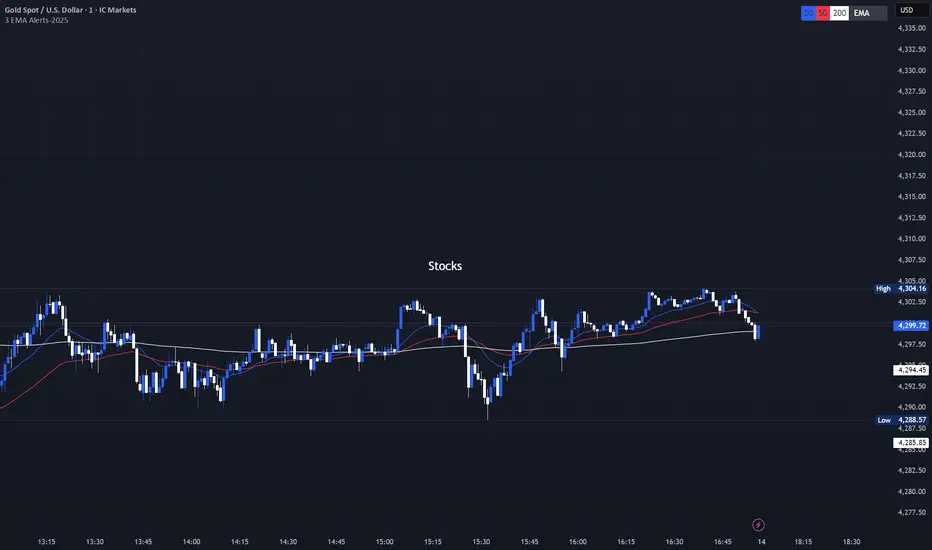
3 EMA with Alerts 2025This indicator plots three key EMAs (20, 50, and 200) directly on the chart, making it easy to track short-, medium-, and long-term trends. A color-coded table is displayed in the top-right corner for quick reference. The script also includes smart alerts that trigger only when the state changes: • 🔵 EMA 20 crossing above EMA 50 & EMA 200 → Bullish signal • 🔴 EMA 20 crossing below EMA 50 & EMA 200 → Bearish signal This tool is designed for traders who want clean visuals, reliable alerts, and simplified trend recognition in 2025 markets. Pine Script® indicatorby Arko202011
EMA/Volume/Institutional Candle (Deep)This indicator is designed for short-term swing trading and intraday trend identification using a combination of EMA structure, momentum shifts, volume confirmation, and institutional footprint analysis. 🔹 Key Features 1. EMA Trend Framework (9, 20, 50, 200) ✔ EMA 9 & EMA 20: Ultra-short-term momentum; ideal for fast trend shifts. ✔ EMA 50: Medium-term trend guide; helps identify pullbacks vs. reversals. ✔ EMA 200: Long-term trend bias and major dynamic support/resistance. 2. EMA 9/20 Crossover Signal ✔ Bullish Crossover → EMA 9 crossing above EMA 20 indicates momentum expansion and early trend reversal. ✔ Bearish Crossover → EMA 9 crossing below EMA 20 shows momentum weakening and possible short-side opportunity. 3. High-Volume Zone Detection ✔ Highlights candles with volume spikes above average, signaling institutional interest. ✔ Useful for identifying breakout validity, liquidity grabs, or trap candles. 4. Institutional Candles (Smart Money Footprint) ✔ Automatically marks institutional order blocks, imbalance zones, or large displacement candles. ✔ Helps traders identify where smart money entered the market and potential mitigation zones. 🎯 How This Indicator Helps You Trade ✔ Quickly spot trend direction with multi-EMA alignment ✔ Identify high-probability entries with EMA 9/20 crossover + volume confirmation ✔ Find institutional zones for sniper-style entries ✔ Filter fake breakouts using volume spikes ✔ Perfect for stocks, indices, crypto, and forexPine Script® indicatorby Chart_CodeUpdated 16
Rohan Algo++Nifty //Bank Nifty // Sensex // Fin nifty // Gold // BTC // Best Scalping Indicator. Pine Script® indicatorby rohan444110
BT MA BandsThe BT MA Bands indicator is built around a central moving average (MA) with upper and lower bands derived from it, similar to Bollinger Bands but focused on exponential moving averages (EMAs) for smoother responsiveness. The core idea is to visualize trend strength, volatility squeezes, and potential reversal points through dynamic bands that expand/contract based on price deviation. It includes trend-based color fills, entry/exit signals, an optional ATR (Average True Range) overlay for additional volatility bands, and flexible MA source options to adapt to different market conditions. Inputs MA Type and Length: Choose from EMA (default), SMA, WMA, or HMA. Default length is 20 periods, but adjustable (e.g., 10-50) for short-term scalping or longer swings. Deviation Multiplier: Sets the band width as a multiple of the standard deviation from the MA (default: 2.0). Higher values create wider bands for trending markets; lower for ranging ones. Source Data: Select price source for the MA calculation—close (default), open, high, low, (high+low)/2, or weighted (hlc3/hlcc4) to emphasize different aspects of price action. ATR Toggle and Multiplier: Optional ATR-based outer bands (default off). When enabled, multiplier (default: 1.5) adds volatility sensitivity, helping filter noise in choppy conditions. Signal Sensitivity: Threshold for generating buy/sell alerts (e.g., 0-100 scale; default 50) based on band crossovers or squeezes. Style Options: Enable/disable fills, signals, and colors for personalization. Visual Elements Central MA Line: A solid line (e.g., blue by default) representing the chosen moving average, acting as the baseline. Upper and Lower Bands: Dotted or dashed lines (green/red defaults) that flank the MA, widening during volatility and narrowing in consolidations. Color-Changing Fills: The area between bands fills with color shifts—bullish (green) when price is above the MA and bands are expanding, bearish (red) when below and contracting, or neutral (gray) during flat trends. Entry Signals: Arrow plots (up green for bullish, down red for bearish) appear on the chart when price crosses the bands or a squeeze resolves, with optional text labels like "Buy" or "Sell." ATR Overlay (if enabled): Additional dashed outer bands in a lighter color (e.g., purple) to highlight extreme volatility zones. How to Use It in Trading Trend Identification: Use the central MA and band fills to gauge direction—price above the MA with green fills signals an uptrend (favor longs); below with red indicates downtrends (favor shorts). Narrow bands suggest a "squeeze" setup, often preceding big moves. Entry Points: Bullish Entries: Enter long when price breaks above the upper band on a bullish signal arrow, especially after a squeeze. Confirm with volume spike or RSI >50 on timeframes like 5m-1h for quick trades. Bearish Entries: Enter short on a break below the lower band with a bearish arrow, post-squeeze. Ideal on 4h+ frames for swings, paired with MACD crossovers. Exits and Risk Management: Exit longs when price hits the lower band or a bearish signal fires; vice versa for shorts. Set stops just beyond the opposite band (e.g., below lower for longs). Target 1.5-3x risk-reward, using ATR bands for trailing stops in volatile markets. General Tips: Best in trending environments; avoid during news events causing false breakouts. Backtest parameters on historical data, and combine with other indicators like RSI or volume for confluence. It's great for spotting reversals but not infallible—always apply position sizing and monitor for band "walks" (price hugging one band) as continuation signals. Pine Script® indicatorby bangtradesUpdated 2