Market Cycle Master The Market Cycle Master (MCM) by © DarkPoolCrypto is a sophisticated trading system designed to bridge the gap between standard retail trend indicators and institutional-grade risk management. Unlike traditional indicators that simply provide entry signals based on a single timeframe, this system employs a "Confluence Engine" that requires multi-timeframe (MTF) alignment before generating a signal.
Crucially, this script integrates a live Risk Management Calculator directly into the chart overlay. This feature allows traders to stop guessing position sizes and instead execute trades based on a fixed percentage of account equity at risk, calculating the exact lot size relative to the dynamic stop-loss level.
Core Concept and Logic
This system operates on three distinct layers of logic to filter out noise and identifying high-probability trend continuations:
1. The Trend Architecture (Layer 1) At its core, the script utilizes an adaptive ATR-based SuperTrend calculation. This allows the system to adjust to market volatility dynamically. When volatility expands, the trend bands widen to prevent premature stop-outs. When volatility contracts, the bands tighten to capture early reversals.
2. Institutional Context / Multi-Timeframe Filter (Layer 2) This is the primary filter of the Pro system. The script monitors a higher timeframe (default: 4-Hour) in the background.
Bullish Context: If the Higher Timeframe (HTF) is in an uptrend, the script will only permit LONG signals on your current chart.
Bearish Context: If the HTF is in a downtrend, the script will only permit SHORT signals.
Grayscale Filters: If the current chart's trend opposes the Higher Timeframe trend (e.g., a 5-minute uptrend during a 4-hour downtrend), the candles will be painted GRAY. This indicates a low-probability "Counter-Trend" environment, and no signals will be generated.
3. Money Flow Filtering (Layer 3) To prevent buying tops or selling bottoms, the system utilizes the Money Flow Index (MFI). Long signals are filtered if volume-weighted momentum is already overbought, and Short signals are filtered if oversold.
The Risk Management HUD
The Heads-Up Display (HUD) is the distinguishing feature of this tool. It transforms the indicator from a visual aid into a trading terminal.
Trend Direction: Displays the current verified trend.
MTF Status: Shows the state of the Higher Timeframe trend.
Volatility: Displays the current ATR value.
Stop Loss: Displays the exact price level of the trend line.
Risk Calculator:
Risk ($): Shows the total dollar amount you will lose if the stop loss is hit (based on your settings).
Units: Calculates exactly how much Crypto, Stock, or FX lots to purchase to match your risk parameters.
Guide: How to Use
Configuration
Trend Architecture: Adjust the "Volatility Factor" (Default: 3.0). Higher values reduce noise but delay entries. Lower values are faster but riskier.
Institutional Context: Select the "Higher Timeframe."
If trading 1m to 15m charts: Set HTF to 4 Hours (240).
If trading 1H to 4H charts: Set HTF to Daily (1D).
Risk Calculator:
Account Size: Enter your total trading capital.
Risk Per Trade: Enter the percentage of your account you are willing to lose on a single trade (e.g., 1.0%).
Trading Strategy
The Signal: Wait for a "Sniper Long" or "Sniper Short" label. This appears only when price action, volatility, and the higher timeframe consensus all align.
The Execution: Look at the HUD under "Units." Open a position for that specific amount.
The Stop Loss: Place your hard Stop Loss at the price shown in the HUD ("Stop Loss" row). This corresponds to the trend line.
The Exit: Close the position if the candle color turns Gray (loss of momentum/consensus) or if an opposing signal appears.
Disclaimer
This script and the information provided herein are for educational and entertainment purposes only. They do not constitute financial advice, investment advice, trading advice, or any other advice. Trading in financial markets involves a high degree of risk and may result in the loss of your entire capital.
The "Risk Calculator" included in this script provides theoretical values based on mathematical formulas relative to the price data provided by TradingView. It does not account for slippage, spread, exchange fees, or liquidity gaps. Always verify calculations manually before executing live trades. Past performance of any trading system is not indicative of future results. The author assumes no responsibility for any losses incurred while using this script.
Search in scripts for "Cycle"

Pi Cycle Top & Bottom OscillatorThis TradingView script implements the Pi Cycle Top & Bottom Oscillator, a technical indicator designed to identify potential market tops and bottoms using moving average relationships. Here's a detailed breakdown:
Indicator Overview
Purpose: The indicator calculates an oscillator based on the ratio of a 111-day simple moving average (SMA) to double the 350-day SMA. It identifies potential overbought (market tops) and oversold (market bottoms) conditions.
Visualization: The oscillator is displayed in a standalone pane with dynamic color coding to represent different market conditions.
Inputs
111-Day Moving Average Length (length_111): Adjustable parameter for the short-term moving average. Default is 111 days.
350-Day Moving Average Length (length_350): Adjustable parameter for the long-term moving average. Default is 350 days.
Overheat Threshold (upper_threshold): Percentage level above which the market is considered overheated. Default is 100%.
Cooling Down Threshold (lower_threshold): Percentage level below which the market is cooling down. Default is 75%.
Calculation
Moving Averages:
111-day SMA of the closing price.
350-day SMA of the closing price.
Double the 350-day SMA (
𝑚
𝑎
_
2
_
350
=
𝑚
𝑎
_
350
×
2
ma_2_350=ma_350×2).
Oscillator:
Ratio of the 111-day SMA to double the 350-day SMA, expressed as a percentage:
oscillator
=
𝑚
𝑎
_
111
𝑚
𝑎
_
2
_
350
×
100
oscillator=
ma_2_350
ma_111
×100
Market Conditions
Overheated Market (Potential Top): Oscillator >= Overheat Threshold (100% by default). Highlighted in red.
Cooling Down Market (Potential Bottom): Oscillator <= Cooling Down Threshold (75% by default). Highlighted in green.
Normal Market Condition: Oscillator is between these thresholds. Highlighted in blue.
Visual Features
Dynamic Oscillator Plot:
Color-coded to indicate market conditions:
Red: Overheated.
Green: Cooling down.
Blue: Normal condition.
Threshold Lines:
Red Dashed Line: Overheat Threshold.
Green Dashed Line: Cooling Down Threshold.
White Dashed Line: Additional high-value marker at 30 for reference.
Alerts
Overheat Alert: Triggers when the oscillator crosses the overheat threshold, signaling a potential market top.
Cooling Down Alert: Triggers when the oscillator crosses the cooling down threshold, signaling a potential market bottom.
Use Case
This script is particularly useful for traders seeking early signals of market reversals. The thresholds and dynamic color coding provide visual cues and alerts to aid decision-making in identifying overbought or oversold conditions.

Cosmic Cycle Trader -AYNETThe "Cosmic Cycle Trader 🌌"
Here's a summarized breakdown of the code:
Inputs
Orbital Periods (Moving Averages):
User specifies moving average (MA) periods as a comma-separated string (e.g., "10,20,50,100").
Predefined colors for each MA are used.
Fibonacci Sphere Levels:
User specifies Fibonacci retracement levels as a string (e.g., "0.236,0.382,0.618,1.0").
Color customization for Fibonacci levels is included.
Gravitational Pull (Signal Thresholds):
Configurable thresholds (buy_pull and sell_pull) to define signal triggers.
Alerts can be toggled on or off.
Core Features
Helper Functions:
parse_floats: Converts a comma-separated string into an array of floating-point numbers.
parse_ints: Converts a comma-separated string into an array of integers.
Orbital Periods (Moving Averages):
Moving averages are calculated for the given periods using the ta.sma function.
Each MA is stored in an array and plotted on the chart with a unique color.
Fibonacci Spheres:
Fibonacci levels are calculated based on the high and low of the current bar.
These levels are plotted as circles, visually indicating key price zones.
Signals:
Buy Signal: Triggered when:
The price closes above the highest MA.
The price is between specific Fibonacci levels.
Sell Signal: Triggered when:
The price closes below the lowest MA.
The price is below specific Fibonacci levels.
Alerts:
Alerts are created for buy and sell signals.
Signals are also annotated on the chart with labels and shapes.
Visual Elements
Plots:
Moving averages are plotted with distinct colors and line widths.
Fibonacci spheres are plotted as circles with customizable transparency.
Shapes:
Triangles indicate buy (green) and sell (red) signals on the chart.
Labels:
Buy signals display a "🌕 Buy" label.
Sell signals display a "🌑 Sell" label.
Purpose
This indicator helps traders identify potential buy and sell zones based on:
Moving average trends (orbital periods).
Key Fibonacci retracement levels.
Configurable thresholds (gravitational pull).
This combination of technical analysis tools makes it a visually appealing and functional indicator for traders.

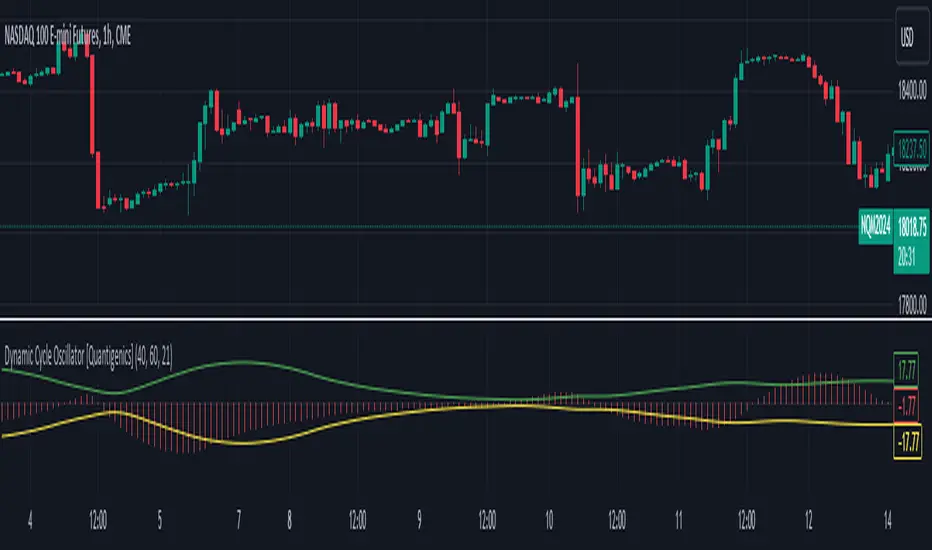
Dynamic Cycle Oscillator [Quantigenics]This script is designed to navigate through the ebbs and flows of financial markets. At its core, this script is a sophisticated yet user-friendly tool that helps you identify potential market turning points and trend continuations.
How It Works:
The script operates by plotting two distinct lines and a central histogram that collectively form a band structure: a center line and two outer boundaries, indicating overbought and oversold conditions. The lines are calculated based on a blend of exponential moving averages, which are then refined by a root mean square (RMS) over a specified number of bars to establish the cyclic envelope.
The input parameters:
Fast and Slow Periods:
These determine the sensitivity of the script. Shorter periods react quicker to price changes, while longer periods offer a smoother view.
RMS Length:
This parameter controls the range of the cyclic envelope, influencing the trigger levels for trading signals.
Using the Script:
On your chart, you’ll notice how the Dynamic Cycle Oscillator’s lines and histogram weave through the price action. Here’s how to interpret the movements.
Breakouts and Continuations:
Buy Signal: Consider a long position when the histogram crosses above the upper boundary. This suggests a possible strong bullish run.
Sell Signal: Consider a short position when the histogram crosses below the lower boundary. This suggests a possible strong bearish run.
Reversals:
Buy Signal: Consider a long position when the histogram crosses above the lower boundary. This suggests an oversold market turning bullish.
Sell Signal: Consider a short position when the histogram crosses below the upper boundary. This implies an overbought market turning bearish.
The script’s real-time analysis can serve as a robust addition to your trading strategy, offering clarity in choppy markets and an edge in trend-following systems.
Thanks! Hope you enjoy!
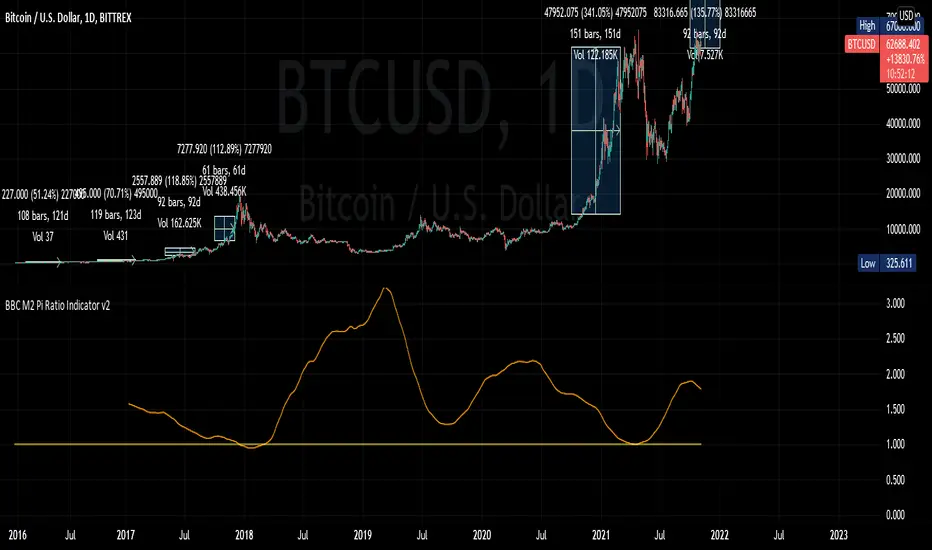
BBC M2 Pi Ratio Indicator v2Pi Cycle indicator expressed as a ratio such that when the indicator triggers (350DMA *2 = 111DMA) the ratio will be 1. This allows you to place an alert on the ratio line for crossing certain thresholds such as 1.1.
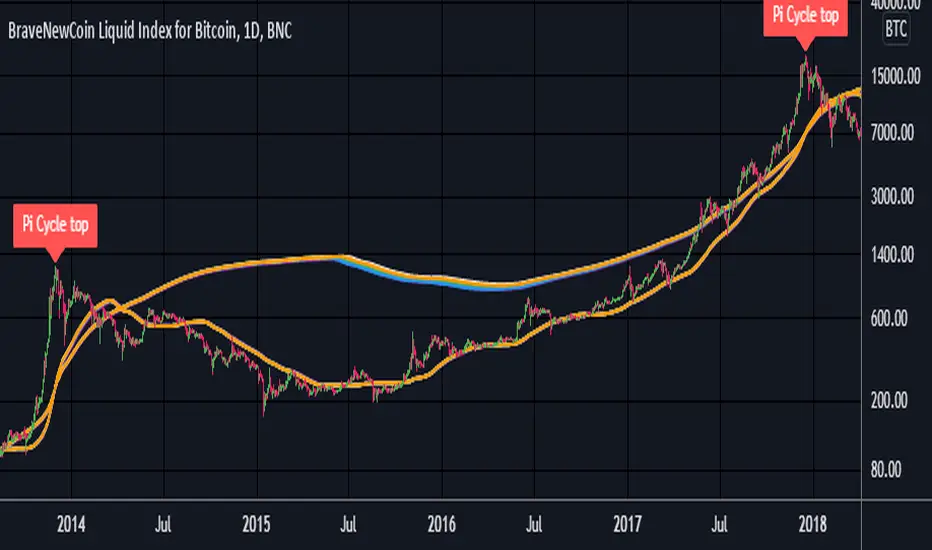
Pi Cycle Top Ribbon [Mamo]This is a modification on the original Pi Cycle Top Indicator by Philip Swift.
It consists of 2 moving averages with one of them being multiplied by a chosen number. When the lower moving average crosses the higher (with multiple) moving average, the bull market top is indicated.
The original indicator showed bull market tops within a 3 day accuracy. This version shows the exact tops on the exact day for 2013 and 2017.
There are 7 different perfect solution shown as a band in this modified indicator. Each solution is a color pair and can be viewed separately by turning each combination off or on in the settings.
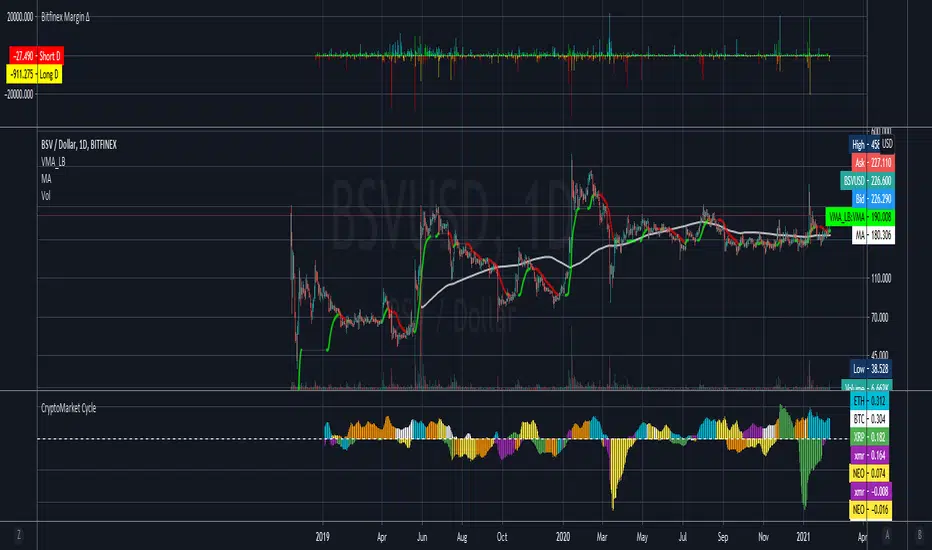
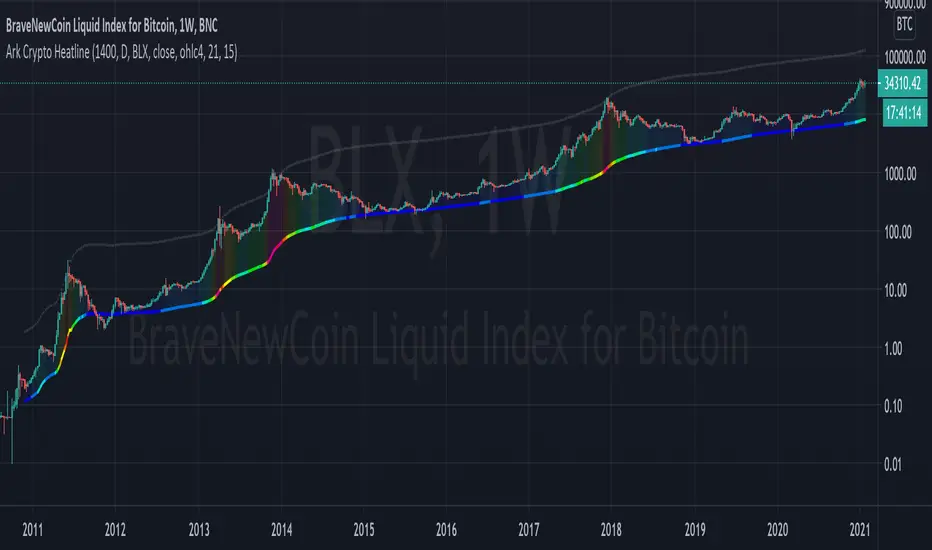
Ark Crypto HeatlineThis is the 'on chart' indicator. See also "Ark Crypto Heatband" indicator for a side-by-side BTC view, without a re-scaled line.
The crypto landscape is largely dominated by BTC and characterised by cyclical stages with varying degrees of mean reversion.
To understand what stage of the cycle we are currently experiencing, it is useful to examine to what degree the current price has extended beyond the long term average that BTC has established. This is true even when analysing other crypto assets as BTC is the dominant force in the crypto asset class.
This indicator uses the 1400 period daily SMA , which is broadly the 200 period weekly SMA. This can be configured, but historically has represented a baseline to which BTC commonly returns.
The graph plots current price in terms of multiples of this long term average. Traditionally, at multiples beyond 10, BTC is considered overextended with a higher likelihood of trending towards the mean thereafter. Colors indicate the extent of price extension.
Where the indicator is applied to non BTCUSD pairs, a smoothed conversion is applied, seeking to superimpose the BTC long period SMA onto the current chart.
The indicator specifically references BTC by default on all charts, as it is designed to use BTC as general purpose indication of where crypto as a whole currently sits. Accordingly the indicator is only to be used on crypto charts.
For best results on BTC, using BNC:BLX will give the longest historical view.
Ark Crypto HeatbandThe crypto landscape is largely dominated by BTC and characterised by cyclical stages with varying degrees of mean reversion.
To understand what stage of the cycle we are currently experiencing, it is useful to examine to what degree the current BTC price has extended beyond a long term average. This is true even when analysing other crypto assets and helpful to view side by side.
This indicator uses the 1400 period daily SMA, which is broadly the 200 period weekly SMA. This can be configured, but historically has represented a baseline to which BTC commonly returns.
The graph plots current price in terms of multiples of this long term average. Traditionally, at multiples beyond 10, BTC is considered overextended with a higher likelihood of trending towards the mean thereafter. Colors indicate the extend of price extension.
The indicator specifically references BTC by default on all charts as it is designed to use BTC as general purpose indication of where crypto as a whole currently sits. Accordingly the indicator is only to be used on crypto charts.

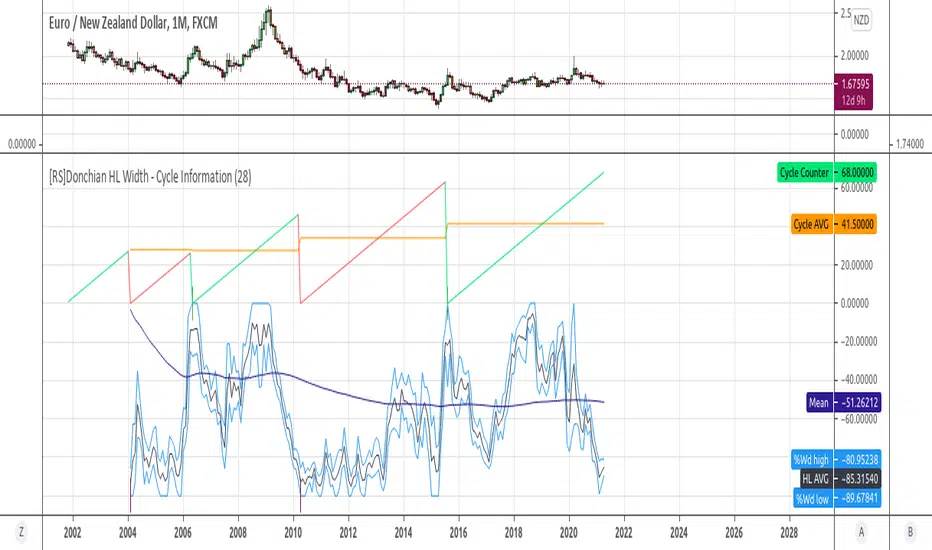
[RS]Donchian HL Width - Cycle InformationExperimental:
some information on cyclical new peaks using Donchian Channel % Widths.

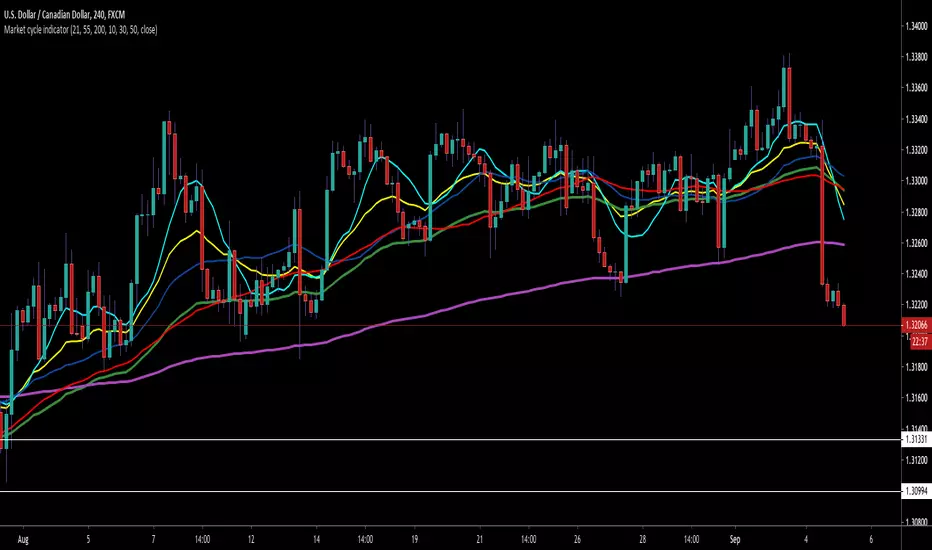
Reflex Oscillator - Dr. John EhlersHot off the press, I present this NEW "Reflex Oscillator" employing PSv4.0, originally formulated by Dr. John Ehlers for TASC - February 2020 Traders Tips. John Ehlers might describe it's novel characteristics as being a reversal sensitive near zero-lag averaging indicator retaining the CYCLE component. Also, I would add that irregardless of the sampling interval, this indicator has a bound range between +/-2.0 on "1 second" candles all the way up to "1 month" candle durations. This indicator also has a companion indicator entitled "TrendFlex Oscillator". I have published it in tandem with this one in my scripts profile.
One notable difference between this and the original formulation is that I have added an independent control for the Super Smoother. This "tweak" is enabled by applying the override and adjusting it's period. There is a "Post Smooth" input() that "tweaks" the internal Reflex EMA too. Keep in mind that my intention of adding tweaks is solely for experimentation with the original formulation.
I also added adjustable levels for those of you that may wish to employ alertcondition()s to this indicator somehow. Providing a more utilitarian approach, I created this with an easy to use reusable function named reflex(). As always, I have included advanced Pine programming techniques that conform to proper "Pine Etiquette". Being this is one of John Ehlers' first two simultaneously released indicators for 2020, I felt a few more bells and whistles were appropriate as a proper contribution to the Tradingview community.
Features List Includes:
Dark Background - Easily disabled in indicator Settings->Style for "Light" charts or with Pine commenting
AND much, much more... You have the source!
The comments section below is solely just for commenting and other remarks, ideas, compliments, etc... regarding only this indicator, not others. When available time provides itself, I will consider your inquiries, thoughts, and concepts presented below in the comments section, should you have any questions or comments regarding this indicator. When my indicators achieve more prevalent use by TV members, I may implement more ideas when they present themselves as worthy additions. As always, "Like" it if you simply just like it with a proper thumbs up, and also return to my scripts list occasionally for additional postings. Have a profitable future everyone!

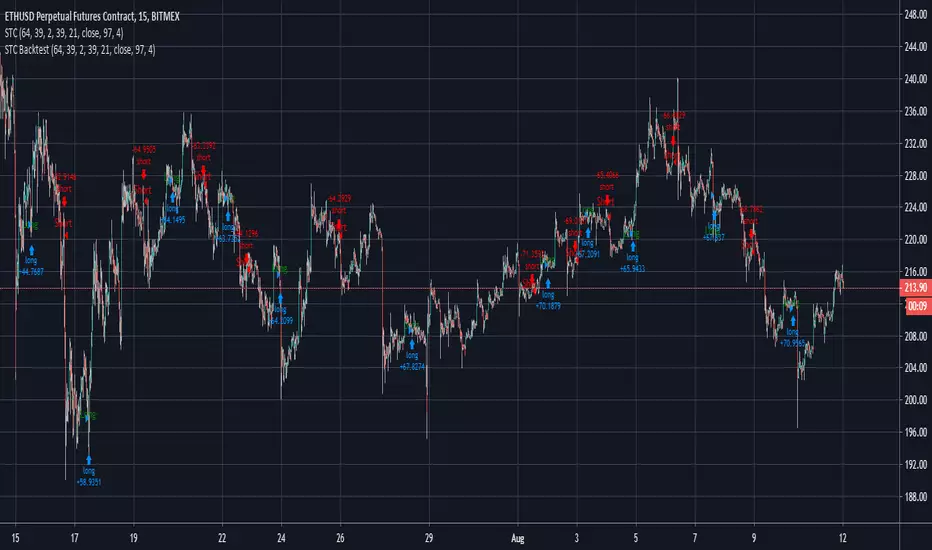
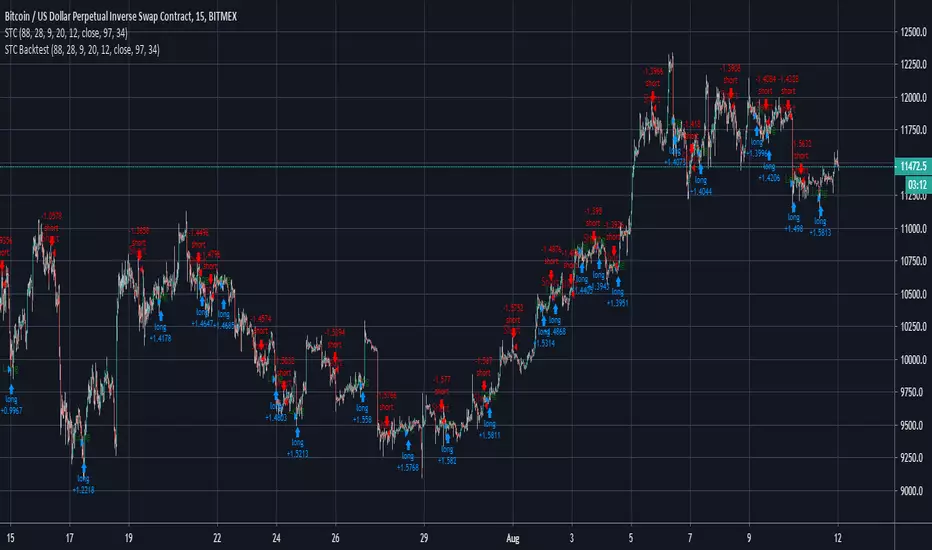
Schaff Trend Cycle Strategy for XBTUSD 15m BacktestSchaff Trend Cycle Strategy for XBTUSD 15m Backtest
Zero-Lag Smoothed CycleOld indicator ! But its a simple trick to have a zero-lag smoothing effect, i think i did it because the smoothing was kinda asymmetrical with the detrended line. So even if the result appear quite good take into account that the detrended line isn't always correlated with the price.

Robust Cycle Measurement [Ehlers]The last of Ehlers Instantaneous Frequency Measurement methods.
This is a more robust version of this script.
I wrote it as a function, so you can simply copy and paste it into any script to add an adaptive period setting capability.
Cheers,
DasanC
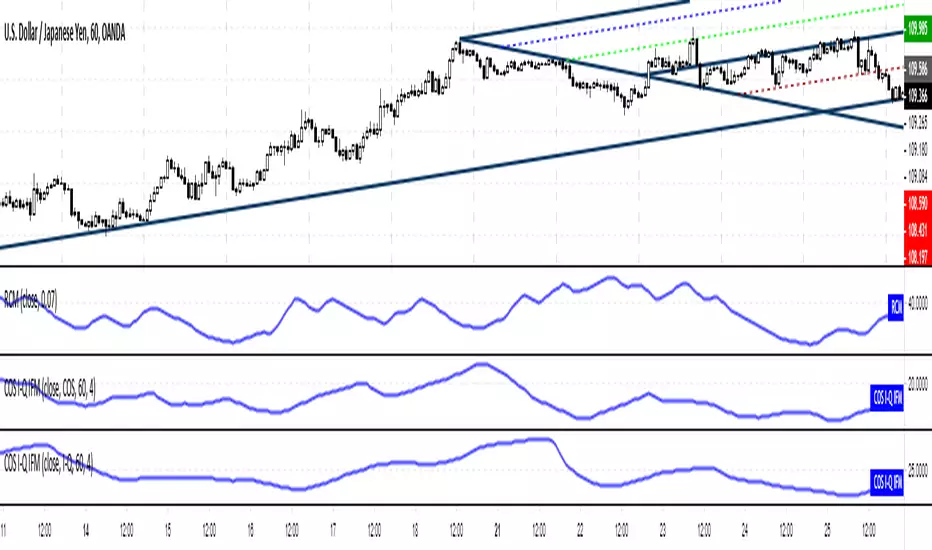
Cosine, In-Phase & Quadrature IFM [Ehlers]Yet another method for determining the cycle of a market: this time, you have access to the two fastest and most accurate methods
as well as the option to average these methods together.
The controls are pretty straight forward:
Source lets you select the price data to perform calculations on (close, open, etc..)
Max Period is simply the cap for the algorithm when it's checking the validity of Periods.
-> If you notice your plots have a flat top, then increase this value to accept a wider range of Periods.
-> This setting has a min. value of 8 to reduce noise and a max of 100 to ignore waves from higher time frames.
Average? simply averages the two methods of calculation.
-> You may want to do this if you notice the two plots diverging a lot.
-> Cosine IFM tends to favor shorter periods; I-Q IFM tends to favor longer.
Cheers,
- DasanC

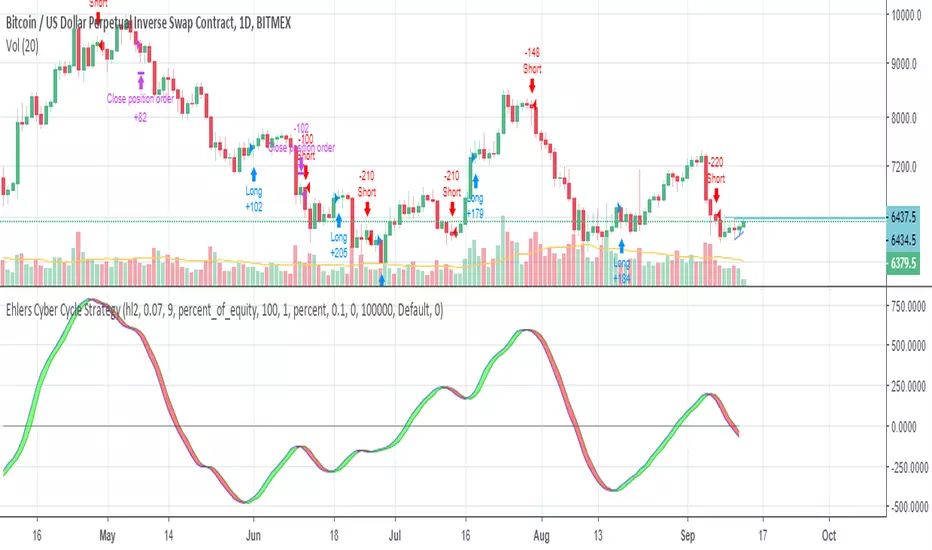
Ehlers Cyber Cycle StrategyEhlers Cyber Cycle Strategy by John Ehlers from his book "Cybernetic Analysis for Stocks and Futures".


Ichimoku BoxIntroducing Ichimoku Box Indicator:
Key Features:
Customizable Box Periods: Adjustable box periods with default settings of 9, 26, and 52.
Shifted Span A and Span B Points: Easily adjustable shifts and colors.
Additional Box Option: Capability to add an extra box for more detailed analysis.
High and Low Markers: Identifies the highest and lowest candle within each box with distinct markers.
Candle Countdown Timer: Displays the remaining candles before a box loses its high or low.
Drag-and-Drop Functionality: Move boxes to any position on the chart with a vertical line.
Automatic Box Drawing: When the indicator is first applied, a vertical line appears on the mouse cursor, and clicking on any point automatically draws the boxes.
How It Works:
The indicator allows users to visualize Ichimoku periods as boxes, highlighting key price levels and shifts in market structure. It simplifies the analysis process by providing visual cues and customizable settings for enhanced flexibility.

Demand Index StrategyDescription:
This strategy is an automated trading system based on a faithful replica of the Sierra Chart "Demand Index" (Study ID 139). It utilizes the complex pressure/volume calculations developed by James Sibbet to identify high-probability reversal points from oversold territory.
📈 Strategy Logic: "The Deep Recovery"
The Demand Index combines price and volume to measure buying vs. selling pressure. This strategy specifically looks for a "Deep Recovery" scenario where selling pressure exhausts itself and momentum shifts back to the upside.
The Entry Conditions (Long Only):
Deep Oversold Zone: The Demand Index must have visited the deep negative zone (-45) within the recent lookback period. This ensures we are watching a heavily sold-off asset.
Recovery Trigger: The Demand Index must cross up through the recovery level (-30).
Momentum Confirmation: At the moment of the crossover, the Demand Index must be above its Signal Line (EMA 10) to confirm the immediate trend direction.
⚙️ Default Settings
Buy/Sell Power Length: 10 (Shorter term focus for reaction speed).
Buy/Sell MA Length: 10.
Signal EMA Length: 10.
Deep Level: -45 (Configurable).
Trigger Level: -30 (Configurable).
🛡️ Risk Management
The strategy includes built-in inputs for risk management:
Stop Loss: Defaults to 2.0%
Take Profit: Defaults to 4.0%
Note: These can be toggled off or adjusted in the settings menu.
🔍 About the Indicator Source
This script replicates the specific math found in Sierra Chart's documentation for Study ID 139. This includes the unique H0/L0 volatility scaling, where the calculation utilizes the High and Low of the very first loaded bar to normalize the exponential decay of the buying/selling pressure.
Disclaimer: Past performance is not indicative of future results. This strategy is provided for educational purposes and demonstrates how to automate James Sibbet's Demand Index based on specific Sierra Chart logic.

Demand Index##Description:
This indicator is a precise Pine Script replica of the "Demand Index" (Study ID 139) as found in the Sierra Chart trading platform.
Originally developed by James Sibbet, the Demand Index combines price and volume data to measure buying and selling pressure. It is often considered a leading indicator, anticipating price trend changes by identifying divergences between the price action and the volume flow.
##Key Features & Formula Logic
This script strictly follows the official documentation provided by Sierra Chart to ensure the values match the original platform as closely as possible.
Specific calculation details included in this port:
- P(HL2C): Uses the weighted average (High + Low + 2*Close).
- Range Calculation: Uses a Moving Range based on Max(High, 2) - Min(Low, 2).
- The H0/L0 Factor: A unique characteristic of the Sierra Chart formula is the use of H0 and L0 (the High and Low of the first loaded bar in history) to scale the volatility exponent. This script replicates that behavior.
Note: Because H0 and L0 depend on the start of the loaded data, values may shift slightly if the amount of historical data on your chart changes. This is consistent with how the study behaves in Sierra Chart.
- Complex Weighting: Calculates "Buy Power" and "Sell Power" using the specific exponential decay formula outlined in SC ID 139.
##Settings (Inputs)
- Buy/Sell Power Length (nBS): Length for smoothing Volume and Range (Default: 19).
- Buy/Sell Power MA Length: Length for the smoothing of the calculated Buy/Sell Power (Default: 19).
- Demand Index MA Length: Length for the final Simple Moving Average (SMA) of the Demand Index (Default: 19).
- MA Type: Choose the smoothing algorithm for intermediate steps (EMA, SMA, WMA, RMA). Default is EMA.
##How to Trade / Interpret
- Divergence: The most powerful signal. If price makes a new High but the Demand Index fails to reach a new High, it suggests Buying Power is weakening (Bearish Divergence). Conversely for Bullish Divergence.
- Zero Line Cross: A cross above zero indicates Buy Power > Sell Power (Bullish). A cross below zero indicates Sell Power > Buy Power (Bearish).
Disclaimer: This script is for educational and analytical purposes only. It is a code conversion based on public documentation of Sierra Chart Study ID 139.
Sierra Chart, best trading software, EVER!
With the best datafeet. Denali Exchange Data Feed.
